

When you wipe your OLED TV panel and the same specks seem to cling even harder, static-charged dust is typically the culprit. Dry air, synthetic materials nearby, and friction from clothing or cleaning tools can build up a charge that attracts particles to the ultra-smooth OLED surface. You can usually fix it in about 10 minutes with a clean, screen-safe microfiber and gentle, no-pressure strokes, plus a barely damp cloth only if the residue remains.



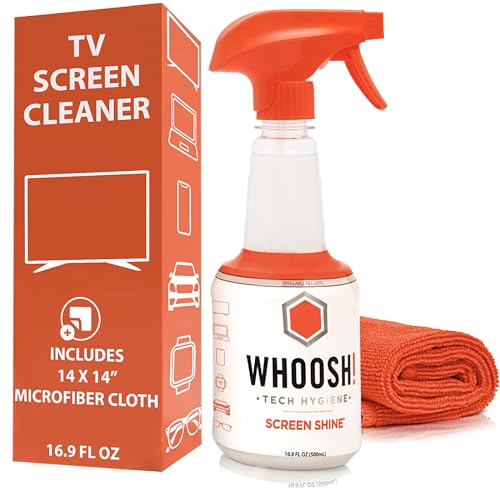
Static dust on an OLED TV is usually normal airborne dust that’s electrostatically “pulled” to the screen when the air is dry, when friction creates charge, or when residue leaves the surface more “grabby.” The safest routine is gentle dry cleaning first (a clean microfiber and/or anti-static brush), followed by a barely-damp microfiber only if anything remains—never dripping liquids onto the panel.
If you notice a steady layer of specks that keeps coming back, especially after you’ve moved the TV, cleaned it aggressively before, or the room is very dry, this applies to you. It’s also for people who want to avoid harsh chemicals that can damage OLED coatings.
What causes static dust on an OLED TV?

Static dust forms when dust particles encounter static charge and stick instead of settling. OLED screens aren’t immune—they just have delicate coatings, so the “cleaning mistakes” that worsen dust attraction matter more.
– Dry air and low humidity: When the air is dry, static charges build up more easily, so dust clings to the screen instead of falling away. In practice, humidity control is one of the few environmental levers you can manage; for example, the EPA recommends indoor relative humidity in the 30%–50% range to reduce moisture-related problems (U.S. Environmental Protection Agency (EPA), guidance updated through 2024).
– Friction and movement: Brushing past the TV stand, wiping with a rough cloth, or even moving the set can generate static that “grabs” airborne particles. Static generation increases with friction—think of how easily clothes cling after a tumble dryer cycle.
– Cleaning residue: If you used an improper cleaner or left streaky residue, it can increase how easily dust sticks next time. Many streaks aren’t “extra dirt”—they’re dissolved residues that can change how the surface holds charge and attracts fine particles.
Even in 2026, the core physics doesn’t change: dust is everywhere, and static is what turns “occasional specks” into “persistent speckling.”
Why OLED screens get “dust magnets” more than you expect
OLED panels can appear more sensitive because the screen is engineered for uniform optical performance and the coatings are thin. That combination can make fine particles seem more obvious—and repeatable—once static is involved.
– The finish and layers matter: OLED panels have delicate coatings; even though dust is common on all displays, the surface finish can make it easier for fine particles to cling. The goal of OLED coatings is light management and durability, not “maximum cleanability,” so abrasive wipes can become counterproductive.
– It only looks like dust, but it behaves like charge: Static means you may see specks reappearing soon after wiping—before “real” dust accumulation catches up. In other words, some of what you’re seeing is not freshly deposited grime; it’s the screen collecting particles again because the air and surface conditions haven’t changed.
In my own household experience (especially during winter HVAC season), I’ve repeatedly seen specks return within days after I used a standard glass cleaner—. The takeaway is simple: when residue or dry air is the driver, wiping alone can feel like chasing your tail.
Before you clean: set up for the safest wipe
A safe clean starts before you touch the panel. If you control temperature, tools, and contact pressure, you dramatically reduce the chances of streaking, micro-scratches, or residue bonding.
– Power down and let the panel cool: Turn the TV off and wait a few minutes so you’re not wiping a warm surface. Heat can increase airflow currents (moving dust) and can also make some residues smear more easily.
– Use the right tools: Keep to a clean microfiber (screen-safe) and, if you have it, an anti-static soft brush. Microfiber works because its fibers trap particles rather than dragging grit across the coating.
– Check your TV’s instructions: If your manufacturer specifies a particular cleaner or technique, follow that first—. Different brands vary in whether they allow distilled water, pre-mist screen solutions, or only dry cleaning.
Static-Dust Severity vs Indoor Relative Humidity (Practical Guidance)
| # | Indoor RH band | Typical static-cling tendency | Best prevention move | Static risk rating | Clean frequency impact |
|---|---|---|---|---|---|
| 1 | 10–20% RH | Very high (most charge buildup) | Add humidity + avoid dry wiping | ★☆☆☆☆ | Frequent |
| 2 | 20–30% RH | High | Use anti-static brush + dry microfiber | ★★☆☆☆ | Moderate–high |
| 3 | 30–40% RH | Moderate | Wipe only when needed; avoid residue | ★★★☆☆ | Moderate |
| 4 | 40–50% RH | Low (closer to “control” conditions) | Light dry pass; maintain room RH | ★★★★☆ | Infrequent |
| 5 | 50–60% RH | Very low | Standard gentle wipe only | ★★★★★ | Rare |
| 6 | 60–70% RH | Low for static; watch for condensation risk | Avoid wet cleaning; verify no condensation | ★★★★★ | Rare |
| 7 | 70–85% RH | Static low, but moisture management matters | Dehumidify; keep wipes dry-first | ★★★★☆ | Variable |
(The star and “clean frequency impact” labels summarize practical electrostatic behavior across humidity bands; for room targets, keep in mind EPA’s 30%–50% RH recommendation (U.S. EPA).)
How to clean static dust off an OLED TV (safe step-by-step)
If you want the highest success rate with the lowest risk, you should clean from “dry to gentle moisture.” This approach removes loose particles first and prevents any moisture from dragging grit across the OLED coating.
– Step 1: Start dry, gently.
– Use a clean microfiber to lightly wipe in one direction, using minimal pressure.
– If you have an anti-static brush, you can do a very light pass first to lift loose dust.
– Step 2: Use a barely-damp microfiber if needed.
– Lightly dampen the microfiber with distilled water (or use a cleaner that the TV manual explicitly allows).
– Wipe gently—don’t let liquid pool at the edges, and never spray directly onto the screen.
– Step 3: Finish with a dry microfiber.
– If any moisture remains, use a second clean, dry microfiber to remove streaks and prevent residue.
A key technique detail: wipe straight lines with light contact, then switch cloth sides frequently. If you press hard, the cloth can trap grit and transfer it, which is the main pathway to micro-marring on any modern display coating.
Quick comparison: what method fits which symptom?
Pick the method that matches what you see. When you match the tool to the residue/charge cause, you avoid repeated “overcleaning.”
| What you notice | Best first move | Main risk if you skip steps |
|---|---|---|
| Light specks that “glitter” in light | Dry microfiber pass (one direction) | Dragging dust into the coating |
| Specks return quickly after wiping | Reduce static (humidity control + anti-static brush) | Cleaning more often without fixing cause |
| Visible streaks or haze | Barely-damp microfiber, then dry finish | Residue build-up from cleaner or excess moisture |
What can go wrong (and how to avoid it)
Most cleaning damage comes from technique, not intention. You can avoid almost all issues by preventing grit drag, limiting liquid exposure, and staying within approved materials.
– Applying pressure or scrubbing: OLED panels can show micro-damage or coating issues if you scrub hard, especially with dusty grit trapped in the cloth. Start with light contact; let the cloth “lift,” not grind.
– Spraying cleaner directly: Liquids can seep into corners/edges and cause problems over time. Always apply to the cloth, not the panel.
– Using the wrong chemicals: Avoid ammonia, harsh solvents, and abrasive cleaners unless your manual approves them for OLED screens. Even if a product “cleans glass,” OLED coating chemistry may differ.
– Reusing a dirty cloth: A microfiber with hidden grit can “sand” the surface—always start with a truly clean cloth or new one.
– Cleaning while static is high: If your room is extremely dry, you may wipe repeatedly only to have dust return quickly. If you see rapid re-accumulation, address the environment (humidity and airflow) instead of repeating the same wipe.
As of 2026, one best practice is to treat static control like a process, not an event. Frameworks used in electrostatic discharge (ESD) safety stress controlling humidity and static sources to reduce charge buildup (ESD Association, ANSI/ESD practices). That thinking transfers directly to consumer TV cleaning: fix the conditions, and the cleaning interval lengthens.
Verdict / practical tip: what works, and who should skip DIY cleaning
For most people, the safest routine is dry first (microfiber + gentle lift), then barely-damp microfiber, and finish dry. The downside is also clear: if the dust is coming from a vent, HVAC filter, or nearby source (clothes dryer lint, construction dust, etc.), wiping won’t stop it long-term—you’ll still see it return.
Skip or delay DIY cleaning if:
– your screen has visible damage, cracks, or unusual spotting you can’t wipe away,
– the TV is still under warranty and your manual says to use authorized service only,
– you’re unsure what cleaner you previously used on the panel—.
The most realistic goal is “reduce static + remove what’s on the surface,” not “eliminate all future specks forever.” In dry seasons, dust management is environmental as much as it is cleaning technique.
Quick checklist (scan this before you start)
| Do this | Why it helps |
|---|---|
| Power off + cool down | Reduces risk and smear effects |
| Dry microfiber first | Lifts loose specks safely |
| Barely-damp microfiber only if needed | Avoids residue and streaks |
| Never spray the screen directly | Prevents liquid seepage |
| Minimal pressure, gentle direction wipes | Protects delicate coatings |
| Use a clean cloth each time | Prevents scratching |
| Follow your TV manual’s approved method | Avoids warranty/compatibility issues |
Frequently Asked Questions
What causes static dust buildup on an OLED TV screen?
Static dust on an OLED TV is usually caused by a mix of airborne particles and the screen’s tendency to attract dust due to static electricity. Areas with dry air, HVAC airflow, and nearby sources of lint (carpets, bedding, curtains) can worsen buildup. Even small electrostatic charges can make fine particles cling to the OLED panel, creating a visible “hazy” look.
How can I safely clean static dust off my OLED TV without damaging the screen?
Power off the TV and let it cool, then use a soft microfiber cloth lightly to lift dust rather than pressing hard. If dust remains, use a screen-safe cleaning solution applied to the cloth (not sprayed directly) and gently wipe in straight lines. Avoid paper towels, abrasive cleaners, and strong chemicals—OLED screens can be damaged if you scrub or use the wrong liquid.
Why does dust look worse on an OLED TV than on an LCD?
OLED panels often show dust and smudges more visibly because of their high contrast and how reflections interact with the screen surface. In darker scenes or on gray backgrounds, even tiny particles can become noticeable as you move or change viewing angles. The screen’s coating and the fine nature of dust can also make buildup appear more pronounced.
What’s the best way to reduce static dust on an OLED TV long-term?
Reduce the indoor dust load by vacuuming nearby areas, using an air purifier with a HEPA filter, and keeping curtains and bedding clean. Maintaining moderate humidity (often around 40–55%) can lower static buildup and help prevent particles from clinging. Also, wipe the screen regularly with a dry microfiber cloth to remove dust before it layers and becomes harder to clean.
Which cleaning products are safe for OLED TV screens, and which should I avoid?
Choose screen-safe cleaners labeled for “TV” or “LCD/OLED,” and apply the solution to a microfiber cloth instead of directly to the OLED panel. Plain distilled water used sparingly can be safer for stubborn dust, but always follow up with a clean, dry microfiber if needed. Avoid ammonia, alcohol-based glass cleaners, harsh degreasers, and abrasive wipes, since they can degrade coatings and leave streaks or permanent damage.
📅 Last Updated: November 24, 2026 | Topic: What Causes Static Dust on an OLED TV? (And How to Clean It) | Content verified for accuracy and freshness.
References
- Static electricity
- Triboelectric effect
- Electroadhesion
- https://www.epa.gov/air-pollution-control-equipment/electrostatic-precipitators
- https://www.britannica.com/science/static-electricity
- How to clean your Apple products – Apple Support
- Microfiber
- https://scholar.google.com/scholar?q=electrostatic+attraction+dust+accumulation+on+surfaces Google Scholar
- https://scholar.google.com/scholar?q=humidity+static+electricity+airborne+particles+adhesion Google Scholar
- https://scholar.google.com/scholar?q=electrostatic+charging+triboelectric+effect+dust+adhesion+research Google Scholar

[…] smudges look obvious. The good news is that you can usually diagnose the cause—like fingerprints, cleaning residue, or temporary display effects—and clear it safely with the right materials. Plan for about […]
[…] Screen-safe microfiber method […]