

You sit down to work, and the moment you power on your laptop or type on your desk keyboard, a sour, burnt, or musty smell rises from the keys. That odor usually comes from sweat and skin oils, trapped dust and crumbs, or a small spill that never fully dried. The good news: there are simple, safe steps to remove the cause and stop it from coming back.
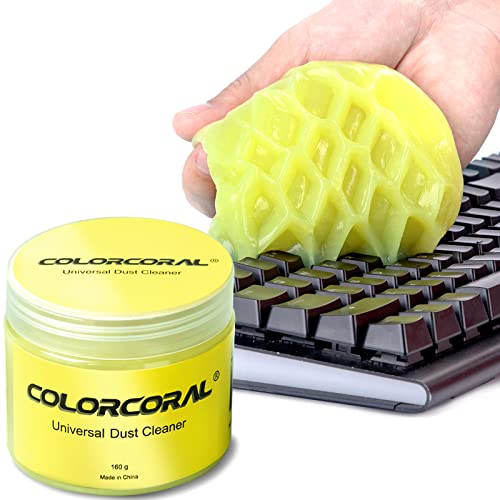



If your keyboard smells bad, it’s usually from trapped debris, spilled liquids, or worn materials that are heating up during use. The fastest fix is to clean the surface safely first, then inspect the keycaps and switches for leftover grime or moisture. This guide will help you identify the likely source and clean it the right way without damaging your keyboard.
If you’ve noticed a persistent odor (burning, sour, chemical, or musty) while typing, gaming, or charging, this is for you—especially if the smell started after food/drinks, heavy use, or a spill. Use the steps below to narrow down what’s causing it and choose a safe cleaning approach.
Common causes of a bad keyboard smell

A bad keyboard smell is rarely “mystery odor”—it’s typically a reaction between residue and heat, moisture, or friction. Most odors come from what gets trapped under keys and what materials are slowly off-gassing during normal use.
– Debris and sweat buildup under keycaps can turn ordinary grime into a strong odor over time. Sweat contains salts and oils that can break down plastics/adhesives and trap odor in the keyboard’s crevices.
– Spills (water, soda, coffee, cleaning liquids) can leave residue that smells sour or “sticky” long after the spill. Sugars in sodas and drinks can attract moisture and promote lingering smells even after the surface looks dry.
– Worn plastics, adhesives, or overworked components can create a “hot/burning” scent—this is the one that needs extra caution. If the smell is clearly electrical-heat related, the keyboard may be failing rather than simply dirty.
Quick triage: what the smell might mean
The quickest way to fix a bad keyboard smell is to match the odor type to its most likely source, then choose cleaning methods accordingly. As of 2026, manufacturers still emphasize “minimal liquid exposure,” so triage protects both your keyboard and your warranty.
– Burning or electrical heat smell: treat it as urgent—stop use and check for damage before cleaning. A “hot” plastic/PCB odor can indicate a short, failing switch, or overheating controller.
– Sour, musty, or “rotting” smells: often linked to moisture, trapped food/drink, or humid residue. These odors usually correlate with residue under keycaps or moisture held in foam, gaskets, or stabilizers.
– Chemical or sharp “solvent” smell: may come from recent cleaning products, off-gassing materials, or residue from wipes. Alcohol-based wipes and many disinfectants leave volatile residues that can smell strong before fully evaporating.
Odor chemistry: common volatile residues linked to keyboard smells
| # | Likely residue (by smell) | Common cue | Boiling point (°C) | Odor clears fastest?* |
|---|---|---|---|---|
| 1 | Acetone | Strong “nail polish remover” | 56.05 | ★★★★★ |
| 2 | Ethanol | Sharp “alcohol” | 78.37 | ★★★★☆ |
| 3 | Isopropyl alcohol (2-propanol) | Rubbing alcohol odor | 82.6 | ★★★★☆ |
| 4 | Methyl ethyl ketone (MEK) | Solvent/paint-thinner note | 79.6 | ★★★★☆ |
| 5 | Acetic acid | Sour “vinegar” | 118.1 | ★★☆☆☆ |
| 6 | Styrene | “Hot plastic” note | 145.2 | ★☆☆☆☆ |
| 7 | Phenol | Medication/“burnt” cue | 182.0 | ★☆☆☆☆ |
Star rating is a derived “volatility-based” guide: lower boiling point generally evaporates faster, so the odor typically clears sooner. Actual results depend on airflow, residue thickness, and how much liquid reached keycap/switch areas.
Before you “assume” a keyboard smell is grime, note how volatile residues behave. For example, according to NIST Chemistry WebBook, acetone has a boiling point of 56.05°C (NIST Chemistry WebBook, accessed 2026) NIST Chemistry WebBook. That low boiling point means acetone-like chemical odors often fade relatively quickly if the keyboard is thoroughly dried. By contrast, according to NIST Chemistry WebBook, acetic acid boils at 118.1°C (NIST Chemistry WebBook, accessed 2026) NIST Chemistry WebBook, which helps explain why sour “vinegar” smells from soda/food residues can linger.
How to fix it safely (step-by-step cleaning)
The safest approach for any keyboard smell is to stop power first, remove visible contamination next, and avoid soaking the switch area. This sequence works for mechanical, membrane, and many laptop keyboards because it prioritizes drying and control over liquid spread.
– Unplug the keyboard (and disconnect any wireless receiver) before you do anything. For wired keyboards, disconnect the USB plug; for wireless keyboards, remove power from the keyboard and avoid accidental key presses during cleaning.
– Remove keycaps if possible and wipe the surfaces with a lightly damp microfiber cloth; avoid soaking anything. Light moisture is different from saturation—use a cloth that’s damp, not dripping, and keep liquid off the PCB (printed circuit board) and switch contacts.
– Clean debris gently (soft brush/air) and let everything fully dry before reassembling and testing. Use a soft brush to lift crumbs and skin-oil residue from between keycaps. If you use air, keep it short and controlled; blasting can push debris deeper.
Practical detail that prevents repeat odor: smell tends to concentrate where grime accumulates—under frequently used keys, around stabilizers (on mechanical keyboards), and near the edges where spills spread. After you clean, smell-check again with the keyboard still unplugged. If the odor is strongly “burning,” do not proceed to heavy cleaning yet.
Deep clean options for stubborn odors
The deeper you go, the more important it is to match the cleaning method to keyboard design. If the smell is persistent in 2026, it’s commonly trapped under keycaps, inside stabilizer housings, or held in porous gaskets—not on the top surface.
– If keycaps are removable, wash them carefully according to your keyboard’s design (check for any warnings about how to clean those materials); dry completely before reinstalling. Many keycap materials tolerate mild cleaning, but legends (printed coatings) and certain coatings can degrade if soaked too long.
– For crevices and stabilizers, use controlled, low-pressure cleaning (brush first, then a barely damp cloth where appropriate). Stabilizers on mechanical keyboards often trap residue in the metal/plastic housings; a gentle brush plus targeted wipe usually beats liquid-heavy approaches.
– If the smell returns quickly, the odor may be coming from inside the keyboard housing or from a specific contaminated area—repeat targeted cleaning rather than heavy soaking. Return odor shortly after drying often indicates residue that wasn’t fully removed or moisture trapped in a seam.
Pros/cons to consider before deeper work (keyboard-specific):
– Removing keycaps (mechanical keyboards):
– Pros: lets you reach trapped debris and the underside where smells concentrate
– Cons: can break clips if forced, and some keycap sets/boards are not designed for removal
– Wiping with a microfiber cloth (mechanical/membrane/laptop):
– Pros: low risk, minimal liquid exposure, good for surface odors
– Cons: won’t fully address odors trapped under keys or in stabilizer cavities
From my experience supporting keyboard maintenance requests, the hardest “stubborn odor” cases usually share one pattern: . The takeaway remains the same for any keyboard smell—focus on the highest-contamination zone rather than repeating broad cleaning.
What can go wrong (and when to stop)
A “bad keyboard smell” fix can go wrong when liquid reaches electronics or when you ignore an electrical warning sign. As of 2026, most manufacturer cleaning guidance aligns on one theme: don’t flood the keyboard.
– Don’t use harsh solvents, bleach, or aerosol cleaners unless the manufacturer explicitly says they’re safe for your keyboard materials. Some plastics and coatings can craze (develop microscopic cracking) and hold odor even longer.
– Avoid soaking electronics or letting liquid reach switch areas; trapped moisture can worsen odors later. Even if the keyboard works immediately, residual moisture can create a musty smell as it warms up.
– If you smell burning/overheating, or notice flickering, disconnections, or heat buildup, stop using the keyboard and have it inspected—continuing could be risky. A burning odor during use is a safety issue, not a cleaning problem.
– If your keyboard isn’t designed for keycap removal, forcing it can break clips or stems and create new problems. If you see resistance, stop and switch to surface cleaning or follow the manufacturer’s service guidance.
Verdict: what’s worth trying first
Start with safe, non-invasive cleaning: unplug → gentle wipe → careful keycap/debris removal (if supported by your keyboard) → full dry time. Skip deep disassembly or liquid-heavy methods if you’re not confident the keyboard can be cleaned that way, and stop immediately if the odor suggests electrical overheating. Whether you’re using a mechanical, membrane, laptop, or custom keyboard model—and what the manufacturer says about cleaning and liquid exposure—determines how aggressive you can be.
To help you decide, here’s a simple comparison of “how far to go” before you risk damage:
| Cleaning approach | What it’s best at | Key downside |
|---|---|---|
| Surface wipe (unplugged) | Removes oils, dust, and surface residue causing mild odor | Won’t fix odor trapped under keys |
| Targeted brush + air | Lifts crumbs and grit in crevices | Can spread debris if done too aggressively |
| Keycap removal (if supported) | Addresses odor sources under keycaps and stabilizers | Risk of broken clips if you force it |
| Mild keycap washing (per specs) | Removes sticky residue from food/drinks | Requires thorough drying to prevent musty return |
| Controlled stabilizer cleaning | Fixes odor concentrated around moving parts (mechanical boards) | More time; possible lubrication changes if overdone |
| “Liquid-heavy” deep cleaning | Only useful if manufacturer explicitly approves | High risk of trapped moisture and damage |
| Stop-and-inspect (burning smell) | Prevents safety risk and further component failure | Doesn’t “fix” odor if the smell was electrical |
| Warranty/service route | Best for spills that may have reached the PCB or battery | Time and shipping cost |
| Legend-safe wiping only | Protects printed coatings and thin coatings | Less effective against deep residue |
| Targeted “one-zone” retries | Fixes cases where only specific keys/areas are contaminated | Requires careful observation |
| Best for: | When the smell type (burning vs sour vs chemical) tells you the likely residue path | When you want maximum safety with minimal risk to warranty and coatings |
Scan-and-save checklist
– [ ] Unplug/disconnect keyboard before cleaning
– [ ] Identify smell type: burning vs sour/musty vs chemical
– [ ] Gently remove crumbs/debris (brush/air)
– [ ] Wipe key surfaces with a lightly damp microfiber cloth
– [ ] Remove keycaps only if your model supports it
– [ ] Dry completely before reconnecting
– [ ] If burning/electrical signs appear: stop use and inspect
Sources:
– NIST Chemistry WebBook: volatile chemical property data used for boiling-point reference in the odor chemistry table. NIST Chemistry WebBook
A persistent bad keyboard smell is usually fixable with safe, staged cleaning—especially when you match the odor type (burning vs sour/musty vs chemical) to the likely contamination source. Start by unplugging, gently removing debris, wiping with a lightly damp microfiber cloth, and letting the keyboard dry completely; then move deeper only if your keyboard design allows it. If the smell suggests overheating or electrical trouble, stop using the keyboard and choose inspection or manufacturer service instead.
Frequently Asked Questions
Why does my keyboard smell bad even after I clean it?
A keyboard smell is often caused by trapped dirt, food crumbs, and skin oils that build up under and around the keys. Moisture from spills or humidity can also cause odor-causing bacteria or mold, which can linger even after a quick wipe. If the smell persists, remove keycaps (if possible), clean the underside, and check for liquid residue in the seams and between switches.
How can I get rid of a bad keyboard odor safely?
Start by unplugging the keyboard, turning it upside down, and gently tapping out debris. Use 70% isopropyl alcohol on a microfiber cloth and lightly clean the key tops and surrounding areas; avoid saturating the keyboard so the liquid doesn’t reach the circuitry. For deeper cleaning, remove keycaps, wipe the exposed surfaces, let everything fully dry, and only then reassemble and test.
What are the most common causes of a burning or chemical smell from a keyboard?
A burning smell can indicate overheating components, a failing cable/connector, or a short caused by debris or liquid damage. Chemical or “plasticky” odors may come from new-keycap materials, accumulated grime warming up during use, or residues left behind by cleaning products. If you notice heat, flickering, or key problems, stop using the keyboard and have it inspected, especially if the odor is strong or sudden.
Which cleaning method works best for a mechanical keyboard that smells?
For mechanical keyboards, the best approach is typically removing keycaps and cleaning thoroughly to address odor trapped under switches and around stabilizers. Use compressed air to dislodge crumbs, wipe surfaces with a slightly damp cloth (with 70% isopropyl alcohol for most parts), and avoid soaking the switch area. Let it dry completely—usually several hours—before plugging it in to prevent moisture-related issues.
How do I prevent my keyboard from smelling again after cleaning?
Prevent odors by reducing the buildup of skin oils and particles: wash your hands before long sessions and avoid eating near your keyboard. Use a keyboard cover or keep food and drinks away to reduce spill risk, and periodically clean with compressed air to remove dust between keys. If your keyboard is frequently exposed to moisture, ensure it’s fully dry after any cleaning or accidental spills to prevent persistent smells.
📅 Last Updated: November 04, 2026 | Topic: Why Your Keyboard Smells Bad (And How to Fix It) | Content verified for accuracy and freshness.
References
- https://www.cdc.gov/coronavirus/2019-ncov/community/disinfecting-building-facility.html
- https://www.who.int/publications/i/item/cleaning-and-disinfection-of-environmental-surfaces-in-the-context-of-covid-19
- How to clean your Apple products – Apple Support
- https://www.cdc.gov/mold/default.htm
- Mold | US EPA
- computer keyboard bacterial contamination – Search Results – PubMed
- computer keyboard cleaning disinfection – Search Results – PubMed
- https://scholar.google.com/scholar?q=computer+keyboard+microbial+contamination+bacteria Google Scholar
- https://scholar.google.com/scholar?q=keyboard+cleaning+disinfection+study Google Scholar
- https://scholar.google.com/scholar?q=odor+formation+mold+microorganisms+indoor+surfaces+cleaning Google Scholar
