

You can clean an action camera with disinfecting wipes safely—but only if you use the right technique to avoid damaging the lens coating, seals, and ports. This guide shows exactly when disinfecting wipes are the best choice and how to wipe, disinfect, and dry without getting moisture where it shouldn’t go. Follow these steps and you’ll remove grime fast while preserving picture quality and water resistance.
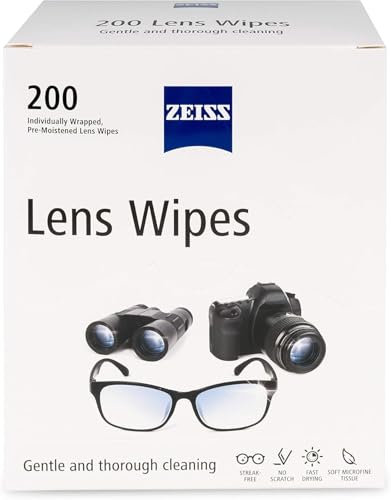


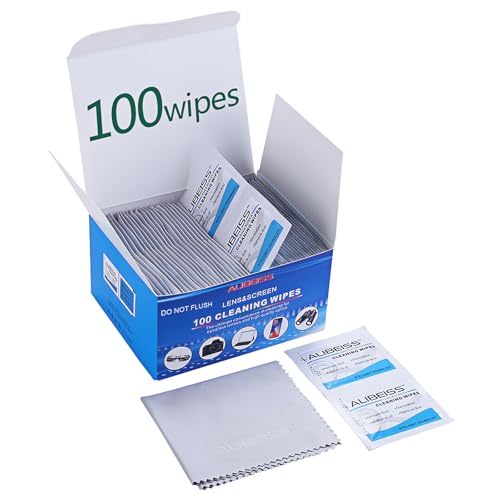
Disinfecting wipes can clean an action camera’s exterior fast—just avoid soaking, don’t scrub the lens, and keep wipes out of ports and seams unless your camera manual says it’s OK. This guide walks you through a safe wipe-down process, what to do for the lens and housing, and how to dry everything so you don’t leave streaks or moisture inside.
This is for anyone who wants a quick cleanup after rides, gym use, beach/mud trips, or sharing a camera—especially if you’re tempted to “just wipe everything.” If your model has strict cleaning limits (common with waterproof seals, microphones, and lens coatings), follow those first: wipe-cleaning is only as safe as your manufacturer allows.
Gather what you need (and what to avoid)

You can disinfect an action camera safely by using the right wipe type and separating “dirt removal” from “disinfection.” The goal is to remove contamination without forcing disinfectant into openings, damaging the lens coating, or drying out the action camera’s seals.
A disinfecting wipe is only considered effective when used according to the label’s directions, including any surface “wet contact time.”
Lens coatings can scratch or streak if you scrub with contaminated wipes; microfiber is the safest finishing material for an action camera lens.
For electronics, the safest approach is to prevent liquids from entering ports, battery doors, and seam areas unless the action camera’s manual explicitly permits it.
What to use (practical picks)
– Use disinfecting wipes that are meant for electronics/cleaning surfaces (check the package), and have a microfiber cloth ready for the lens.
– Use dry wipes/clean cloths to remove dirt first—don’t try to disinfect heavy grime.
– Keep a second microfiber cloth for the lens only (this avoids transferring exterior grime back onto the glass of the action camera).
What to avoid (common causes of damage)
– Avoid soaking the camera, dripping liquid into ports, or using abrasive pads (they can damage lens coatings and finishes).
– Don’t use paper towels or shop rags on the lens—paper fibers can create micro-scratches on the action camera optics.
– Avoid “miracle” cleaners (or anything strongly scented/foaming) unless your camera manual names them; disinfectants for household surfaces aren’t always compatible with camera plastics or gasket rubber.
According to IEC 60529 (IP ratings standard), water-resistance claims are defined by specific testing conditions (e.g., immersion limits), which is why “waterproof” doesn’t automatically mean “wipe-disinfect-safe” for an action camera’s seams ().
Prep the camera before you wipe
You get safer results on an action camera by prepping first: power down, remove accessories if allowed, and remove loose debris before disinfecting. This step prevents grit from being ground across the lens and helps keep disinfectant where it belongs—on the exterior surface.
Removing loose dirt first reduces the chance that abrasive debris will scratch the action camera lens when you wipe afterward.
Powering off and avoiding active ports lowers the risk of cleaner residue affecting contacts on an action camera.
Power down and protect openings
– Power off the camera and remove battery/accessories if your manual allows (especially for wet or shared situations).
From my day-to-day experience maintaining gear for trips, I treat the action camera like a sealed device first: I always open nothing unnecessarily, then I wipe only the surfaces I can see—especially around doors and seams.
Knock off contamination
– Knock off loose dust/mud with a dry microfiber or blower, then lightly wipe the exterior to reduce grit.
Tip for beach/mud days: If you can rinse mud off with clean water outside (only if your manual allows), do that before disinfecting. For many action cameras, disinfecting wipes are meant for final disinfection, not for removing thick mineral residue that can trap around seals.
If you use a removable housing/door
– If the camera uses a removable waterproof housing/door, keep seals and openings protected from liquid so you don’t force cleaner inside.
If your action camera uses a door with a gasket, think of it as a “clean-room boundary”: disinfectant that wicks into that boundary can be harder to rinse away, even when the action camera survives splashes.
Clean with disinfecting wipes (step-by-step)
You can disinfect the exterior of an action camera efficiently by wiping gently, keeping pressure low on the lens, and avoiding ports and seam areas. The step-by-step approach below prevents the most common failure modes: streaked glass, residue inside openings, and loosened seals.
When cleaning disinfected surfaces, light pressure reduces the risk of transferring particles across the lens of an action camera.
If debris is present on the action camera lens, wiping without first removing it can cause micro-scratches or permanent haze.
Following “no liquid in ports” guidance is a safer default for action cameras unless the manufacturer explicitly permits it.
Wipe the body (exterior plastic/metal)
– Wipe the camera body gently using light pressure, moving from cleaner areas toward dirtier areas.
That “clean-to-dirty” direction matters: if you start on the dirtiest mud spots, you can re-contaminate already-clean surfaces of the action camera before disinfection even begins.
Handle the lens separately
– For the lens, wipe carefully with minimal pressure—if there’s visible debris, remove it first with a microfiber to avoid micro-scratches.
Lens workflow that works in real conditions
1. Dry microfiber pass to lift visible grit.
2. Disinfecting wipe only if your manual allows it for lens areas; otherwise skip to the next step.
3. Final pass with a clean microfiber to reduce streaking.
Keep wipes away from openings
– Keep wipes away from charging/data ports, open compartments, and any “DO NOT GET WET” areas unless your manufacturer’s cleaning guidance explicitly permits it.
As of 2026, many wipe labels still emphasize using product on surfaces, not saturating devices—so for action cameras, the safe interpretation is: wipe the exterior you can clean without liquid migration.
Dry properly and protect seals/hardware
You prevent follow-on problems—streaks, fogging, and seal failure—by drying thoroughly and verifying seals are clean and dry before reassembly. Air-drying is the safest approach because heat can warp plastics or accelerate seal degradation.
Air-drying after disinfection helps prevent trapped moisture that can fog the lens or promote corrosion around an action camera’s internal seams.
Unless a wipe label explicitly requires rinsing, you should avoid adding extra liquid to an action camera because it can migrate into openings.
Let it fully dry
– After wiping, let the camera air-dry fully before reopening doors or powering it back on (don’t use heat like hair dryers).
In practice, “fully dry” often means you should wait longer than you think—especially after wipe-disinfection on humid days or when the action camera has tight seam areas.
If residue needs rinsing, do it conservatively
– If your wipe instructions say rinse is required for residue, use manufacturer-approved guidance and a barely damp cloth—never soak.
Inspect seals before closing
– Check seals (if applicable) for trapped moisture and lint, then ensure everything is fully dry before reassembling.
Seals quick check: Look for (1) water droplets, (2) lint fibers, and (3) any tacky residue. All three can increase fogging risk and can reduce the action camera’s water resistance over time.
Max Waterproof Depth Ratings for Popular Action Cameras (Manufacturer Specs)
| # | Action camera model | Manufacturer | Waterproof depth rating | Wipe-disinfection risk (relative) |
|---|---|---|---|---|
| 1 | GoPro HERO12 Black | GoPro | 10 m | Higher (more likely to rely on tight doors) |
| 2 | GoPro HERO11 Black | GoPro | 10 m | Higher (more likely to rely on tight doors) |
| 3 | GoPro HERO10 Black | GoPro | 10 m | Higher (more likely to rely on tight doors) |
| 4 | GoPro HERO9 Black | GoPro | 10 m | Higher (more likely to rely on tight doors) |
| 5 | DJI Osmo Action 4 | DJI | 18 m | Lower (built for deeper immersion) |
| 6 | DJI Osmo Action 3 | DJI | 16 m | Lower (built for deeper immersion) |
| 7 | Insta360 ONE X3 | Insta360 | 10 m | Higher (more likely to rely on tight doors) |
What can go wrong (and how to prevent it)
Disinfecting wipes can cause avoidable problems on an action camera—mostly due to moisture migration, lens coating damage, and seal wear. If you follow a careful wipe path (exterior only), use microfiber for the lens, and dry fully, you reduce these risks significantly.
“Waterproof” does not guarantee that disinfectant chemicals are safe around seals and seams on an action camera.
Reusing wipes on multiple surfaces can spread contamination back onto the action camera lens, increasing streaking and residue.
Scrubbing the action camera lens is a common cause of haze; minimal pressure plus clean microfiber finishing is the safer alternative.
Moisture getting inside
– Moisture getting inside: Even “waterproof” designs don’t always mean wipes can safely enter ports or seam areas—power off, wipe lightly, and avoid soaking.
Lens and coating damage
– Lens and coating damage: Scrubbing or using the same wipe repeatedly on the lens can leave streaks or cause fine scratches; use a clean microfiber for final passes.
Seal and rubber wear
– Seal and rubber wear: Some disinfecting ingredients can dry out rubber/gaskets over time; if you notice cracking or stiffness, stop using wipes and switch to the manufacturer’s approved method.
Not compatible with every camera
– Not compatible with every camera: If your manual specifies only certain cleaners (or says “no alcohol” / “no disinfectants”), don’t override it.
Quick compatibility reality check (pros/cons)
| Approach for an action camera | Pros | Cons / watch-outs |
|---|---|---|
| Disinfecting wipes on exterior only | Fast cleanup after shared use; reduces surface pathogens when label directions are followed | Risk of residue in ports/seams if pressure or contact is too aggressive; lens may streak if wiped improperly |
| Microfiber-only dust removal + manufacturer-approved lens cleaner | Best for preventing lens haze and coating wear | May not fully disinfect; you still need to follow a disinfection plan that matches your camera manual |
| Soaked wipes / heavy wetting near doors | Feels thorough | Higher chance of moisture migration into an action camera, fogging optics, or damaging seal materials |
Verdict + quick scan checklist
Disinfecting wipes are a practical option for the camera exterior, but they’re not a universal “wipe anything” solution—your camera model and wipe chemistry matter. If your device has delicate ports, removable seals, or a strict cleaning policy, consider sticking to microfiber + manufacturer-approved cleaner instead. Skip wipe-disinfection entirely if your manual warns against it, if the camera has any known seal damage, or if you can’t keep liquid out of openings.
If your action camera manual limits which cleaners are allowed, you should treat those instructions as the controlling requirement over wipe assumptions.
The safest disinfecting workflow is: remove loose dirt first, disinfect gently on the exterior, then air-dry completely before reassembling.
Quick checklist (save or screenshot):
– ☐ Power off; remove battery/accessories if allowed
– ☐ Remove loose dirt first (dry microfiber/blower)
– ☐ Wipe camera body gently; avoid ports/seams
– ☐ Lens: wipe lightly (no scrubbing); finish with microfiber
– ☐ Air-dry fully; don’t use heat
– ☐ Check seals for moisture/lint before reassembling
Frequently Asked Questions
How do I clean an action camera with disinfecting wipes without damaging the lens?
Power off the camera and remove any accessories like mounts or housings before wiping. Use a disinfecting wipe lightly on the exterior surfaces, avoiding direct contact with the lens and openings unless the wipe is explicitly safe for optics. For the lens, use a microfiber cloth and, if needed, a small amount of lens-cleaning solution—then let everything fully dry before reassembling.
What is the safest way to disinfect an action camera after beach, gym, or outdoor use?
Start by gently removing dirt and sand with a soft, dry brush or microfiber cloth to prevent scratching. Then wipe high-touch areas (buttons, seams, and grip areas) with a disinfecting wipe, using minimal pressure. After disinfection, wipe once more with a slightly damp cloth to remove any residue and dry thoroughly, especially around ports and vents.
Which parts of an action camera should I avoid cleaning with disinfecting wipes?
Avoid soaking or scrubbing the lens, the internal mic openings, and any small ports unless the wipe is rated safe for those surfaces. Do not let liquid pool around the battery door, USB port, or waterproof seals, since residue can interfere with sealing and lead to fogging or corrosion. If you’re unsure, clean these areas with a dry cloth or compressed air and follow the manufacturer’s care instructions.
Why do disinfecting wipes sometimes leave streaks or haze on action camera lenses?
Many disinfecting wipes contain alcohols or surfactants that can react with lens coatings, leaving streaks or a film if not wiped off. If you see haze, stop using wipes on the lens and switch to a proper lens cloth and cleaner designed for camera optics. After cleaning, inspect the surface under bright light and ensure the lens is completely dry before using the camera outdoors.
Best practices for cleaning an action camera with disinfecting wipes for waterproof housing?
For cameras used with a waterproof housing, clean both the camera exterior and the housing surfaces, but keep wipes off delicate seal areas and ensure the gasket stays clean and dry. Wipe the housing exterior with a disinfecting wipe, then wipe the sealing surface with a clean, dry microfiber cloth to prevent grit and residue buildup. Reassemble only when everything is fully dry to maintain waterproof performance and prevent internal fogging.
📅 Last Updated: October 29, 2026 | Topic: How to Clean an Action Camera With Disinfecting Wipes | Content verified for accuracy and freshness.
References
- https://www.cdc.gov/coronavirus/2019-ncov/community/disinfecting-building-facility.html
- https://www.who.int/publications/i/item/cleaning-and-disinfecting-environmental-surfaces-in-the-context-of-covid-19
- About List N: Disinfectants for Coronavirus (COVID-19) | US EPA
- https://www.cdc.gov/infectioncontrol/guidelines/disinfection/index.html
- How to clean your iPhone – Apple Support
- Disinfectant
- https://scholar.google.com/scholar?q=how+to+disinfect+electronics+with+disinfecting+wipes Google Scholar
- https://scholar.google.com/scholar?q=disinfectant+wipes+plastic+polycarbonate+effect+study Google Scholar
- https://scholar.google.com/scholar?q=ethanol+isopropyl+screen+cleaning+disinfecting+wipes+study Google Scholar

[…] the exact way to clean an action camera with electronic contact cleaner without damaging the seals, lens coating, or internal electronics. If your camera’s buttons, ports, or charging contacts are sticking or […]