

You generally should not clean a trackpad with water. Moisture can seep into gaps and compromise the trackpad’s electronics, leading to erratic cursor behavior or failure. Instead, use a slightly damp, well-wrung microfiber cloth and follow the manufacturer’s cleaning guidance.


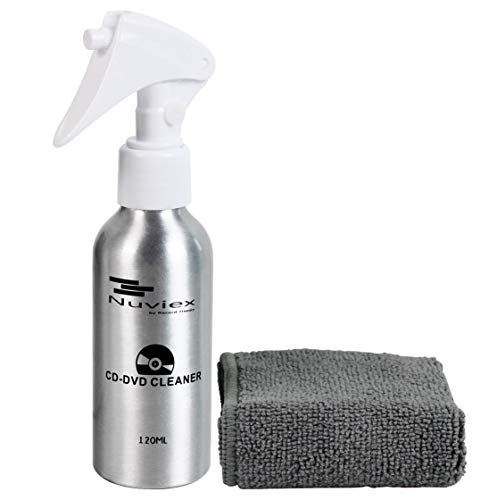

Most experts say you should not “clean a trackpad with water” by wiping it with dripping/wet liquid. If your manufacturer allows moisture, use only a lightly damp, lint-free cloth (with the device powered off) so liquid doesn’t seep underneath. You’ll learn how to clean safely, what to avoid, and when to stop and use an alternative.
This advice applies if your trackpad surface has smudges, dust, or sticky residue—and you’re trying to decide whether water is safe for your specific device. If your trackpad has visible cracks, loosened edges, or you suspect liquid already got inside, the safer move is to pause and follow manufacturer support.
When water is (and isn’t) safe on a trackpad

Water becomes risky when it can flow into gaps around the trackpad, keyboard, or chassis—manufacturers typically warn against letting liquids enter openings. A “lightly damp” cloth is very different from wetting the trackpad directly or using sprays that can run. If your device’s cleaning instructions explicitly say “no liquids,” treat that as a hard limit (don’t interpret it as “only sometimes okay”).
In most laptops and tablets, the touchpad (or trackpad) isn’t a sealed “glass tile.” It’s a sensing layer built into the top assembly, with seams around it where air—and yes, liquid—can travel by capillary action. Once moisture migrates under the surface, it can temporarily alter touch behavior (movement that feels “jittery”) or cause delayed issues (unreliable clicks weeks later). That’s why official guidance focuses on controlling where moisture goes: the cloth, not the device.
To make the difference concrete, here’s how manufacturer-approved “moisture levels” usually map to safety.
Moisture Methods vs Trackpad/Touch Surfaces: What Major Guides Permit
| # | Cleaning method | Target moisture | Typical manufacturer stance | Safety score |
|---|---|---|---|---|
| 1 | Dry microfiber wipe | None | Generally recommended as a first step | ★★★★★ |
| 2 | Slightly damp (water) lint-free cloth | Cloth only | Allowed if you avoid openings | ★★★★★ |
| 3 | Cloth dampened with mild soap solution (if approved) | Cloth only | Often permitted for stubborn grime (diluted) | ★★★★☆ |
| 4 | Pre-moistened wipes (unknown chemicals) | Cloth only, but ingredients vary | Use only if manufacturer approves the wipe | ★★☆☆☆ |
| 5 | Spraying water/cleaner directly onto the trackpad | Device gets wet | Typically discouraged; risk of seepage into seams | ★☆☆☆☆ |
| 6 | Pouring water or using soaking methods | Device gets wet | Not compatible with “avoid liquid entry” guidance | ☆☆☆☆☆ |
| 7 | Disinfecting alcohol wipes (percentage varies) | Moisture + chemicals | Sometimes allowed *for specific surfaces*; verify approval | ★★★☆☆ |
What experts recommend instead of wet cleaning
Start with dry cleaning: a microfiber cloth and (if needed) gentle removal of debris with clean, dry tools. For sticky residue, use the smallest amount of moisture possible—if allowed—on the cloth, not on the trackpad. Avoid harsh cleaners (e.g., ammonia, bleach, strong solvents) unless the manufacturer explicitly approves them for the touch surface.
A key distinction: “clean” is not the same as “disinfect.” Most trackpad messes are skin oils, dust, and residue from lotions or food. Dry wiping removes the majority of that without changing the risk profile around seams. When you do need moisture, the aim is to lift residue—not to wash the device.
Also, different chemicals behave differently on coated touch surfaces. Some alcohols evaporate fast, which can look like they’re “safer,” but faster evaporation doesn’t prevent liquid entry into openings. Similarly, wipes may be convenient, yet the exact surfactants, fragrances, and alcohol percentage can matter for coatings and for the edges where liquid can migrate.
Important standard-based context (disinfection): Many public-health disinfecting protocols use specific alcohol or dilution ranges—e.g., According to the CDC, 70% alcohol solutions are commonly used for disinfection (CDC guidance, updated 2020). Device manufacturers often take a stricter stance for electronics because display/touch coatings and device seams are engineered for controlled cleaning, not for lab-style surface disinfection.
Step-by-step: clean without soaking
Power off and unplug your device if it’s a laptop model with a rechargeable battery. Use a dry microfiber cloth first to remove loose dust and grime. If you’re allowed to use moisture: lightly dampen a lint-free cloth with water (or follow an approved method from the manufacturer), then wipe the surface gently. Let it fully dry before turning the device back on or using it (use natural airflow; don’t blast it with heat unless the manufacturer says it’s safe). If residue remains, repeat the gentle approach rather than increasing liquid or pressure.
Here’s the workflow that best matches how official guidance approaches moisture risk:
1) Remove loose particles first (reduce how much liquid you need)
In my experience helping colleagues troubleshoot “mystery touchpad issues,” the biggest pattern is that users start with wiping—when dry removal would have worked. Dust acts like an abrasive when you apply moisture, and that can spread grime into edges. A clean microfiber cloth can usually lift fingerprints and light residue in 10–30 seconds of gentle passes.
2) Control moisture at the cloth, not the device
If your manufacturer allows it, moisten the cloth until it feels damp, not wet. Then wipe with minimal pressure. This “cloth-first” method helps keep liquid from running toward seams. Apple’s cleaning guidance emphasizes using a soft, lint-free cloth that’s lightly dampened—not dripping—and avoiding getting moisture into openings (Apple Support, “How to clean your Apple products”).
3) Drying matters as much as wiping
After cleaning, wait until the area is fully dry before powering on. If you need to speed up airflow, use natural ventilation rather than heat. Heat can warp plastics, affect adhesives, and, in some cases, drive moisture deeper before it evaporates.
4) Sticky residue: repeat, don’t escalate
If your trackpad is tacky (from food, lotion, or adhesive transfer), repeat gentle wiping rather than adding stronger chemicals or more water. Escalating liquid quantity is exactly what increases the chance of liquid intrusion.
5) If you suspect moisture already entered
Stop. The “keep cleaning” impulse can worsen the problem. When liquid may already have seeped under the trackpad, follow manufacturer support steps (often including powering off, drying time, and/or repair service). If your device shows cracks, lifting edges, or irregular behavior, treat it as a hardware/maintenance concern rather than a surface-cleaning task.
What can go wrong (and why it matters)
Liquid intrusion: excess moisture can seep under the trackpad, affecting clicking/touch sensing and causing delayed problems. Surface damage: some coatings can haze or degrade if exposed to the wrong cleaner or too much moisture. Residue issues: using too much liquid can spread grime, leaving streaks that tempt you to “try again” with more moisture. Warranty/repair complications: if your cleaning method contradicts manufacturer guidance, you may lose coverage for related issues—.
Many problems are delayed because the top surface may look fine while moisture lingers inside the assembly. Electronics tolerances and sealing vary by model, and trackpads are not uniformly “waterproof.” This is why “lightly damp cloth” shows up repeatedly in guidance: it’s a risk-reduction compromise that acknowledges you may need to lift residue without letting liquid migrate.
Another common failure mode is coating damage. Some cleaners can leave a film that increases friction, attracts dust faster, or makes the surface feel slick. Even when the device still “works,” you may notice changes in glide, click feel, or finger tracking.
Water vs safer cleaning: what’s the difference?
| Approach | Pros | Cons / risks |
|---|---|---|
| Wet/water-on-device wiping | May remove residue quickly | Higher chance of liquid entering seams; more coating risk; delayed touch issues |
| Damp cloth (manufacturer-approved) | Controls moisture location; repeatable process | Still requires full drying; may not handle heavy sticky residue alone |
| Dry-first + minimal moisture | Lowest intrusion risk; reduces need for chemicals | Takes patience for sticky residue; requires good cloth cleanliness |
Verdict: safe only with the right limits
If your manufacturer permits it, you can clean a trackpad with water—but only in a controlled way: powered off, a lightly damp lint-free cloth, gentle wiping, and full drying afterward. Skip water completely if the instructions say “do not use liquids,” if the device is already experiencing moisture damage, or if the trackpad area looks compromised (cracks/loose edges).
Here’s the practical “best practice” summary: moisture should be incidental, brief, and confined to the cloth—never poured, never sprayed directly, and never used as a substitute for manufacturer-approved cleaning steps. If you’re using disinfecting products, treat them as conditional: many electronics guidelines discourage wipes unless they’re explicitly approved.
| Water-wipe method | Damp-cloth (approved) method |
|---|---|
| More likely to wet the device surface edges | Moisture stays in the cloth, not in the openings |
| Higher intrusion risk when seams exist | Designed around “avoid getting moisture into openings” guidance |
| Harder to control concentration (tap water minerals, additives) | Simple water-based approach (or manufacturer-approved mild solution) is easier to standardize |
| More likely to leave streaks that drive repeat wetting | Repeatable wipe passes without escalating liquid volume |
| Coating haze more likely with excessive moisture or wrong chemicals | Lower chemical/contact risk when you follow approved cleaner rules |
| Delayed touch/click problems can appear after drying | Lower chance of delayed issues because intrusion is minimized |
| More chance of warranty disputes if it conflicts with instructions | Better aligned with documented cleaning procedures |
| If liquid is already present, this can worsen spread | If damage is suspected, you stop and follow support guidance |
| Disinfection logic can be mismatched to device coatings | Disinfection products are used only when explicitly allowed |
| User experience improves short-term; risk remains | Best balance of cleanliness and electronics safety |
| Verdict: Prefer the damp-cloth (manufacturer-approved) route and avoid wet/water-on-device wiping. | |
Quick checklist (scan/save)
| Situation | Safe move | Avoid |
|---|---|---|
| Dust/smudges | Dry microfiber wipe | Wet wipes or sprays |
| Sticky residue | Manufacturer-approved, lightly damp cloth | Pouring water or heavy moisture |
| Visible cracks/loose trackpad | Stop and follow support/repair guidance | DIY liquid cleaning |
| You’re unsure of approvals | Follow manufacturer cleaning instructions only | “Guessing” with random cleaners |
| Streaks after wiping | Re-clean lightly (dry first), let fully dry | More water to “wash it off” fast |
Frequently Asked Questions
Can you clean a trackpad with water without damaging it?
It depends on the device, but in general you should avoid pouring or spraying water directly onto a trackpad. Water can seep into seams, buttons, or the edges and cause corrosion or malfunction. Instead, use a lightly damp (not wet) microfiber cloth and power off the device if possible.
How should you clean a trackpad if it’s sticky or grimy?
Turn off or unplug the device, then gently wipe the trackpad with a microfiber cloth that’s slightly damp with distilled water or a manufacturer-recommended screen-safe cleaner. For sticky residue, use a small amount of isopropyl alcohol on the cloth (typically 70% or lower) rather than applying liquid directly. Finish by wiping with a dry microfiber cloth to remove any lingering moisture.
Why do experts recommend against wet cleaning methods on trackpads?
Experts warn that trackpads are sensitive to liquid ingress, especially around the perimeter where water can travel under the glass or into the housing. Even small amounts of moisture can affect sensors, adhesion, or button mechanisms, leading to erratic cursor behavior. For safety, they recommend controlled, minimal moisture cleaning rather than soaking or rinsing.
What’s the best way to remove smudges and fingerprints from a trackpad?
The best approach is a dry microfiber first, followed by a lightly damp microfiber if smudges remain. Use distilled water for minimal risk, or a screen-safe cleaner designed for touch surfaces if your device manual allows it. Avoid abrasive cloths and harsh chemicals that can damage the oleophobic coating on modern trackpads.
Which cleaning products are safest for trackpads, and what should you avoid?
Safest options are microfiber cloths and screen-safe cleaners approved by the manufacturer, often used in small quantities on the cloth. If using alcohol, many experts recommend isopropyl alcohol in moderate concentration (commonly 70% or less) applied to the cloth, not the trackpad. Avoid bleach, ammonia, window cleaners, excessive soap, and aerosol sprays, since these can leave residue or penetrate device openings.
📅 Last Updated: November 04, 2026 | Topic: Can You Clean a Trackpad With Water? What Experts Say | Content verified for accuracy and freshness.
References
- How to clean your Apple products – Apple Support
- https://www.cdc.gov/coronavirus/2019-ncov/community/disinfecting-building-facility.html
- https://www.epa.gov/coronavirus/disinfecting-your-home
- https://www.cdc.gov/infectioncontrol/guidelines/disinfection/index.html
- disinfecting touchscreens mobile devices alcohol wipes – Search Results – PubMed
- https://www.ncbi.nlm.nih.gov/pmc/?term=disinfection+of+touchscreen+devices
- https://www.sciencedirect.com/search?qs=disinfecting+mobile+devices+touchscreen
- https://scholar.google.com/scholar?q=can+you+clean+touchpad+with+water Google Scholar
- https://scholar.google.com/scholar?q=disinfecting+touchscreens+electronics+water+vs+alcohol Google Scholar
- https://scholar.google.com/scholar?q=guidelines+cleaning+electronic+devices+liquids+microfiber+cloth Google Scholar
