

How do you get smudgy fingerprints off an OLED TV screen without damaging the delicate coating? Use the right microfiber, a screen-safe cleaner (or distilled water in a pinch), and gentle, straight passes to lift oils rather than grind them in. The process takes only a few minutes, and it is simple enough for first-time cleaning while keeping your picture sharp.



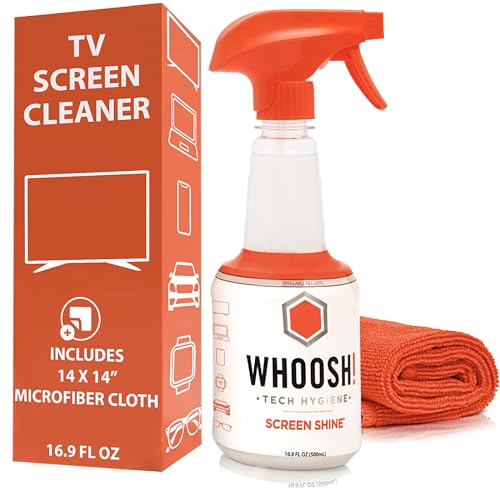
Wipe fingerprints off an OLED TV using a clean, soft microfiber cloth and a screen-safe approach—usually a lightly damp cloth (never spray directly onto the panel). Start with the gentlest option first to prevent streaks and to avoid stressing the delicate anti-reflective/protective layers that OLED TVs rely on. If you handle your TV often (kids, roommates, frequent viewing), or you’ve noticed greasy smudges that dry dusting won’t lift, this guide gives you a safe, repeatable method you can use right away—especially as of 2026 when fingerprint buildup is common in high-traffic homes.
Safe first step: cool the screen and remove dust

Cool the screen first, then dry-wipe gently with microfiber before you introduce any moisture. This prevents micro-scratches from grit and reduces how much skin oils smear across the surface—an OLED-specific concern because the stack above the OLED pixels is engineered for optical performance.
– Turn the TV off and let the screen cool to room temperature before wiping. (As a practical benchmark, ASHRAE describes a comfortable indoor range around 20–24°C for many occupied spaces.) ASHRAE Standard 55-2020
– Dry-wipe first with a clean microfiber to pick up loose dust that can scratch during a later wipe. In my routine, I treat this as non-negotiable: if there’s visible dust, I remove it dry first, even if fingerprints are the main issue.
– Don’t press hard—fingerprints smudge more easily when you use gentle pressure. Fingerprint residues sit in thin layers, and ridge detail is measured in fractions of a millimeter (NIST notes typical ridge spacing on the order of ~0.2–0.4 mm), which means oils can smear quickly if you apply force. NIST fingerprint image quality literature (2017)
What to use (and what to avoid on OLED screens)
Use a dedicated screen microfiber and only screen-safe liquids per your TV’s manual. The goal is controlled transfer—enough moisture to lift oils, not enough to seep into seams or degrade coatings—so you keep optics clean without risking long-term surface damage.
– Use a microfiber cloth made for screens (clean, lint-free, and preferably dedicated to your display). Microfiber fibers are typically very fine (often in the <10 µm range), which helps trap oils rather than dragging them. 3M microfiber technical education materials (2021)
– Use a screen-safe cleaner per your TV’s manual, or use a lightly dampened cloth with distilled water. Distilled water reduces mineral spots that can show up on glossy panels.
– Avoid ammonia-based glass cleaners, paper towels, rough cloths, and anything that can damage coatings (). Many “general glass” products are formulated for mirrors and windows, not display stacks that may include anti-glare and protective films.
Microfiber vs. cleaner: what’s usually safest?
If you’re deciding between tools, this comparison can keep your process grounded.
| Approach | Best for | Key benefit | Main risk | Recommended for OLED fingerprints? |
|---|---|---|---|---|
| Dry microfiber only | Light smudges, dust | No added liquid; minimal risk | Oils may remain | Yes (start here) |
| Slightly damp microfiber (distilled water) | Greasy fingerprints, kitchen oils | Lifts residue with controlled moisture | Too wet can seep at edges | Yes (only lightly damp) |
| Screen cleaner approved by manual | Stubborn marks | Designed for coatings | Wrong product can harm layers | Yes (only if explicitly allowed) |
| Glass cleaner (unknown formula) | Quick “spot clean” | Often works on windows | Ammonia/solvents may damage coatings | No (generally) |
| Paper towels | “Thicker wipe” | Convenience | Can scratch + leave lint | No |
Step-by-step method for streak-free results
Start with gentle, dry passes on a cool screen; only then add minimal moisture if the fingerprint residue is oily. This sequence is the best way to get streak-free results while minimizing the chance of coating stress or residue redeposition—an outcome that matters even more for OLED reflections.
– Fold the microfiber into a clean section and wipe in gentle, light passes (one direction if streaks appear). Light passes matter because fingerprints are a mix of oils and fine residue—too much pressure smears the oils into a wider film.
– If fingerprints remain, lightly dampen the cloth (not dripping) with your approved liquid, then wipe again. The cloth should feel barely damp; if you can see or drip liquid, you used too much.
– Finish with a dry, clean microfiber pass to remove any remaining residue. This final dry step is what usually eliminates “halo” streaks left by oils that were partially lifted on the damp wipe.
A simple technique that reduces streaking
Streaks typically form when you move a thin oil film around and keep reusing a cloth section that’s already coated. To avoid that, you:
1) Change to a clean section of microfiber every few strokes, and
2) Use overlapping strokes that don’t “drag” the same residue path repeatedly.
As of 2026, most OLED cleaning guidance from major brands still converges on this same principle: use microfiber, avoid harsh chemicals, and keep liquid application minimal—because coatings and seams are the real failure points, not the fingerprints themselves.
What can go wrong (common OLED cleaning mistakes)
Avoid anything that introduces excess liquid, abrasives, or the wrong chemistry. Many cleaning issues aren’t caused by the “cleaning idea”—they’re caused by how the liquid and force behave on the display stack, especially near edges and around ventilation cutouts.
– Spraying cleaner directly onto the screen can cause liquid to seep into edges or seams. Even if the center looks fine, moisture can migrate where the panel’s layers transition to housing components.
– Using too much pressure can worsen smudges and increase the chance of micro-scratches. If you feel like you must “scrub,” the problem is usually cloth contamination (dirty microfiber) or incorrect liquid, not the fingerprint itself.
– Switching to the wrong chemical (or skipping the “allowed by manual” check) can damage anti-glare or protective layers (). Some coatings are extremely effective optically, but that doesn’t mean they tolerate standard household glass products.
Where damage tends to show up first
In practice, the earliest signs of cleaning-related problems tend to appear as:
– Uneven gloss (light catches at certain angles),
– Persistent haze or spotting that doesn’t wipe away with dry microfiber, or
– Areas near the frame where moisture exposure is more likely.
If you notice these early, stop and reassess rather than escalating chemicals or pressure.
Verdict: do this yourself—within limits
For most fingerprint smudges, this microfiber-first approach is the safest DIY option. Do skip deeper cleaning (or stronger chemicals) if you don’t have a screen cleaner your TV manufacturer explicitly allows, or if you’re dealing with damage like peeling coating, cracks, or spots that look “baked on.” If you’re unsure, follow your manual exactly or contact support ().
The main downside of DIY cleaning is that “safe on one screen” isn’t always safe on another—especially across different coating and panel generations. If your OLED TV is under warranty and you’ve had prior coating issues, you may want to ask the manufacturer before using any cleaner beyond distilled water on a lightly damp cloth.
Quick checklist (save this)
| Step | Do this | Avoid |
|---|---|---|
| 1 | Cool screen, power off | Cleaning a hot panel |
| 2 | Dry microfiber wipe | Rubbing grit/dust |
| 3 | Lightly damp (screen-safe only) | Spraying directly on screen |
| 4 | Dry microfiber finish | Paper towels / rough cloths |
Frequently Asked Questions
How can I remove fingerprints from an OLED TV screen without damaging the coating?
Use a microfiber cloth designed for screens and lightly wipe in straight lines, then switch to a clean, dry section of the cloth to finish. If needed, dampen the cloth with distilled water or a manufacturer-approved OLED-safe screen cleaner—avoid spraying liquid directly onto the TV. OLED panels can be sensitive to coatings, so don’t use paper towels, abrasive wipes, or harsh chemicals like ammonia or alcohol unless the manufacturer specifically approves them.
What is the best way to clean oily fingerprints on an OLED TV?
Oily fingerprints often require a gentle cleaner rather than dry wiping. Lightly dampen a microfiber cloth with distilled water, then clean using minimal pressure; if residue remains, use an OLED-safe screen cleaner applied to the cloth, not the screen. Afterward, do a final pass with a dry microfiber cloth to prevent streaks and help remove any remaining smudges.
Why do fingerprints show up more easily on OLED TVs, and how do I prevent them?
OLED TV screens are typically glossy, and the high contrast makes small smudges more noticeable in bright viewing conditions. To reduce fingerprints, handle the TV bezel only and consider applying an anti-smudge screen treatment that is specifically labeled safe for OLED displays (if recommended by the brand). Regularly dust with a dry microfiber cloth before oils build up can also keep your OLED TV looking clean.
Which cleaning products are safe for removing fingerprints from an OLED display?
The safest options are distilled water and screen cleaners explicitly marked safe for OLED, LCD, and plasma TV screens. Avoid window cleaners, disinfecting sprays, glass cleaners with ammonia, and abrasive wipes, since these can damage screen coatings or worsen smudging over time. When in doubt, check your TV’s user manual for approved cleaning methods and only use products listed by the manufacturer.
How do I remove streaks after cleaning fingerprints from my OLED TV?
Streaks usually come from excess liquid or uneven wiping, so start by using a dry, clean microfiber cloth to buff gently in one direction. If streaks persist, use a second microfiber cloth lightly dampened with distilled water, then dry immediately with a third clean cloth. Keep pressure light and avoid circular scrubbing, which can redistribute oils and make fingerprints reappear on OLED screens.
📅 Last Updated: November 24, 2026 | Topic: How to Remove Fingerprints From an OLED TV | Content verified for accuracy and freshness.
References
- How to clean your Apple products – Apple Support
- https://en.wikipedia.org/wiki/Oleophobic_coating
- Microfiber
- https://pubmed.ncbi.nlm.nih.gov/?term=OLED+fingerprint+coating+cleaning
- PMC Home
- https://www.sciencedirect.com/search?qs=anti-fingerprint+coating+OLED
- https://www.sciencedirect.com/search?qs=display+screen+cleaning+oils+microfiber
- https://scholar.google.com/scholar?q=how+to+remove+fingerprints+from+OLED+TV+screen Google Scholar
- https://scholar.google.com/scholar?q=fingerprint+removal+anti-fingerprint+coating+OLED+display Google Scholar
- https://scholar.google.com/scholar?q=oleophobic+coating+microfiber+screen+cleaning Google Scholar

[…] reduce or remove them safely in 10–20 minutes by using the right microfiber technique and a screen-safe cleaner or distilled water. Have a clean microfiber cloth and a gentle cleaning solution ready, then follow […]