

No, you should not clean a computer mouse with baby wipes. Because baby wipes are pre-moistened, they can introduce excess moisture into the gaps around buttons and the optical sensor, which can degrade performance or cause sticking. Experts advise using a lightly damp microfiber cloth for the exterior and applying isopropyl alcohol to a cotton swab instead of spraying or wiping the sensor area directly.


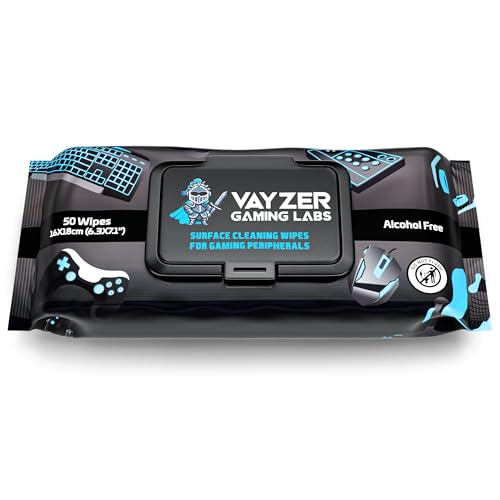

Yes—you can clean a computer mouse with baby wipes, but only for the outside surfaces and only if the wipes are mild (ideally fragrance-free and alcohol-free). The key is to avoid getting liquid into the buttons, sensor area, or charging port, and to never soak the mouse—a principle that still holds as of 2026 for both wired and wireless devices.
If your mouse feels sticky, looks smudged, or has visible grime around the buttons, this guide walks through a safer exterior-only method, what to avoid, and how to choose a wipe versus a manufacturer-recommended approach.
Who this is for / when it applies

Baby wipes can be a practical fix when your computer mouse has *surface-level* buildup—think finger oils on the shell and smears along the edges. This guidance applies especially in everyday offices where a computer mouse picks up skin oils, dust, and residue from desk materials over time.
It’s a good fit for:
– Sticky buildup on the shell (finger oils, desk dust, light grime).
– Gently refreshed grips on most modern mice (where oils make the plastic or rubbery coating feel tacky).
It’s not a good fit for:
– Heavy contamination such as hair caught in the scroll wheel, wet spills, or sticky residue that won’t wipe off.
– Situations where a computer mouse may have been exposed to liquid internally (e.g., a spill that ran toward the seams, side buttons, or the sensor opening).
If you’re cleaning a gaming computer mouse or a model with a more delicate coating, you should be extra cautious: manufacturers often specify exact cleaning methods to avoid coating damage or sensor-area problems.
What experts typically recommend (baby wipes vs. “safe” cleaning)
Experts generally treat cleaning a computer mouse like electronics hygiene: minimal moisture, no soaking, and no liquid forced into openings. The “best” tool is usually the one that removes grime without leaving chemical residue or driving liquid into seams around buttons and the tracking window.
Here’s the core logic most guidance follows:
– Many manufacturers recommend a slightly damp, lint-free cloth and avoiding liquid entry points (buttons, seams, sensor).
– Baby wipes can work *if* they don’t leave residues—but some formulations include fragrance, lotions, and conditioning agents that can leave a film. That film may reduce friction at first, then attract more dirt.
– A commonly recommended process for electronics is: gentle wipe → dry wipe → let fully dry before using.
To ground the “why,” consider how liquids behave around openings. According to NIST Chemistry WebBook, the surface tension of water at 20°C is about 72.8 mN/m, which helps explain how moisture can cling and wick along tiny gaps (NIST, 2026 access). NIST Chemistry WebBook If the wipe introduces enough moisture, that capillary behavior can be what you’re trying to prevent in a computer mouse.
Baby wipes vs. manufacturer-style cloth: a practical comparison
Common wipe chemicals: volatility (boiling point) and why “alcohol-free” matters
| # | Chemical often found in some wipes | Approx. boiling point (°C) | Typical wipe role | Mouse shell compatibility |
|---|---|---|---|---|
| 1 | Isopropyl alcohol (2-propanol) | 82.6 | Solvent / drying aid | ★ |
| 2 | Ethanol (ethyl alcohol) | 78.37 | Solvent / quick-evaporating liquid | ★ |
| 3 | Propylene glycol | 188.2 | Humectant / skin-conditioning agent | ★★ |
| 4 | Ethylene glycol | 197.3 | Solvent / anti-freeze ingredient (sometimes present in formulations) | ★★ |
| 5 | Benzyl alcohol | 205 | Preservative / antimicrobial agent | ★★ |
| 6 | Phenoxyethanol | 245 | Preservative / antimicrobial agent | ★★ |
| 7 | Water (major wipe solvent) | 100.0 | Primary solvent / carrier | ★★★★ |
*Why this matters:* chemicals with lower volatility (higher boiling points) can linger more and potentially leave residue on a computer mouse shell, which is one reason fragrance- or lotion-heavy wipes are risky. If you’re considering baby wipes in 2026, check the label for ingredients you recognize (especially “alcohol,” “fragrance,” and “conditioning agents”).
Baby wipes vs. safe cleaning: a criteria-based “VS”
How to clean a mouse with baby wipes (step-by-step)
If you use baby wipes, the safe answer is: power off the computer mouse, wipe only the outside, and dry immediately. That workflow matters in 2026 because the biggest danger isn’t “wiping”—it’s moisture migrating into seams, ports, or the tracking window.
– Prep first: Power off/unplug it (or remove batteries). For a wired computer mouse, unplug it from the USB port; for wireless, remove batteries to avoid accidental charging-port moisture exposure.
– Use the wipe correctly: If the wipe feels wet, wring out excess first so you’re cleaning surfaces, not “watering” the mouse.
– Wipe lightly and deliberately: Clean the shell, side grips, and outer edges with gentle passes. Don’t press into button gaps; treat buttons and the sensor area like off-limits zones.
– Finish safely: Dry with a clean, dry microfiber cloth, then wait until the mouse is fully dry before reconnecting.
– Quick functional check: After it’s dry, test left/right click, wheel scroll, and cursor movement before returning to critical work.
From a chemical standpoint, it’s also why “alcohol-free” matters for many wipe users: according to NIST Chemistry WebBook, ethanol boils at about 78.37°C (NIST, 2026 access), and isopropyl alcohol at about 82.6°C (NIST, 2026 access). NIST Chemistry WebBook Faster evaporation doesn’t automatically mean “safe”—what you’re really avoiding is residue transfer and any liquid migration into sensitive computer mouse areas.
What can go wrong
If you get careless, the most common failures happen when moisture or residue gets where it shouldn’t. For a computer mouse, that usually means button seams, the sensor/tracking window area, or—on wireless models—the charging port area.
– Wipe residue buildup: Lotion/fragrance ingredients can leave a film that makes the mouse feel tackier after a day or two. This is one reason fragrance-free and alcohol-free wipes are repeatedly recommended in electronics-adjacent cleaning advice.
– Liquid in seams: Too-wet wipes or heavy pressure can seep into buttons or openings, causing sticking or intermittent sensor behavior.
– Sensor/surface damage: Avoid aggressively wiping directly at the tracking window. Many computer mouse sensors use delicate optical elements; wiping too hard can smear the window or introduce moisture that interferes with tracking.
Also consider edge cases:
– If your computer mouse has a rechargeable battery and you suspect sweat or drink exposure near the charging port, pause. Don’t rely on wipes to “solve” internal contamination.
– If the grime is embedded (hair strands on the scroll wheel or crusted residue), a baby wipe may just redistribute the mess and leave residue.
Verdict: should you use baby wipes?
The expert answer is: yes for quick, gentle exterior cleaning, especially when you wring the wipe out and keep moisture away from openings. However, skip baby wipes if they’re fragranced or lotion-based, if you suspect a spill reached the inside, or if your mouse manual specifies a different method.
If you want the lowest-risk option for a computer mouse, follow your manufacturer’s cleaning instructions—often “slightly damp cloth + dry afterward.” This is particularly important for gaming mice and for devices with specialty coatings, where solvent-like ingredients can alter texture or finish over time.
Finally, a practical tip for 2026: if the wipe label doesn’t clearly indicate fragrance-free and alcohol-free, treat it as “unknown chemistry.” In that situation, a plain lint-free cloth lightly dampened with water (per manual guidance) is the safer default.
Quick checklist (scan before you wipe)
| Step | Do this | Avoid |
|---|---|---|
| Before cleaning | Unplug/remove batteries | Cleaning while powered |
| Wipe type | Use mild, fragrance-free wipes if possible | Fragranced/lotion-heavy wipes |
| How much moisture | Lightly damp wipe; wring excess | Soaking the mouse or pushing into seams |
| Where to wipe | Shell, grips, and outer edges | Sensor window, deep button gaps |
| Aftercare | Dry with microfiber; wait fully dry | Reconnecting while still damp |
Frequently Asked Questions
Can you clean a computer mouse with baby wipes without damaging it?
You can sometimes use baby wipes on a computer mouse, but it depends on the wipe ingredients. Many baby wipes are alcohol- and fragrance-free and can be safer for quick cleaning of the exterior, though the device’s buttons, seams, and sensor area can still trap moisture. Avoid letting liquid seep into the mouse because excess moisture can cause button issues or sensor problems over time.
How do you clean a mouse using baby wipes safely?
First, unplug the mouse or power it off, then wipe only the outer shell and the areas you touch most (like the top and sides). Use a wipe that’s not dripping, and don’t scrub directly over the sensor window or under the scroll wheel where moisture can collect. After cleaning, dry the mouse thoroughly with a lint-free cloth and let it sit for a few minutes before reconnecting or using it again.
Why are experts cautious about using baby wipes on a mouse sensor?
Experts generally advise caution because wipes can leave residues or introduce moisture near the optical sensor window. Even “gentle” baby wipes may contain moisturizers or surfactants that can smear dust and affect tracking accuracy. For sensor cleaning, it’s usually better to use a dry microfiber cloth or compressed air rather than a wet wipe.
Which baby wipe ingredients should you look for when cleaning electronics?
Look for wipes labeled alcohol-free, fragrance-free, and non-greasy to reduce residue risk on plastic and rubber components. Avoid wipes with added oils, exfoliants, or heavy fragrances, since these can transfer to the surface and make grime stick faster. If you’re unsure, test on a small hidden area first and ensure the wipe is only lightly damp, not wet.
What’s the best way to remove grime from a mouse without baby wipes?
The most reliable approach is to use compressed air for crumbs, a slightly damp microfiber cloth for smudges, and cotton swabs lightly moistened with isopropyl alcohol (when appropriate) for tight crevices. This method helps you control moisture and limits residue compared to cleaning with baby wipes. For everyday maintenance, weekly wiping of the exterior and occasional deep cleaning prevents buildup that can degrade button feel and tracking performance.
📅 Last Updated: November 01, 2026 | Topic: Can You Clean a Computer Mouse With Baby Wipes? What Experts Say | Content verified for accuracy and freshness.
References
- https://www.cdc.gov/coronavirus/2019-ncov/community/disinfecting-building-facility.html
- https://www.who.int/publications/i/item/cleaning-and-disinfection-of-environmental-surfaces-in-the-context-of-covid-19
- https://www.epa.gov/coronavirus/disinfecting-coronavirus-covid-19
- https://www.epa.gov/coronavirus/choosing-the-right-disinfectant
- How to clean your Apple products – Apple Support
- Checking your browser – reCAPTCHA
- COVID-19 in babies and children – Mayo Clinic
- https://scholar.google.com/scholar?q=can+you+clean+computer+mouse+with+disinfecting+wipes Google Scholar
- https://scholar.google.com/scholar?q=disinfectant+wipes+electronics+compatibility+isopropyl+alcohol Google Scholar
- https://scholar.google.com/scholar?q=baby+wipes+ingredients+quaternary+ammonium+residue+corrosive Google Scholar
