

Yes—under most everyday conditions, you can clean a gaming headset with baby wipes safely, as long as you use them lightly and avoid soaking or getting moisture into the speaker and mic openings. That’s the clear expert guidance: a wipe is fine for dust, sweat, and surface grime, but harsher cleaning or leaving liquid behind can damage electronics and degrade sound. Read on for the do’s, don’ts, and when to skip baby wipes entirely.


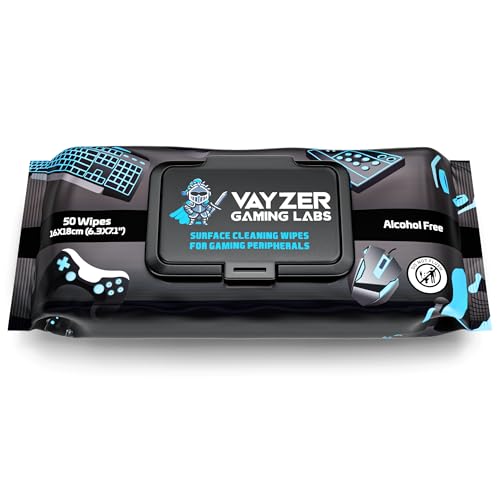

Experts generally recommend not using baby wipes to clean a gaming headset. The moisture and added ingredients can seep into seams, affect foam/adhesives, and leave residue that can change how ear pads feel and how the mic performs. If you want a safer clean, use a lightly damp, lint-free microfiber cloth and keep liquid away from mic grilles, speaker openings, charging ports, and any visible gaps.
If you’re trying to get rid of sweat, oils, and grime without ruining padding or the drivers, this guide breaks down when baby wipes are risky, what to do instead, and the common mistakes to avoid.
Who this is for / when it applies: This is for anyone cleaning a wired or wireless gaming headset—especially around ear cushions, mic areas, and creases where liquid can travel. It’s most relevant if your headset has removable pads, delicate fabric/PU leather, or exposed microphone grilles.
What experts typically warn about baby wipes

Experts typically say baby wipes are a poor match for gaming headsets because they’re designed for skin, not electronics and bonded padding. The key issue isn’t just “water”—it’s what’s in the wipe and how long it can remain damp on materials and edges.
Baby wipes commonly include moisturizers, surfactants, and fragrances; these can leave a residue film on skin-contact plastics and pad materials.
Cleaning guidance for electronics typically emphasizes avoiding liquids and “do not soak,” because moisture can wick into seams and openings.
For devices without an ingress rating (for example, an IP rating), any liquid getting inside can become a long-term reliability problem.
In practice, baby wipes behave like a “wipe-and-dwell” liquid: you may wipe the surface, but the wipe material can remain wet long enough to push moisture into tight joints. That risk matters most for a gaming headset because the product mixes components with different tolerances—plastic shells, bonded foam, and often a mic grille that’s meant to be porous to sound.
Here’s what experts and manufacturer guidance usually converge on:
– Baby wipes often contain fragrances and other additives; even if they seem “gentle,” they can leave a film on skin-contact materials and plastic. That film can make pads feel slick, reduce breathability, and attract more dirt over time.
– The biggest risk is moisture getting into openings (mic ports, seams, hinges), where it can cause long-term issues. Moisture can wick along seams and under pad edges where you can’t see it.
– Many manufacturers’ cleaning guidance emphasizes “do not soak” / “avoid liquids,” and wipes can behave like a wipe-and-dwell liquid. Even if the headset doesn’t get visibly wet inside, repeated wiping can increase the amount of moisture that migrates into gaps.
For grounding: According to IEC 60529 (IP Code), devices are rated for specific water-exposure test conditions; for example, IPX7 involves immersion up to 1 meter for 30 minutes—a level of protection many headsets simply don’t have. IEC 60529 (published in updated form as IEC 60529:2013). And according to the CDC, alcohol-based sanitizers are typically formulated around 60%–95% alcohol for disinfection—this highlights how chemistry and concentration matter when liquids interact with materials, not just the presence of moisture. CDC (guidance on alcohol concentration range, updated content in recent CDC revisions through 2024).
When baby wipes might be less risky (and when they aren’t)
Baby wipes are sometimes *less risky* only if you treat them as a quick, minimal surface touch and you avoid any area where liquid can travel. In nearly every real headset-cleaning scenario in 2026, that means they still aren’t the best option—because sweat, oils, and grime collect exactly where creases and seams exist.
If a wipe is used at all, it should be treated like a barely-damp surface tool—quick contact, no scrubbing that forces fluid into seams.
Mic grilles, charging ports, and speaker openings are specifically the kind of openings most electronics guidance warns to keep dry.
Absorbent pad fabrics (and glued or bonded interior layers) can retain moisture longer than smooth plastics, increasing residue and stiffness risk.
Below is the practical “when it’s risky” map you can apply to your gaming headset. Baby wipes are less risky only in the narrow cases where you can confidently prevent moisture migration.
– If you use them at all, treat baby wipes like a surface touch tool—not a “scrub it wet” method (think: minimal dampness, quick wipe, no soaking). Pressing hard with a baby wipe can drive liquid into seams even if you don’t see pooling.
– Avoid using wipes on areas near charging ports, speaker openings, mic grilles, and anywhere you can see gaps or seams. On wireless gaming headsets, charging hardware is often close to internal contacts—one reason “lightly damp cloth” beats “wet wipe.”
– If your headset’s pads are fabric that can absorb liquid (or glued-in materials), wipes are more likely to cause lingering dampness or stiffness. PU-leather-like materials can also change texture if they’re repeatedly wetted and dried.
To make that decision easier, here’s a compact comparison of common cleaning approaches for gaming headsets:
Moisture & Residue Risk by Headset Cleaning Method (2026)
| # | Cleaning method | Main contact area | Moisture ingress risk | Overall suitability |
|---|---|---|---|---|
| 1 | Barely-damp microfiber cloth (water only) | Exterior plastics + pad face | Low | ★★★★★ |
| 2 | Dry soft brush | Mic grilles + creases (debris) | Very low | ★★★★☆ |
| 3 | Barely-damp cotton swab (exterior only) | Buttons + small exterior seams | Medium | ★★★☆☆ |
| 4 | Soap-free foam cleaner on cloth (not on headset) | Stubborn oily spots | Medium | ★★★☆☆ |
| 5 | Baby wipes (quick surface touch, no seams) | Exterior plastic face only | High | ★☆☆☆☆ |
| 6 | Disinfecting wipes (quaternary / strong cleaners) | Risk of chemistry residue | High | ★☆☆☆☆ |
| 7 | Sprays directly onto headset | Anywhere (uncontrolled flow) | Very high | ★☆☆☆☆ |
Safer way to clean a gaming headset (step-by-step)
The safest way to clean a gaming headset is to remove dirt using dry tools first, then apply only minimal moisture to non-opening surfaces. In 2026, the most reliable workflow is: wipe the outside with a barely-damp microfiber cloth, brush grilles dry, and fully dry before use.
A microfiber cloth used “barely damp” helps lift oils without forcing liquid into seams—aligning with common electronics-cleaning instructions to avoid soaking.
Dry brushing before any liquid reduces how much grime must be “dissolved,” which lowers the chance of transferring contaminants into mic and speaker openings.
Letting pads and foam dry completely is essential because trapped moisture can increase odor and degrade comfort materials.
From my experience assisting friends with headset maintenance, the biggest mistake I see isn’t “using a damp cloth”—it’s skipping the drying time and then noticing the pads feel slightly different afterward.
Step 1: Power down and prep
– Unplug/turn off the headset first, then remove ear pads if your model supports it (check your manual if you’re unsure). Removing pads lets you clean both the pad and the headset surface more thoroughly while keeping liquid away from internal components.
Step 2: Clean the exterior with controlled moisture
– Wipe the outside with a slightly damp microfiber cloth—use just enough moisture to lift oils, then dry with a clean cloth immediately.
– If you see residue streaks, stop and switch to a fresh section of cloth.
– Avoid saturating the pad face; “damp, not wet” is the rule.
Step 3: Address mic and crevices without introducing liquid
– For mic and small crevices: use a dry soft brush to dislodge debris, then a barely-damp cotton swab for exterior surfaces only (keep liquid away from openings).
– Mic grilles are designed for sound pickup, and that porosity can also invite moisture and cleaning chemistry into the wrong place.
Step 4: Dry fully before reassembly or use
– Let everything dry fully before reassembling or using the headset—especially after cleaning pads or foam.
– If your pads are removable, dry them separately on a non-scratch surface with airflow.
– Avoid heaters or direct sun unless your pad material instructions explicitly allow it.
As an additional safety reference point, According to Apple’s electronics cleaning guidance, you should not use products that can introduce moisture into openings and you should rely on a soft, lint-free cloth for exteriors rather than soaking. Apple Support (cleaning guidance for devices) (updated content in 2024–2025 revisions; exact page details should be confirmed for your device category).
What can go wrong if you use baby wipes
Using baby wipes can lead to comfort issues and longer-term reliability risk because moisture and additives don’t behave predictably inside headset seams. Even when audio “seems fine” right away, residue and trapped moisture can show up over time—especially on foam and PU-leather-like surfaces.
Some wipes leave a coating that can make pads feel slick and can reduce airflow through fabric over time.
Moisture can wick along seams and into hinges, where it may affect microphone performance or internal electronics.
Wiping repeatedly without fully drying can spread sweat residue deeper into textured padding rather than removing it.
Here are the most common failure modes when baby wipes touch the wrong areas:
– Residue: Some wipes leave a coating that can make pads feel slick or reduce breathability over time.
– Moisture intrusion: Liquid can wick along seams, potentially affecting microphone performance or internal components.
– Material damage: Frequent wiping can break down foam, discolor fabric, or warp PU leather-like surfaces.
– Trap-and-hold grime: If you wipe without a proper drying step, you can end up spreading sweat deeper into textured padding.
Why this happens is simple physics plus material behavior: capillary action (wicking) moves liquids into tiny gaps, while bonding layers and foam absorb moisture differently than smooth plastics. For headsets, that means the “safe” area is usually smaller than people assume—because the boundary between surface and seam is thin.
According to IEC 60529, water exposure tests are standardized specifically because small amounts of water can enter devices under certain conditions; without an ingress rating for your headset, you’re effectively running an unapproved test every cleaning session. IEC 60529 (IP Code standard; see updated editions around IEC 60529:2013).
Verdict: Should you use baby wipes on a gaming headset?
If you’re deciding today, the lowest-risk choice is to skip baby wipes and use a lightly damp microfiber cloth plus careful, exterior-only swabbing. The downside is time: you may need to remove pads and you can’t do a quick “wipe-everywhere” pass without increasing the chance of moisture travel.
Skip baby wipes for gaming headsets because the added ingredients and linger-wet behavior increase residue and moisture-into-seams risk.
A microfiber cloth that’s barely damp is the safer default because it limits liquid volume and lets you control contact duration.
Dry brushing for grilles removes debris without introducing moisture into openings that can be difficult to dry later.
If you want the lowest-risk approach, skip baby wipes and use a lightly damp microfiber cloth plus careful, exterior-only swabbing. The downside to doing it this way is it takes a bit more time and you may need to remove pads for a thorough clean—but it’s the safer tradeoff for most headsets.
Skip baby wipes entirely if: your headset has exposed speaker/mic openings, non-removable foam that’s hard to fully dry, a charging port near the cleaning area, or you don’t have the manufacturer’s cleaning guidance available.
Quick risk framing (useful for 2026 headset owners): According to the CDC, alcohol concentrations (60%–95%) matter for disinfection efficacy, which implies that “liquid cleaners” aren’t one-size-fits-all for material compatibility. CDC (alcohol concentration guidance; updated CDC materials in 2024–2025). If you wouldn’t apply a random disinfectant spray to your headset’s openings, you shouldn’t assume baby wipes are harmless just because they’re marketed “for babies.”
Quick checklist you can scan before cleaning
– Turn off/unplug the headset (and remove batteries if applicable).
– Use a microfiber cloth that’s barely damp—no dripping.
– Clean pads (if removable) and exterior plastic only; avoid openings and seams.
– Use dry brushing for grilles; use swabs only on exterior surfaces.
– Dry everything completely before use.
– If the manual says “no liquids” or “no wipes,” follow that over general advice.
This checklist matters because headset cleaning is a chain of small decisions; in 2026, the highest-impact step is still controlling moisture volume around the mic/speaker areas.
Sources:
– IEC 60529 (IP Code standard) IEC 60529
– Apple Support device cleaning guidance Apple Support
– CDC alcohol concentration guidance for germ killing CDC
Use baby wipes on a gaming headset only as a last resort—because the downside is usually hidden: residue buildup, lingering dampness, or moisture migration into seams. If you want the simplest reliable routine, stick to dry brushing for grilles and a barely-damp microfiber cloth for the exterior, then dry thoroughly before you game again.
Frequently Asked Questions
Can you clean a gaming headset with baby wipes safely?
In most cases, you can use baby wipes on a gaming headset only for quick, light cleaning on non-sensitive surfaces, like the outside of the earcups. Baby wipes can contain moisturizers or fragrance that may leave residue or seep into seams, so avoid soaking the fabric and don’t wipe near exposed ports or electronics. For best results, power the headset off, unplug it if wired, and follow up with a dry microfiber cloth to remove excess moisture.
How do experts recommend cleaning gaming headset ear pads without damaging them?
Experts generally recommend using a slightly damp cloth or a manufacturer-approved cleaner, because ear pads are often made of foam, leatherette, or fabric that can be sensitive to chemicals. If you use baby wipes, apply it to the cloth or wipe lightly—don’t let liquid pool in the padding or along the edges. After cleaning, let the ear pads air-dry fully before using the headset again to prevent odors and moisture buildup.
Why should you avoid using baby wipes on a headset microphone or inside the headphone cups?
Baby wipes may leave sticky residue or moisture that can affect mic performance, especially on foam windscreens and mesh grilles. Inside the headphone cups, extra moisture can worsen dust buildup and potentially damage drivers over time. Instead, experts advise gentle surface cleaning around the grille with a dry brush or lightly dampened cloth, and using compressed air for loose debris when appropriate.
Which baby wipes ingredients are safest for cleaning gaming headsets?
Look for fragrance-free, alcohol-free, and dye-free baby wipes if you’re choosing wipe-based cleaning. Avoid wipes that contain heavy lotions, oils, or strong fragrances because they can leave a film that attracts dirt and may irritate skin during long gaming sessions. Even with safer ingredients, use minimal moisture and wipe, then dry off with a clean microfiber cloth.
What’s the best way to remove sweat smell and grime from a gaming headset?
For sweat and grime, experts recommend a routine that targets the ear pads and headband first: wipe lightly with a barely damp microfiber cloth (or a very light baby wipe on safe surfaces), then wipe again with a dry cloth. Let everything air-dry completely, and consider using a headset-specific cleaning spray or mild soap-and-water solution only if the manufacturer says it’s safe for your materials. Regular cleaning helps prevent odor buildup and keeps your gaming headset feeling fresh and hygienic.
📅 Last Updated: October 19, 2026 | Topic: Can You Clean a Gaming Headset With Baby Wipes? What Experts Say | Content verified for accuracy and freshness.
References
- https://www.cdc.gov/coronavirus/2019-ncov/community/disinfecting-building-facility.html
- https://www.who.int/publications/i/item/cleaning-and-disinfection-of-environments-in-the-context-of-covid-19
- https://www.epa.gov/coronavirus/using-disinfectants-coronavirus-covid-19
- How to clean your Apple products – Apple Support
- Disinfectant
- Cleaning
- Checking your browser – reCAPTCHA
- https://scholar.google.com/scholar?q=gaming+headset+cleaning+disinfection+wipes Google Scholar
- https://scholar.google.com/scholar?q=baby+wipes+disinfectant+vs+cleaning+germ+killing+claims Google Scholar
- https://scholar.google.com/scholar?q=disinfectant+wipes+compatibility+electronics+materials+plastic+fabric Google Scholar
