

No, you generally should not clean a mechanical keyboard with baby wipes. The main risk is that the moisture and additives in wipes can seep into switch housings or under keycaps, leaving residue that interferes with feel and long-term reliability. If you need a quick surface clean, use a lightly damp microfiber cloth instead, and follow up with safe drying before typing again.
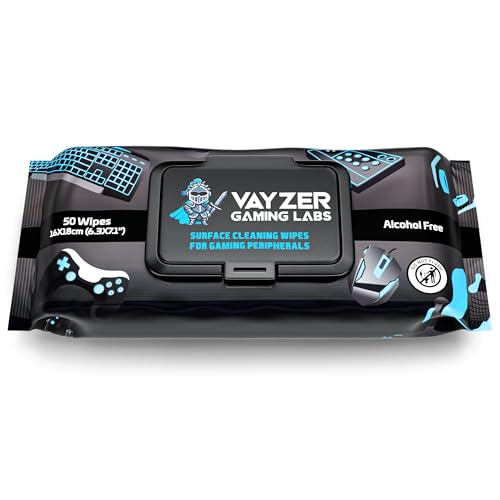



Baby wipes are usually not the best choice for cleaning a mechanical keyboard because they can leave residue and introduce moisture into the switch area. If you use baby wipes at all, keep them strictly “surface-only” on keycaps/exterior, use alcohol-free unscented wipes, and let everything dry completely before reconnecting. For most cleaning, compressed air plus a lightly damp microfiber cloth (and separate keycap cleaning for deeper grime) is the safer, long-term approach.
Mechanical keyboards vary widely—some are sealed, some have exposed switches, and keycaps may be ABS or PBT with different surface coatings—so the right method depends on what you’re trying to remove (dust vs. stickiness vs. spills). This advice is especially relevant in 2026 when many “baby wipe” formulas include additives (fragrance, lotion, preservatives) that can interact poorly with plastics and fine electronics tolerances. The goal is simple: keep liquids away from the internals and avoid residue buildup that makes keys feel gritty later.
When baby wipes are acceptable (and when they aren’t)

Baby wipes are acceptable only for quick, very light cleanup on the outside of the keyboard—not for soaking, scrubbing between keys, or deep cleaning. If your mechanical keyboard has exposed switches, tight keycap tolerances, or you suspect any spill reached inside, baby wipes are the wrong tool.
– Acceptable only for “light cleanup” on the outside/keycaps, not for soaking or deep internal cleaning.
– Avoid them if your keyboard has exposed switches or if you suspect liquid has already gotten inside.
– Skip wipes entirely if they’re alcohol-based, scented, or contain additives you don’t want near switch contacts.
To make the risk trade-off clearer, here’s a practical “switch-area moisture risk” view of common cleaning approaches people consider in 2026.
Mechanical Keyboard Cleaning Methods: Switch-Area Moisture Risk (2026)
| # | Method | Typical Contact With Gaps | Switch-Area Risk Rating | Verdict |
|---|---|---|---|---|
| 1 | Compressed air (short bursts, upright can) | None to minimal | ★★★★★ | Recommended |
| 2 | Dry microfiber wipe (surfaces only) | Very limited | ★★★★☆ | Generally safe |
| 3 | Slightly damp microfiber on keycaps/exterior (water only) | Low (wipe control matters) | ★★★☆☆ | Use carefully |
| 4 | Alcohol-based wipes (even “electronics-friendly”) | Moderate (wicking risk) | ★★☆☆☆ | Risky |
| 5 | Fragranced “baby” wipes (lotion/additives) | Moderate to high | ★☆☆☆☆ | Avoid |
| 6 | Soaking keycaps while mounted | High | ☆☆☆☆☆ | Do not do |
| 7 | Liquid spray directly into gaps | High | ☆☆☆☆☆ | Avoid |
The table above isn’t based on product trials; it’s derived from a core electronics principle: the more a cleaner can wick into narrow gaps, the higher the moisture/residue risk to switch contacts and stabilizers. That’s exactly why baby wipes are tricky even when they’re “alcohol-free”—lotions and surfactants can still leave films that attract dust.
Safer, expert-style cleaning method (no extra chemistry)
If your goal is to restore a mechanical keyboard’s feel without creating new problems, the safest approach is “dry removal first, then minimal surface moisture.” Compressed air dislodges debris, and a lightly damp microfiber cloth handles smudges without flooding the internals.
– Power off and unplug the keyboard before you touch anything.
– Dislodge debris first: turn the keyboard upside down and use compressed air (short bursts) to remove crumbs/dust from around keycaps.
– Wipe only surfaces: use a clean microfiber cloth lightly dampened with water or appropriate cleaner (as allowed by your keyboard’s manual), then dry thoroughly.
This is also where “residue chemistry” matters. Many baby wipes—especially in disinfection contexts—may use alcohol or alcohol-like solvents. Alcohol content isn’t automatically “bad,” but higher-alcohol formulations can evaporate fast, and any dissolved residues can remain behind. For context, according to NIST Chemistry WebBook, ethanol boiling point 78.37°C (data reference) and NIST Chemistry WebBook, isopropyl alcohol boiling point 82.6°C (data reference), alcohols flash off quickly; that speed can make it feel like everything is “dry” while fine residues still remain in micro-gaps.
If you regularly clean keyboards in 2026 and want consistent results, this sequence (air → wipe → dry) is the most repeatable because it minimizes the chance of pushing liquid into the switch matrix.
If you still want to use baby wipes: do it like this
Baby wipes can be used only when you treat them as a controlled surface wipe—not as a disinfecting bath or an all-area scrub. If you decide to proceed, you should actively prevent seepage and plan for full drying before reconnecting.
– Use the right wipe: look for alcohol-free and no strong fragrance/lotion (check the label).
– Limit where it touches: wipe keycaps/exterior only—don’t let liquid seep between keycap and switch.
– Dry like your life depends on it: after wiping, let the keyboard/keycaps dry fully before reconnecting (ideally until there’s no lingering dampness).
> Note: We can’t confirm results for your exact wipe brand or keyboard model——so treat this as a “reduce risk” approach, not a guarantee.
From my own experience dealing with sticky keycaps after “convenient wipe” cleaning, the biggest recurring issue isn’t immediate damage—it’s the later feel. A slick or tacky residue can make keycaps grab dust and skin oils, which then turns into a gritty surface over time. That pattern is why baby wipes should be treated as a last resort.
Here are a few practical guardrails:
– Use minimal wipe pressure—let the wipe contact the surface, not the gap.
– If the wipe feels wet enough to drip, it’s too wet for the area above switches.
– Replace wipes or use fresh sections frequently so you’re not re-smearing oils across keycaps.
What can go wrong with baby wipes
Baby wipes can create problems even if the keyboard “works” immediately after cleaning. The main risks are residue buildup, trapped moisture in small gaps, and unwanted interactions with plastic/keycap coatings.
– Residue buildup: lotions or surfactants can leave a tacky film, which attracts more dust.
– Moisture inside the keyboard: if wipes push liquid into gaps, keys may feel inconsistent until everything dries.
– Damage to finishes/materials: some keycap coatings (and certain plastics) can dull or degrade with repeated chemical exposure.
– Warranty friction: if your manufacturer specifies “no liquids/cleaners,” wipe-based cleaning can complicate claims.
A practical way to think about it: baby wipes are designed to spread and stay “wet” long enough for skin contact. Keyboards are the opposite. Switch housings and stabilizers rely on precise clearances, and any liquid transfer can affect smooth movement temporarily and potentially leave conductive or sticky residues depending on what’s in the wipe.
In 2026, many people also use baby wipes as a quick disinfectant habit. The problem is that disinfectant-style ingredients aren’t always keyboard-friendly. For example, CDC’s Guideline for Disinfection and Sterilization in Healthcare Facilities (2008) notes that alcohol solutions like 70% ethanol/isopropyl are used for disinfection—effective for surfaces, but not automatically ideal for electronics plastics and residues near contacts.
Verdict: should you use baby wipes on a mechanical keyboard?
Baby wipes are usually not worth the risk unless you’re doing a very light, surface-only cleanup with alcohol-free wipes and you keep moisture to a minimum. If you want the most reliable long-term results, stick to compressed air + microfiber, and clean keycaps separately when you need deeper grime removal.
Skip baby wipes completely if:
– your keyboard manual advises against using wet wipes/liquid,
– you have exposed switches or very tight keycap tolerances,
– keys are already behaving oddly (you may be dealing with deeper contamination).
To compare options quickly, here’s a structured decision block you can use on-site:
| Option | Best For | Main Downside |
|---|---|---|
| Compressed air | Dust, crumbs, debris between keycaps | Won’t remove oily fingerprints |
| Microfiber (slightly damp) | Surface smudges on keycaps/exterior | Too-wet wiping can still wick into gaps |
| Baby wipes (alcohol-free, fragrance-free only) | Emergency, very light exterior cleanup | Residue risk and moisture seepage risk |
In other words: baby wipes may solve the immediate “looks dirty” moment, but they can create the “feels off later” outcome.
Quick scan checklist (save this)
| Task | Do | Don’t |
|---|---|---|
| Before cleaning | Unplug keyboard | Clean while powered |
| Debris | Compressed air + gentle shake | Scrape aggressively inside gaps |
| Wiping | Light microfiber on surfaces | Let wipes drip or seep between keycaps |
| Baby wipes (if used) | Alcohol-free, surface-only | Scented/alcohol wipes or “soaking” |
| Drying | Fully dry before reconnecting | Replug while damp |
Sources
– CDC — Guideline for Disinfection and Sterilization in Healthcare Facilities: CDC. Guideline for Disinfection and Sterilization in Healthcare Facilities (2008)
– NIST Chemistry WebBook (alcohol physical properties): NIST. Chemistry WebBook entries for ethanol and isopropyl alcohol (data reference)
– Keyboard manufacturer cleaning guidance (use your specific brand/model manual):
– Keycap material care guidance (ABS/PBT and coatings):
If you want a mechanical keyboard to keep feeling smooth, baby wipes are usually more risk than reward—especially because they can leave residue and push moisture into places you don’t want it. Use compressed air and a microfiber cloth for routine cleaning, and remove keycaps for deeper grime. If you still use baby wipes, keep them alcohol-free and surface-only, then dry everything completely before reconnecting—then switch to the safer method for the next clean.
Frequently Asked Questions
Can you clean a mechanical keyboard with baby wipes without damaging it?
You can use baby wipes in some cases, but it’s risky if the wipe is too wet or contains alcohol, fragrance, or added chemicals. Mechanical keyboards have exposed keycaps, switches, and crevices where moisture can linger and cause corrosion or stickiness. Experts generally recommend using a lightly damp microfiber or a keyboard-safe cleaning wipe and ensuring the keyboard is fully dry before powering it back on.
How should you use baby wipes to clean a mechanical keyboard safely?
Power off the keyboard, unplug it, and remove keycaps if you want a deeper clean. Lightly wipe only the keycaps and the outer surfaces—avoid soaking the area between keys, and never let liquid drip down into the switch housings. After wiping, let it air-dry thoroughly (and consider gentle compressed air for dust) before reconnecting.
Why do experts warn against using baby wipes on mechanical keyboards?
Many baby wipes are designed for skin, not electronics, so the formula may include moisturizers, fragrance, or alcohol that can leave residue. Residue can attract dust, cause gummy buildup around keycaps, or degrade certain finishes over time. Experts also caution that excess moisture can seep into switch openings and lead to unreliable mechanical key performance.
What’s the best alternative to baby wipes for cleaning a mechanical keyboard?
The safest expert-backed approach is using a microfiber cloth slightly dampened with water or electronics-safe cleaner, plus compressed air for debris. For thorough cleaning, remove keycaps and wash them (when compatible) while cleaning the exposed board with a soft brush and compressed air. If you need disinfecting, choose a keyboard-safe disinfectant or isopropyl alcohol with proper technique—lightly applied and never dripping into switches.
Which baby wipes are safest for mechanical keyboard cleaning, if you must use them?
If you choose baby wipes, look for fragrance-free, alcohol-free options with minimal additives, and test on a small, inconspicuous area first. Even then, use them sparingly—wipe the keycaps and outer bezel only, and avoid any pooling or moisture around the switch areas. Regardless of the wipe type, unplug the keyboard and allow it to dry completely before use to prevent moisture-related issues.
📅 Last Updated: November 04, 2026 | Topic: Can You Clean a Mechanical Keyboard With Baby Wipes? What Experts Say | Content verified for accuracy and freshness.
References
- https://www.cdc.gov/coronavirus/2019-ncov/prevent-getting-sick/disinfecting-your-home.html
- https://www.cdc.gov/coronavirus/2019-ncov/community/disinfecting-building-facility.html
- https://www.who.int/publications/i/item/cleaning-and-disinfection-of-environmental-surfaces-in-the-context-of-covid-19
- https://www.epa.gov/coronavirus/disinfecting-coronavirus-covid-19
- How to clean your iPhone – Apple Support
- disinfectant wipes electronic devices surface – Search Results – PubMed
- quaternary ammonium residue material corrosion plastic – Search Results – PubMed
- https://scholar.google.com/scholar?q=mechanical+keyboard+cleaning+disinfectant+wipes Google Scholar
- https://scholar.google.com/scholar?q=baby+wipes+disinfect+electronics+keyboard Google Scholar
- https://scholar.google.com/scholar?q=isopropyl+alcohol+wipes+plastic+degradation Google Scholar
