

Bleach should not be used to clean a trackpad. Most people assume any disinfectant will work, but bleach is harsh and can strip or cloud the trackpad’s protective coatings and damage surrounding materials. For safety, use a manufacturer-approved cleaner or a lightly damp microfiber cloth to remove grime and disinfect without risking corrosion.


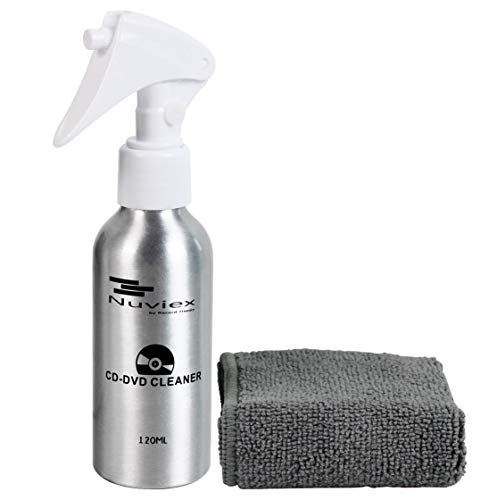

Bleach isn’t recommended for cleaning a trackpad. It can be harsh on the plastics, coatings, and adhesives used in laptop and external trackpads, and it may leave corrosive residue near sensitive sensor areas. If your goal is hygiene (germs) or visible buildup (grime or sticky residue), experts generally point you to gentle cleaning first—and, if disinfection is needed, to manufacturer-approved alcohol-based wipes or a slightly damp cloth instead.
This applies if you’re trying to remove germs, grime, or sticky residue from a laptop trackpad (or an external one), especially if you’re considering “disinfecting” with household chemicals. It’s also for anyone worried about damaging the finish or pushing liquid into the device—because bleach is both chemically aggressive and typically applied with enough wetness to create risk.
Why bleach is risky on trackpads

Bleach is risky on a trackpad because it can chemically degrade finishes and leave residue that continues to harm materials after the surface “looks clean.” In my view, the bigger issue isn’t just the immediate reaction—it’s what happens to the trackpad assembly over repeated exposure and drying cycles.
– Bleach is a strong chemical that can degrade or discolor common trackpad materials and finishes (like plastics, protective coatings, and adhesives).
– Liquid disinfectants can leave residue that may attract grime or contribute to corrosion over time—especially around seams, edges, and button/sensor cutouts.
– Bleach fumes and wet application aren’t a great match for electronics and tight device seams, where moisture can wick inward.
Bleach also changes how surfaces behave: some trackpad top layers are designed to feel “consistent” under skin oils and normal wear. Oxidizers (the active chemical class in many disinfectants) can alter that feel, which is why guidance from major device makers generally steers users away from bleach for device exteriors.
For context, According to the CDC, household “bleach” products typically contain about 5%–6% sodium hypochlorite (common concentration range for many retail products) (CDC, disinfecting guidance / bleach concentration info). That strength is far more aggressive than what most device finish systems are designed to handle.
What experts recommend instead (safe cleaning basics)
Experts generally recommend starting with gentle cleaning for a trackpad before you even think about disinfection. The key is controlling moisture and avoiding direct spraying—because trackpads fail more often from liquid ingress than from surface dirt.
– Power off the device and (for desktops/peripherals) disconnect it before cleaning.
– Use a soft, lint-free cloth lightly dampened with water or a manufacturer-approved cleaner—don’t spray liquids directly onto the trackpad.
– Wipe gently, then dry with a separate clean cloth to prevent moisture from getting into edges.
Here’s the reasoning: a trackpad is a layered system (top film/coating, structural plastic, sensor assembly underneath). Water and mild surfactants can lift oils and grime without aggressively attacking coatings. Bleach, by contrast, doesn’t just remove contamination—it chemically alters materials.
Practical choice rule for trackpads: if a cleaner is strong enough to disinfect without wiping thoroughly, it’s also strong enough to create compatibility risk. That’s why expert guidance focuses on minimal, controlled application.
Quick comparison: bleach vs safer alternatives
| Agent | Pros | Cons for a trackpad | Best use |
|---|---|---|---|
| Plain water (lightly damp cloth) | Good for oils, dust, light grime without aggressive chemistry. | Still risk if over-wet; avoid seams and don’t soak. | Daily cleaning / sticky feel from residue. |
| 70% isopropyl alcohol (if allowed by your maker) | Commonly recommended for disinfecting device exteriors when used sparingly. | Can dull or dry some coatings over repeated use; keep off ports/seams. | Periodic disinfection when needed. |
| Bleach (sodium hypochlorite) | Broad disinfecting potential (in general surfaces). | Higher risk of damaging plastics/coatings/adhesives and leaving corrosive residue. | Not recommended for trackpads unless a manufacturer explicitly allows it. |
Disinfecting options that are usually safer than bleach
Safer disinfection options for a trackpad usually come down to alcohol-based products that your device manufacturer explicitly permits. As of 2026, many official device guidelines still converge on 70% isopropyl alcohol wipes or a cloth lightly dampened with similar alcohol—applied sparingly.
– If your manufacturer allows it, use 70% isopropyl alcohol wipes or a cloth lightly dampened with 70% isopropyl—applied sparingly (not pooled).
– Avoid harsh disinfectants not explicitly approved for electronics (e.g., bleach, strong oxidizers, abrasive cleaners).
– Let the surface fully dry before using the trackpad again.
According to Apple’s official cleaning/disinfecting guidance, using 70% isopropyl alcohol (applied to a cloth/wipe, not directly sprayed) is an accepted approach for disinfecting certain Apple product exteriors (Apple Support, “How to clean your Apple product”). Microsoft’s Surface guidance similarly emphasizes approved disinfectant methods and discourages harsh chemicals like bleach for device exteriors (Microsoft Support, “How to clean and disinfect Surface devices”).
Below is a quick “compatibility triage” table that reflects common manufacturer guidance patterns (gentle cleaning first; disinfect only with approved alcohol-based options; avoid bleach).
Trackpad Cleaning Agent Compatibility (General Guidance, 2026)
| # | Cleaning agent | Typical use case | Main trackpad risk | Compatibility |
|---|---|---|---|---|
| 1 | Plain water (lightly damp cloth) | Grime/oil removal | Over-wetting, wicking into seams | ★★★★★ |
| 2 | Mild soap solution (cloth-dampened, no pooling) | Sticky residue lift | Soap residue if not wiped/dried | ★★★★☆ |
| 3 | 70% isopropyl alcohol wipes/cloth (if approved) | Disinfection | Can dull coatings with repeated use | ★★★★☆ |
| 4 | 70% ethanol wipes/cloth (if approved) | Disinfection | Drying/finish change over time | ★★★☆☆ |
| 5 | Quaternary ammonium wipes (varies by product) | Surface disinfection | Residue risk; approval often required | ★★☆☆☆ |
| 6 | Hydrogen peroxide solutions (varies) | Oxidizer disinfection | Finish oxidation/whitening potential | ★★☆☆☆ |
| 7 | Chlorine bleach (sodium hypochlorite) | General disinfection | High material damage/residue risk | ★☆☆☆☆ |
Steps to clean a trackpad without damaging it
For most trackpad cleaning situations, the safest method is a dry wipe first, then a lightly dampened cloth, and—only when allowed—sparing alcohol for disinfection. This approach minimizes liquid exposure to seams while still handling grime and germs.
– Wipe away loose debris first with a dry cloth (or compressed air if your device manual allows it).
– For stuck-on smudges: slightly dampen a lint-free cloth with water (or the exact cleaner your manufacturer approves), then wipe in gentle passes.
– For disinfection (only if allowed): use the recommended alcohol method, keeping liquid off the surrounding frame and ports.
A risk-managed workflow matters here: treat bleach as a “high hazard” chemical in a hazard-identification sense (identify what can react/damage, then control application). According to the CDC, dilution and proper use matter for bleach solutions on surfaces (CDC, disinfecting with bleach guidance), but trackpads are not typical porous or open-surface environments—so even “correct dilution” doesn’t translate safely to every device finish.
Also, in 2026, many modern laptops have tight top-film tolerances; over-saturation can cause streaking, residue, and edge wicking. The goal is controlled contact, not wet disinfection.
What can go wrong (common mistakes and limits)
Bleach is only one way trackpad cleaning can go wrong—most damage comes from liquid management errors and incompatible chemistry. If you rush the process or use the wrong disinfectant, the trackpad’s finish and feel can change faster than you expect.
– Spraying cleaner directly can push liquid into seams, buttons, or sensor areas.
– Over-wetting can cause streaking and may leave residue that attracts more dirt.
– Using the wrong chemical can void warranty coverage if damage is linked to unsupported cleaning methods.
– If your trackpad has a specialty coating (matte, anti-glare, or textured finishes), even “safe” cleaners may dull it over time—go slow and follow the device manual.
One more limit: disinfection is not always necessary. If your workspace is normally cleaned and you aren’t in a high-transmission environment, a grime-focused cleaning routine (dry cloth + light damp wipe) often delivers the practical hygiene benefit without repeated chemical exposure to the trackpad finish.
Verdict / tip (what to do right now)
Don’t use bleach on a trackpad. Use a gentle wipe-down first (dry cloth → lightly damp cloth), and only disinfect if your device manufacturer explicitly supports an alcohol-based option (commonly 70% isopropyl). If you’re unsure or your trackpad has a specialty finish, skip disinfectants altogether and stick to the manual-approved cleaning method to avoid finish damage and warranty risk.
Downsides to alcohol disinfection (even when allowed): repeated use can dry or dull certain coatings, and excess liquid can still wick into edges. If your trackpad has visible wear already (scratches in the top film or peeling texture), alcohol-based “quick disinfection” can make the cosmetic problem worse.
Quick scan checklist
| Task | Do this | Avoid |
|---|---|---|
| Daily grime | Soft, lint-free cloth; light pressure | Paper towels, abrasive wipes |
| Sticky residue | Slightly damp cloth (water or approved cleaner) | Soaking the trackpad |
| Disinfection | Follow manufacturer-approved method (often 70% isopropyl) | Bleach and unapproved disinfectants |
| Application | Apply to cloth, not device | Spraying liquids directly |
| Drying | Dry with a clean cloth; wait to fully dry | Using while wet |
Sources
Ultimately, bleach is the wrong tool for trackpad cleaning in 2026 because it’s chemically aggressive and hard to apply without introducing risk at seams and edges. For dependable results—clean feel, lower germ risk, and minimal finish damage—stick to manufacturer-approved gentle cleaning, and use alcohol-based disinfection only when it’s explicitly supported.
Frequently Asked Questions
Can you clean a trackpad with bleach?
Most experts advise against using bleach on a trackpad because it can damage the protective coating, dry out rubberized areas, and cause discoloration or surface haze. Bleach is also highly reactive and may seep into seams or the edges of the trackpad, potentially affecting internal components. For safe disinfection, use a manufacturer-approved cleaner or a disinfectant wipe labeled safe for electronics, followed by light drying.
How should you disinfect a trackpad safely?
First, power down the device and unplug accessories to reduce the risk of moisture entering the device. Use a microfiber cloth lightly dampened with water or 70% isopropyl alcohol, then gently wipe the trackpad surface without letting liquid pool at the edges. Allow it to air-dry fully before powering back on and use the trackpad again.
Why is bleach a bad idea for touchpads and trackpads?
Bleach can be too harsh for the thin layers and coatings used on touch surfaces, which can lead to fading, cracking, or reduced smoothness for accurate cursor movement. It may also react with materials like adhesives or plastics near the trackpad. Even if it “kills germs,” the long-term damage from bleach can outweigh the benefits.
What is the best way to clean a trackpad without ruining the finish?
The safest approach is regular cleaning with a microfiber cloth and, when needed, a small amount of 70% isopropyl alcohol on the cloth—not directly on the trackpad. This helps remove oils and smudges while reducing risk to coatings and sensors. If you’re dealing with stubborn grime, gently repeat the wipe rather than using stronger chemicals like bleach or abrasive cleaners.
Which disinfectants are recommended for electronic trackpads instead of bleach?
Experts typically recommend alcohol-based disinfectants (commonly 70% isopropyl alcohol) used sparingly and applied to a cloth first. Some manufacturers also allow specific electronics wipes that are designed for screens and touch surfaces—always check the device manual or cleaning guidelines. Avoid bleach, ammonia, hydrogen peroxide, and harsh solvents unless the manufacturer explicitly approves them for your trackpad.
📅 Last Updated: November 04, 2026 | Topic: Can You Clean a Trackpad With Bleach? What Experts Say | Content verified for accuracy and freshness.
References
- How to clean your Apple products – Apple Support
- https://www.cdc.gov/coronavirus/2019-ncov/community/disinfecting-building-facility.html
- https://www.who.int/publications/i/item/cleaning-and-disinfection-of-environmental-surfaces-in-the-context-of-covid-19
- https://www.epa.gov/coronavirus/disinfectants-coronavirus-covid-19
- Bleach
- sodium hypochlorite polymer degradation – Search Results – PubMed
- sodium hypochlorite corrosion materials – Search Results – PubMed
- https://scholar.google.com/scholar?q=bleach+cleaning+electronics+disinfectant+guidance Google Scholar
- https://scholar.google.com/scholar?q=sodium+hypochlorite+surface+material+degradation+polymer Google Scholar
- https://scholar.google.com/scholar?q=trackpad+or+touchpad+cleaning+disinfection+guidelines+bleach Google Scholar

[…] surface coating and leave residue along the edges and seams. Experts typically recommend a lightly damp microfiber cloth and, when necessary, a manufacturer-approved electronics or screen […]