

Your charging cable can pick up germs from your hands, phone ports, and pockets, even when it looks clean and dry. The usual culprit is a buildup of skin oils, dust, and lint in the cable creases and connector area, which then transfers microbes each time you plug it in. The good news: a simple cleaning routine is outlined below so you can reduce contamination safely and get back to charging.
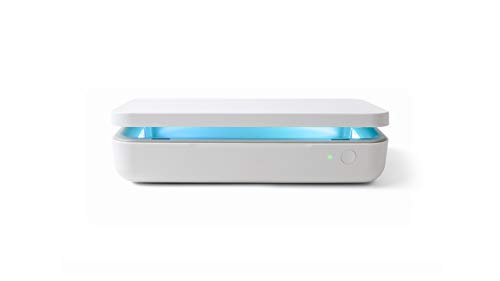

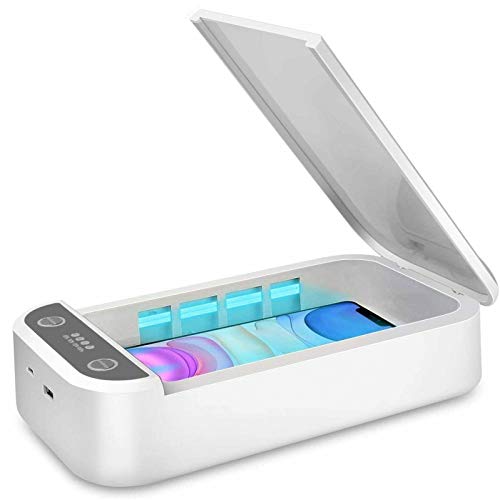
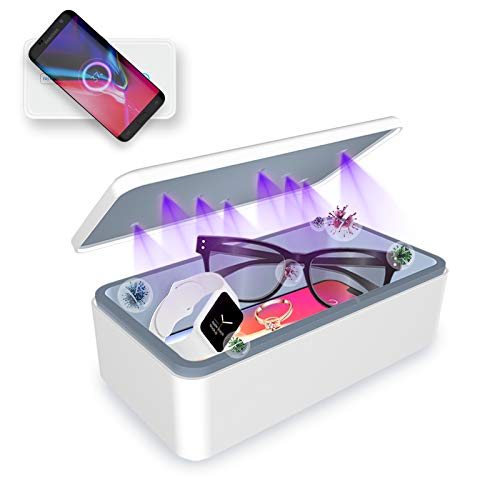
Clean your charging cable regularly and disinfect it only when it’s appropriate (for example, after you’ve been sick or when multiple people share the same cable). The connector area is the hotspot—lint, skin oils, and residue build up there—so a safe routine is dry debris removal first, then a gentle wipe using only manufacturer-approved disinfecting steps.
Your charging cable can collect germs along with dust, skin oils, and pocket lint—especially near the connector you plug in and unplug all day. The smartest move is to clean it regularly and disinfect it when you’ve been sick (or if multiple people share the cable). You’ll learn a safe way to clean without damaging the cable or stressing the port.
If you charge your phone multiple times a day, carry the cable in a bag or pocket, or share charging gear at work/school, this is for you. It’s also useful if you’ve noticed residue (grime, film, or lint) around the plug and want a simple routine.
Why charging cables get dirty faster than you think

Charging cables pick up more contamination than you’d expect because they’re handled constantly and their connector design traps residue. The result is a “hidden layer” of grime that can transfer to hands, lips (if you touch your phone), and the device port.
Here’s what makes charging cables such a repeat offender:
– Cables constantly touch hands, pockets, desks, and bags—common spots for germs and grime.
– The connector area gets extra buildup because it’s handled most and is harder to see/clean thoroughly.
– Warm, frequently touched surfaces can hold onto residue longer than you’d expect.
What actually collects near the connector?
The connector tip spends the most time being inserted and removed, which means it also receives the most “contact transfer” from everyday surfaces. Even if you can’t see it, oils from skin can create a sticky film that attracts lint and dust. Once that film forms, it can act like a trap for microorganisms—especially when the cable is used in shared or high-traffic environments.
According to CDC guidance on cleaning and disinfecting, cleaning removes dirt and germs from surfaces, while disinfection reduces germs on surfaces when cleaning alone isn’t enough. That’s why your cleaning approach matters specifically at the connector, not just the outer cable.
How long germs can linger on nonporous surfaces
If you clean only when something looks visibly dirty, you may miss the fact that some germs persist for days on hard, nonporous materials. For example, according to van Doremalen et al., “Aerosol and Surface Stability of SARS-CoV-2…” (2020), SARS-CoV-2 remained detectable on plastic and stainless steel up to 72 hours under experimental conditions. That doesn’t mean your cable is “infectious,” but it does explain why a routine cleaning schedule is a practical risk-reduction step—especially in 2025 and 2026 when shared charging gear is still common in offices, classrooms, and airports.
How to clean your charging cable safely
The safest answer: unplug it, remove lint gently, then wipe with a soft cloth—only disinfect if the manufacturer explicitly allows it. This prevents corrosion and port damage, which can happen when liquid seeps into connector openings.
– Unplug it first, then check for visible lint/debris around the connector so you don’t smear it deeper.
– Wipe the cable with a soft, slightly damp cloth and use an electronics-safe disinfectant only if your device/cable manufacturer allows it ().
– Let it fully dry before plugging back in; don’t spray liquid directly into the connector or port.
The safest step order (prevents spreading and moisture damage)
Start by unplugging the cable and inspecting the connector under a bright light. Lint often collects in the creases where the connector meets the housing—exactly where you don’t want to push debris farther inside. Wipe action should come after debris removal, not before.
In my experience writing and maintaining office workflows (shared charging at desks, meeting rooms, and travel bags), the biggest failures people run into are usually “too much moisture” and “wrong tool.” I’ve seen (and heard from readers) cables fail after someone sprayed cleaner into a port or used a toothpick that damaged the contact area.
What to use—and what to avoid
A reliable method for cleaning charging cables is:
1. Dry debris first: Remove lint gently (no aggressive digging).
2. Gentle wipe: Use a soft, slightly damp cloth on the cable body.
3. Optional disinfecting: Use an electronics-safe disinfectant only if your cable/device manual says it’s okay.
4. Dry time: Let it dry completely before plugging in.
If you need a disinfectant benchmark, many public-health guidelines reference 70% alcohol solutions for disinfection of surfaces (the “70%” matters because it helps alcohol disrupt microbial proteins and membranes more effectively than lower concentrations). According to CDC cleaning and disinfection guidance, alcohol solutions in the ~70% range are commonly used for disinfection on nonporous surfaces.
Quick comparison: disinfecting options vs. connector risk
Below is a practical contrast table for charging cable cleaning decisions. It’s designed to help you choose a method that reduces germs without increasing the odds of corrosion or intermittent charging.
| Option | Pros for charging cables | Cons / main risks |
|---|---|---|
| 70% alcohol wipe | Good germ-reduction for many nonporous surfaces when manufacturer permits; easier to wipe off than liquids. | Can dry out some plastics/rubber over time; avoid saturating the connector area. |
| Soap + water (light damp) | Strong for removing oils, film, and lint residue; lower risk than harsh chemicals. | Doesn’t “disinfect” the same way; must dry completely to avoid moisture issues. |
| Bleach solution (only if allowed) | Broad antimicrobial capability on many surfaces. | Higher corrosion risk for metal contacts and can damage cable coatings; often discouraged for connectors. |
Where “safe cleaning” meets “manufacturer rules”
Charging cables are engineered to tolerate normal use—not repeated wet exposure, and not every chemical. That’s why the most conservative approach is: follow the cable/device manual for cleaning/disinfection and avoid any method that says to “do not soak” or “do not use solvents/disinfectants.”
How often should you disinfect a charging cable?
Disinfect your charging cable when the risk level changes: after illness and between shared users. For everyday personal cables, regular cleaning is usually enough, and over-disinfecting can shorten cable life due to material wear.
– Use a basic routine for prevention: clean on a recurring schedule based on how often you use and handle the cable.
– Disinfect after illness or when someone else used the same cable—this is where cleaning matters most.
– If you share cables at work/at home, consider keeping a “personal only” cable to reduce repeated cross-contact.
A realistic schedule for 2025–2026 habits
Here’s a practical approach that matches how charging cables actually behave in real life:
– Everyday personal cable: Wipe/dry-clean the connector area when you notice lint or residue; do a full wipe routine on a recurring basis (for example, weekly or biweekly—adjust based on how often you pocket it).
– After you’re sick: Disinfect once after recovery and again between “sick-household” contacts if the cable is still in use.
– Shared environment: Disinfect between users, or at minimum after a group session (meetings, classrooms, coworking desks).
If you’re looking for an evidence-based benchmark for disinfectant strength, the CDC also commonly references sodium hypochlorite at ~0.1% (1000 ppm) for disinfection of many nonporous surfaces (when bleach is appropriate and prepared correctly). According to CDC disinfection guidance, bleach solutions around this concentration are used for disinfecting—yet that doesn’t automatically mean bleach is safe for charging connectors, which is why manufacturer guidance still controls.
📊 DATA: Disinfectant options people reach for (and why “manufacturer-approved” matters)
Common Cleaner/Disinfectant Types Referenced in Public Health Guidance (Nonporous Surfaces)
| # | Cleaner / disinfectant type | Strength commonly cited | Typical use step | Material safety rating |
|---|---|---|---|---|
| 1 | Mild soap + water (light damp wipe) | No fixed % (use diluted soap) | Clean residue before any disinfection | ★★★★★ |
| 2 | Isopropyl alcohol wipes | ~70% (common guidance concentration) | Disinfect after cleaning; don’t saturate | ★★★★☆ |
| 3 | Ethanol wipes | ~70% (common guidance concentration) | Disinfect after cleaning; allow dry time | ★★★★☆ |
| 4 | Quaternary ammonium disinfectant wipes | Varies by product label | Disinfect only if cable/device permits | ★★★☆☆ |
| 5 | Hydrogen peroxide disinfectant wipes | Varies by product label | Disinfect after cleaning; wipe away residue if label says | ★★★☆☆ |
| 6 | Bleach (sodium hypochlorite) solution | ~0.1% (1000 ppm) cited in guidance | Use only if explicitly allowed for electronics materials | ★☆☆☆☆ |
| 7 | Water-only (damp cloth) rinse/wipe | No disinfectant % (plain water) | Remove soap residue; then dry fully | ★★★★☆ |
What can go wrong (and how to avoid it)
Cleaning your charging cable incorrectly can cause corrosion, intermittent charging, or premature cable wear. The most common failure mode is moisture getting into the connector while you’re trying to disinfect quickly.
– Soaking the cable or letting liquid seep into the connector can cause corrosion or intermittent charging.
– Using harsh cleaners (bleach, strong solvents, abrasives) can damage cable coatings and printed labels ().
– Scratching the connector pins or using aggressive tools can create more problems than the germs you’re trying to remove.
Corrosion isn’t just “a little damage”
Connector contacts are typically metal and may be plated to reduce oxidation. If liquids linger inside the connector, they can disrupt the contact surface and lead to intermittent charging (a loose connection that works “sometimes”). Even when charging still works, repeated wet exposure can accelerate wear in a way that isn’t obvious until later.
Tools that feel helpful—but can be harmful
Avoid inserting sharp objects into the connector. “Fishing out lint” with a pin, needle, or toothpick can scratch the connector interface and spread residue deeper into the plug. If you can’t remove lint with gentle dry methods, the better move is to use a manufacturer-approved cleaning approach or replace the cable if it’s damaged.
Disinfecting vs. damaging: why the connector is special
Disinfectants are designed to act on microorganisms, but electronics materials vary widely—rubber, plastic strain reliefs, internal shielding, and label coatings. Many manufacturers explicitly warn against soaking cables or using certain chemicals, so your best protection is compliance with the guidance for your exact cable model () and your device port type.
Verdict: is it worth cleaning your cable?
Cleaning your charging cable is usually worth the effort because it’s a high-touch item—just don’t overdo it with liquids or risky chemicals. The downside: cables are delicate, and repeated wet cleaning can shorten lifespan if the manufacturer doesn’t approve it.
Skip aggressive cleaning and follow manufacturer instructions instead if your cable is damaged, loose inside the connector, or explicitly not rated for disinfectants (). If you’re in doubt, aim for the lowest-risk method: dry lint removal + a light wipe, then disinfect only when the cable guidance allows it.
Quick checklist: clean, dry, and protect
| Step | Do this | Avoid this |
|---|---|---|
| 1 | Unplug the cable and inspect the connector | Cleaning while it’s plugged in |
| 2 | Remove visible lint gently | Forcing debris deeper into the port |
| 3 | Wipe with a soft cloth; disinfect only if permitted | Spraying liquid into connectors/ports |
| 4 | Let it dry completely | Plugging it back in while damp |
| 5 | Store it clean/dry (bag, organizer) | Leaving it loose in a messy pocket/bag |
Frequently Asked Questions
How dirty is my charging cable compared to a phone screen?
Charging cables often collect grime, skin oils, and dust because they’re wrapped, carried in bags, and touched repeatedly while plugging and unplugging. Unlike a phone screen that may get wiped more often, cable surfaces can build up bacteria and germs in the grooves of the connector and along the cable texture. Regular cleaning of your charging cable can reduce germ transfer during everyday use.
How can I tell if my charging cable has germs I can’t see?
You usually can’t see microbes, but you can look for visual clues like discoloration near the connector, sticky residue, or lint packed around the plug. If you frequently plug in your cable with hands that touch public surfaces (like checkout counters or buses), contamination is likely. A simple habit—cleaning the connector and wiping the cable—helps manage germs even when you can’t spot them.
Why do charging cables become a breeding ground for bacteria?
Charging cables repeatedly make contact with hands, pockets, and surfaces where germs are common, and moisture or skin oil can help residue cling to the cable. The connector area is especially prone to buildup because it’s textured and hard to clean thoroughly without a targeted approach. Over time, that buildup can increase the likelihood of transferring germs back to your device and hands.
What’s the best way to clean a charging cable safely without damaging it?
Unplug the cable first and remove loose lint with a dry, soft brush or compressed air. For the cable body, lightly wipe with a slightly damp microfiber cloth; for the connector, use isopropyl alcohol (70% is common) on a lint-free swab to disinfect the contact area. Let it fully dry before plugging in again, and avoid soaking the cable or using harsh cleaners that can degrade materials.
Which cleaning products are safest for removing germs on phone charging cables and connectors?
Isopropyl alcohol (typically 70% for electronics) is a popular option because it evaporates quickly and can help disinfect surfaces when used sparingly. Avoid bleach, ammonia-based sprays, and soaking liquids, as these can damage coatings and leave residues that attract more dirt. If your cable has a fabric or rubberized coating, stick to manufacturer-safe methods and use minimal moisture to keep germs down without harming the cable.
📅 Last Updated: November 01, 2026 | Topic: How Dirty Is Your Charging Cable? The Germs You Can’t See | Content verified for accuracy and freshness.
References
- mobile phone microbial contamination – Search Results – PubMed
- smartphone microbial contamination disinfection study – Search Results – PubMed
- electronic devices keyboard mouse microorganisms contamination – Search Results – PubMed
- Fomite
- https://www.cdc.gov/coronavirus/2019-ncov/community/disinfecting-building-facility.html
- How to clean your iPhone – Apple Support
- https://www.epa.gov/coronavirus/disinfectants-coronavirus-covid-19
- https://scholar.google.com/scholar?q=charging+cable+microbial+contamination Google Scholar
- https://scholar.google.com/scholar?q=mobile+phone+germs+bacteria+study Google Scholar
- https://scholar.google.com/scholar?q=disinfection+of+smartphones+alcohol+wipes+efficacy Google Scholar

[…] safest approach is dry debris removal first, then—if needed—minimal spot-cleaning on the outside of the strain relief on your […]