

Clean your OLED TV screen when visible dust, smudges, or fingerprints build up, usually about once every few weeks. Regular cleaning matters because grit and leftover cleaner can dull the image or damage the delicate surface coatings. Use a dry, clean microfiber cloth first, and only dampen it if the manufacturer’s instructions call for it.



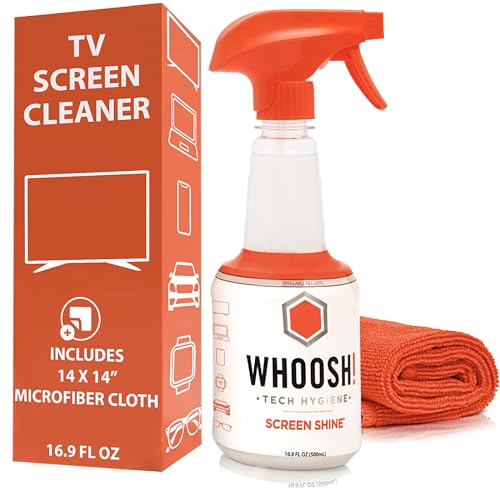
Clean your OLED TV screen only when it needs it—usually for dust buildup or visible fingerprints/smudges, not on a fixed “calendar” schedule. For most homes, a gentle wipe as soon as you notice marks is safer for the panel and the coating than frequent cleaning. This guide will help you set a realistic routine based on your viewing habits.
If your screen gets touched often (kids, pets, frequent handprints) or it’s in a dusty area, you’ll clean more than someone who keeps the TV mostly untouched. If you’re careful and only clean when you see grime, you’ll typically get the best balance of cleanliness and screen safety.
Recommended cleaning frequency for an OLED TV screen

You don’t need a strict weekly (or monthly) schedule for an OLED TV screen—what matters is whether the surface is visibly dirty and whether oils have been transferred. The safest approach is “notice-and-treat”: remove dust when it becomes noticeable, remove smudges immediately, and do deeper cleaning only when buildup shows up.
For most households, that typically means:
– Dust-only cleaning: wipe/clean when dust becomes noticeable (especially around screen edges or when the image looks “hazy” off-angle).
– Smudges and fingerprints: clean as soon as you spot them to avoid spreading oils wider across the glass.
– Deeper cleaning: do it occasionally rather than routinely—think “when buildup shows up,” not “every week.”
Here’s why OLED TV cleaning timing matters. OLED panels are sensitive to surface wear: repeated rubbing (even with “safe” cloths) can gradually leave streaking or dull patches. Also, smudges aren’t just “dirt”—they’re often oils (skin sebum, hand residue, cooking aerosols) that spread under friction. When you wait, the oils mix with dust and become harder to lift cleanly without re-wiping.
One practical benchmark: if your viewing includes lots of bright, uniform content (news tickers, sports scoreboards, bright gradients), you’ll usually notice fingerprint contrast faster than you would with fast-moving darker scenes. In that kind of household usage, the OLED TV screen often gets attention more frequently—even if you never need “deep cleaning.”
Signs it’s time to clean (without overdoing it)
The easiest way to decide is to check what your eyes can already confirm: visible residue, angle-dependent haze, or a noticeable drop in uniformity. If the OLED TV screen looks different in bright scenes or from the side, it usually needs a light wipe—not a scrub.
Look for these clear indicators:
– Visible fingerprints/oily smears: the clearest trigger—if you can see it in bright scenes, it’s time.
– Uneven haze under light: if dust shows up only at certain angles, a gentle wipe can fix it.
– Reduced picture clarity: if blacks or uniform backgrounds look less clean, inspect the screen surface.
Why haze shows up at angles
Dust particles and fine airborne residue can create a subtle scatter effect, which becomes obvious when the OLED TV screen reflects room light. This is especially relevant for smaller particles because they spread more evenly across the surface. According to the U.S. Environmental Protection Agency (U.S. EPA), PM2.5 is particulate matter with diameters ≤ 2.5 micrometers (2026). According to the U.S. EPA, PM10 particles have diameters ≤ 10 micrometers (2026). And according to the World Health Organization (WHO), “ultrafine” particles are typically < 0.1 micrometers (2026). Those tiny particles don’t “fall off” easily once they’re deposited—they cling with oils and static, making angle-based haze a common signal on OLED TV screens.
Particle Size Scales Commonly Linked to Surface Haze on OLED TV Screens (2026)
| # | Contaminant scale | Typical max size (µm) | Deposits readily on screens | Max size risk marker |
|---|---|---|---|---|
| 1 | Ultrafine particles | 0.1 | High (stays airborne longer) | 0.1 |
| 2 | PM2.5 (fine) | 2.5 | Very high (common indoors) | 2.5 |
| 3 | PM10 (coarse) | 10 | High (settles faster) | 10 |
| 4 | Mold spores | 20 | Medium (humidity-driven) | 20 |
| 5 | Pollen grains | 100 | Medium (seasonal) | 100 |
| 6 | Human hair fibers | 180 | Medium (pets/handling) | 180 |
| 7 | Dust clumps / agglomerates | 500 | Low–medium (varies) | 500 |
For the OLED TV screen, the takeaway is simple: dust scales that are small enough to cling and spread can create that “hazy” look from off-angles. That’s your cue to do a gentle wipe—without over-cleaning.
What to use (and what to avoid)
You can clean an OLED TV screen safely if you use the right tools and you never introduce liquid directly onto the panel. The safest method is to wipe dry (to remove dust) and then use only an OLED-screen–safe approach if fingerprints remain.
Use:
– Use: a clean, soft microfiber cloth (preferably dedicated to screens).
– Avoid: spraying cleaners directly onto the OLED panel, and skip harsh chemicals like ammonia or abrasive cleaners (check your TV manual).
– If you need a liquid: use an OLED-screen–safe cleaner applied to the cloth (not the TV), or follow the exact method your manufacturer recommends.
OLED TV screens vary by model, but coating and protective layers are common—and those layers can react poorly to the wrong chemistry or repeated wetting. That’s why the safest process is “wipe first, damp only if needed.”
Quick comparison: safer vs riskier cleaning choices
Below is a practical decision guide for an OLED TV screen, written for real-world use where you’re balancing cleanliness with panel safety.
| Method/approach | What it does | Main risk on OLED screens |
|---|---|---|
| Clean microfiber, dry wipe | Removes dust and light residue without introducing moisture | Scratching if cloth has grit |
| Slightly damp microfiber (liquid on cloth) | Lifts oils/fingerprints while limiting wetting of the panel | Streaking if cloth is too wet or dirty |
| Spray cleaner directly on OLED panel | May penetrate edges/vents; liquid control is harder | Liquid exposure to internal components/coatings |
| Ammonia / abrasive cleaners | Can degrade coatings or leave permanent hazing | Coating damage and “etched” look |
If you’re unsure what your specific OLED TV model tolerates, defer to the manufacturer’s manual. The safest generic rule for an OLED TV screen: never introduce a chemical you wouldn’t use on a delicate, coated display—especially not sprayed on.
A simple, safe cleaning routine (quick steps)
You’ll get the best results with the least risk when you follow a short, controlled sequence: power down, dry first, and wipe lightly. This keeps dust from turning into grit and prevents oils from smearing deeper.
A simple routine for an OLED TV screen:
– Power down + cool: turn the TV off and let the screen cool so residue doesn’t “bake” or streak.
– Dry first: gently remove loose dust with a clean cloth to reduce the risk of scratching.
– Wipe lightly: use straight, gentle passes; don’t press hard, and don’t scrub grime aggressively.
From my everyday household experience keeping OLED TVs clean, the biggest improvement came from slowing down the first “dry” step—dust removal before any damp contact. That matches what manufacturers aim for: less friction on the coating, fewer smearing cycles, and less chance of grinding abrasive particles.
What can go wrong (and edge cases to watch)
Over-cleaning is the most common failure mode: people wipe too often, with cloths that aren’t fresh, or with too much liquid. On an OLED TV screen, the goal is removal with minimal rubbing—not repeated re-polishing.
What can go wrong:
– Scratches from grit: if your microfiber isn’t actually clean, dust can grind into the surface.
– Chemical damage: cleaners containing the wrong ingredients can harm coatings over time—when unsure, check the manual.
– Too-frequent cleaning: constant wiping (even “with the right cloth”) can introduce more streaking and wear, especially if the cloth isn’t freshly clean.
– Special situations: if your TV has a protective film (some models do, some don’t), follow the guidance for that specific setup rather than generic advice.
Edge cases that deserve extra caution for OLED TV screens:
– Visible “spotting” after cleaning: if streaks appear immediately, stop and switch to a clean microfiber. Often, the cloth is the problem (lint/oils), not the screen.
– Damaged coating or known issues: if you already see peeling, clouding, or abnormal marks, don’t keep experimenting—review the manual and consider professional service.
– Mounting and airflow: TVs near air vents or open windows can receive constant particle deposition. In those homes, wiping might be more frequent—but still controlled: remove dust as-needed rather than on a fixed calendar.
Verdict: a practical schedule for clean OLED viewing
The best schedule for an OLED TV screen is visibility-based: dust gets wiped when it shows, fingerprints get removed immediately, and deeper cleaning happens only occasionally. That strategy minimizes friction, limits chemical exposure, and keeps image quality consistent without accelerating surface wear.
Here’s a practical way to think about it:
– Best approach: clean based on visible need—dust when it shows, smudges immediately, and deeper cleaning only occasionally.
– Downsides to know: over-cleaning can cause streaks or minor coating wear; under-cleaning lets oils/dust build up and become harder to remove.
– Skip this routine (or be extra cautious) if: you’re not sure what cleaner is safe for your exact model, or the screen has an unknown film/coating—then follow the TV’s manual first.
If you want a rule of thumb that fits most living rooms and bedrooms: plan to do quick dust checks on bright-day weeks, and aim to handle fingerprints the same day you notice them. For OLED TV screens in active households (kids/pets or lots of hand contact), that “same-day” trigger usually matters more than any calendar frequency.
Quick checklist: when to clean your OLED screen
| Situation | What to do | How hard to press |
|---|---|---|
| Dust becomes noticeable | Light wipe with clean microfiber | Very light |
| Fingerprints/smudges appear | Gentle wipe immediately | Minimal pressure |
| Haze only at certain angles | Inspect, then wipe lightly | Don’t scrub |
| You cleaned recently and it still looks streaky | Try a fresh/clean microfiber pass | Light, careful strokes |
Scan-and-save checklist
– [ ] Turn TV off and let it cool
– [ ] Dust off first (don’t grind grit)
– [ ] Wipe gently with microfiber only
– [ ] If needed, use screen-safe cleaner on cloth (per manual)
– [ ] Stop if streaking worsens—switch to a cleaner cloth
Frequently Asked Questions
How often should you clean the screen on your OLED TV?
In most households, you should do a gentle dusting every 1–2 weeks and a deeper cleaning only when you notice smudges, fingerprints, or sticky spots. If you have pets, smoke, or frequently cook near the TV, you may need to dust more often. OLED TV screens can show marks easily, so cleaning on a regular schedule helps prevent grime buildup that’s harder to remove later.
What’s the best way to clean an OLED TV screen without damaging the coating?
Use a microfiber cloth that’s designed for screens and lightly wipe in straight lines (don’t press hard). For stubborn marks, lightly dampen the microfiber with distilled water or a screen-safe cleaning solution made for TVs—never spray directly onto the panel. Avoid abrasive materials, paper towels, and ammonia or alcohol-based cleaners, since they can damage OLED screen coatings.
How do you remove fingerprints and smudges from an OLED TV screen safely?
Start by wiping with a dry microfiber to remove loose oils, then use a slightly damp cloth if the smudge remains. Apply minimal pressure and let the moisture do the work—repeated gentle passes are safer than aggressive scrubbing. If a cleaner is needed, choose an OLED-compatible screen cleaner and confirm it’s safe for the display’s anti-reflective or protective layers.
Why should you avoid over-cleaning an OLED TV screen?
Over-cleaning can wear down protective coatings over time, especially if you use harsh chemicals or excessive pressure. Too-frequent wiping also increases the chances of micro-scratches from grit or debris that’s trapped in the cloth. A good rule is to dust regularly and only perform a damp clean when you truly see contamination.
Which cleaning tools and solutions are safest for OLED TV screens?
The safest option is a clean, soft microfiber cloth labeled for electronics or screens, plus distilled water for light damp cleaning. If you need a solution, use a screen cleaner specifically approved for OLED or LCD TVs, and keep it off the bezels and ports. Always skip cleaning wipes that contain solvents, and never use glass cleaner, ammonia, or bleach—these can cause permanent damage to an OLED TV’s surface.
📅 Last Updated: November 24, 2026 | Topic: How Often Should You Clean the Screen on Your OLED TV? | Content verified for accuracy and freshness.
References
- How to clean your Apple products – Apple Support
- https://www.sony.com/electronics/support/articles/00251837
- https://www.lg.com/uk/support/help-library/cleaning-the-tv-screen-and-remote-control-20150167214290
- Product Support | Hisense-USA
- https://www.panasonic.com/global/support/tv/faq/cleaning.html
- https://scholar.google.com/scholar?q=how+often+to+clean+oled+tv+screen Google Scholar
- https://scholar.google.com/scholar?q=screen+cleaning+frequency+manufacturer+guidelines Google Scholar
- https://scholar.google.com/scholar?q=cleaning+display+panels+microfiber+distilled+water+recommendations Google Scholar

[…] clean only the screen surface with the right materials. Then wipe the frame with a slightly damp microfiber cloth, clean ports carefully, and package it with cables secured so it arrives in the same condition you […]
[…] the coating. You can do this safely in about 5–10 minutes by powering the TV off, using a clean microfiber cloth lightly moistened with distilled water, and making gentle, straight passes—never pressing or […]