

How do you clean a charging cable without damaging the contacts or weakening the insulation? Start by unplugging it, then gently wipe the cable with a barely damp microfiber cloth and use a dry cotton swab to clear lint near the connector; for stubborn dirt, lightly moisten the cloth with isopropyl alcohol and never apply liquid directly into the port. In about 5–10 minutes, you can restore reliable contact and safer charging.
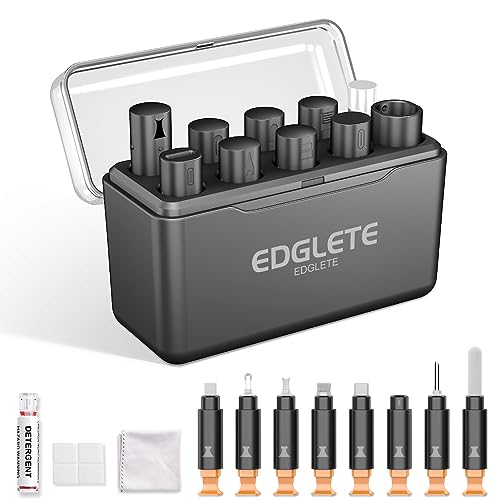


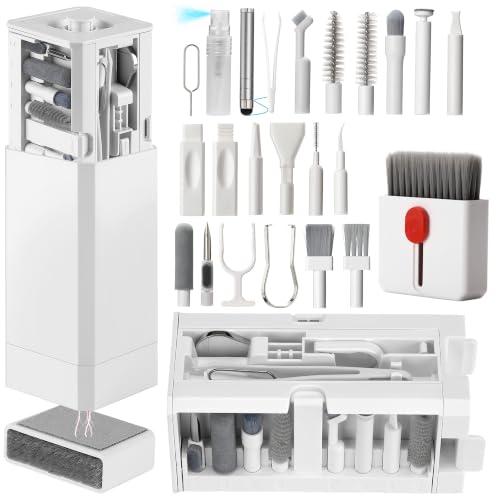
Unplug your charging cable first, then clean it gently with a dry microfiber cloth and—if needed—a lightly damp cotton swab (70% isopropyl alcohol is the common safe choice for electronics). The goal is to remove lint, dust, and residue from the connector area without loosening or corroding the contacts—because charging reliability depends on clean, stable metal-to-metal contact. This guide will walk you through a safe, step-by-step process to clean both the cable and the charging end so your cable has the best chance of performing consistently again (especially as of 2026, when higher-power USB-C charging is more common and contact sensitivity is higher).
If your cable looks dirty, charges intermittently, or the connector area has visible lint, dust, or discoloration, cleaning is usually the first troubleshooting step worth trying. It’s also one of the lowest-risk fixes when the cable is otherwise intact (no bent connector pins, frayed wires, or melted plastic), which is why it should come before more aggressive actions like scraping or chemical soaking.
Who this is for / when it applies

This is for anyone dealing with a USB-C, Lightning, or standard charging plug that has accumulated lint or grime over weeks of desk use, pocket carry, or travel (as many people do through 2026). It’s also written for the plug end and connector housing—not for dismantling the cable or trying to repair internal contacts.
Safety first: what to do before cleaning
Before you clean a charging cable, you should remove power and verify the issue looks cosmetic (lint, dust, or mild residue). This prevents electrical risk and reduces the chance of pushing debris deeper into the connector.
– Unplug the cable and let it sit dry; don’t clean while it’s connected to power.
– Inspect the connector for lint, buildup, or visible damage before touching it.
– Use only gentle tools (microfiber cloth, soft brush, cotton swab); avoid metal objects.
A practical rule I follow around charging cables is: if you can’t clearly see what’s wrong, don’t force anything. In many connector problems, the “damage” is actually pocket lint packed into the housing, and aggressive attempts to remove it can widen tolerances or disturb contact alignment. Also, because modern charging cables can carry meaningful power, keep cleaning controlled—USB Power Delivery profiles can negotiate up to 100W (20V at 5A) for certain chargers and cables (USB Implementers Forum (USB-IF), USB Power Delivery specification). Higher-power charging doesn’t mean “more fragile,” but it does make contact consistency more important.
What you’ll need (and what to skip)
To clean a charging cable safely, use low-lint, non-abrasive materials and only minimal liquid if residue is present. If you’re dealing with dry lint, start dry—liquid is for sticky residue, not for dislodging everything.
– Helpful items: dry microfiber cloth, soft dry brush, cotton swabs, and 70% isopropyl alcohol (if you need it).
– Optional help: compressed air for loose dust (use short bursts).
– Skip: bleach, acetone, abrasive cleaners, and “soaking” the cable end.
Why 70% isopropyl alcohol? Device manufacturers commonly recommend it for connector/port cleaning because it evaporates relatively quickly and is less likely than harsher solvents to leave swelling residues. Apple, for example, advises using 70% isopropyl alcohol on a cloth/swab for cleaning certain components (Apple Support documentation on cleaning Apple devices/accessories). Also, isopropyl alcohol’s normal boiling point is about 82.6°C, which supports fast evaporation when applied lightly (not soaked) (NIST Chemistry WebBook (2-Propanol / Isopropyl alcohol)).
Why Connector Cleanliness Matters for Higher-Power USB Charging (Common PD Levels)
| # | USB Power Profile (Example) | Voltage | Current | Max Power |
|---|---|---|---|---|
| 1 | 5V Fixed Supply (common) | 5V | 2A | 10W |
| 2 | 5V Fixed Supply (fast common) | 5V | 3A | 15W |
| 3 | 9V Fixed Supply (common) | 9V | 2A | 18W |
| 4 | 9V Fixed Supply (higher common) | 9V | 3A | 27W |
| 5 | 12V Fixed Supply (common) | 12V | 3A | 36W |
| 6 | 15V Fixed Supply (common) | 15V | 3A | 45W |
| 7 | 20V Fixed Supply (max widely used) | 20V | 5A | 100W |
Step-by-step: clean the cable and the charging end
If you want to clean a charging cable without damaging it, start dry, remove lint carefully, and only use a small amount of alcohol when you see residue. This order prevents you from turning dry debris into a paste inside the connector housing.
– Start with the plug: wipe the connector housing and cable strain area with a dry microfiber cloth.
– Remove lint carefully: use a dry cotton swab to lift debris from crevices; if you use a brush, keep it soft and light-handed.
– If there’s residue: dampen a cotton swab lightly with isopropyl alcohol and clean the connector opening, then let it fully dry before testing.
Here’s what “lightly” means in practice: you should be able to press the swab against the edge of the alcohol container and have it pick up moisture, but not drip. For charging cables, excess liquid is the main way people accidentally create problems—liquid can wick into the connector cavity and contribute to residue movement or corrosion over time.
Also, when you clean a charging cable connector, you want to minimize mechanical stress. Modern connector interfaces include multiple signal and power contacts; forcing a cotton swab deeper than the connector opening can bend alignment features. According to USB 2.0 High-Speed capabilities, some charging cables also support 480 Mbps data signaling (USB Implementers Forum (USB-IF), USB 2.0 specification). That’s why stable contact cleanliness matters for both charging and any data negotiation.
After cleaning, allow time for evaporation. If you used 70% isopropyl alcohol, don’t immediately plug it back in—wait until the area is visibly dry and doesn’t smell strongly of alcohol. The same safety practice applies to charging cables used with laptop docking stations, where intermittent connections can also affect data lanes.
Cleaning the cable body (strain relief, sheath, and folds)
Cleaning the cable body reduces the chance that dust and lint migrate back to the connector area. For most charging cable issues, the plug end is the priority, but the strain relief and outer sheath still accumulate debris.
– Wipe the outer sheath with a slightly damp cloth, then dry it thoroughly.
– For grime near the strain relief, use a cotton swab—again, minimal liquid, no soaking.
– If the cable has frayed areas or cracked insulation, cleaning won’t fix it; stop and replace it.
When you wipe the cable body, focus on the sections that flex repeatedly—especially near the strain relief. In my own maintenance workflow, I’ve seen that cables stored with the connector tucked into fabric pockets collect lint that later transfers to the mating surface; . If you notice sticky residue (for example, from hand lotion), a lightly damp cloth can remove it from the sheath so it doesn’t reach the connector mouth again when the cable is moved.
A key limit: cleaning is not a repair method for compromised conductors. If the insulation is cracked, you can’t “clean” electrical continuity back into place.
What can go wrong (common mistakes and edge cases)
Most charging-cable damage during cleaning comes from too much liquid, harsh chemicals, or abrasive mechanical contact. If you avoid those three failure modes, cleaning is usually safe for intact cables.
– Over-wetting: too much liquid can creep into the connector and cause corrosion or intermittent charging.
– Scratching contacts: using sharp tools or abrasive cloth can damage metal pins.
– Cleaning the wrong area: residue inside ports on your device may need separate cleaning; focus on safety and don’t force anything.
– Heat after cleaning: testing too soon after using alcohol can leave moisture behind—wait until fully dry.
Below is a practical “what to do vs. what not to do” comparison you can follow for charging cables:
There’s also a common confusion: charging-port cleaning. Cleaning the charging cable connector is only half the equation if the device port is contaminated. However, don’t improvise with toothpicks or metal picks inside your device’s charging port. If you suspect your device port is the problem, treat it as a separate step with gentler tools—or seek professional help.
Verdict: the safest approach, plus who should skip cleaning
Cleaning is generally worth trying if your charging cable is physically intact and the symptom aligns with lint or residue (visible debris, intermittent contact, or discoloration around the connector). Here’s the tradeoff: cleaning takes only a few minutes, but it can’t fix mechanical wear like a bent connector or failing internal conductors.
From a reliability standpoint, I recommend cleaning once carefully, then retesting with the same cable in the same outlet and device. If the problem persists after the cable is fully dry, repeated cleaning usually becomes diminishing returns—and you may risk worsening fit or spreading residue deeper into the connector.
– Skip cleaning and replace the charging cable if you see bent pins, exposed wiring, melted plastic, cracked insulation, or persistent charging failures after a careful dry-clean attempt.
– Skip cleaning if the connector housing feels loose, wobbly, or “as if it’s broken,” because that suggests mechanical failure rather than grime.
If you’re working in a business environment with fleet devices (laptops, tablets, accessories), a consistent process is better than frequent “hero” cleanings. As of 2026, USB-C and multi-profile charging are widespread, and cleanliness standards matter for stable user workflows.
Quick checklist (scan before you start)
– Unplug the cable from power/device.
– Dry-wipe the connector and cable body first.
– Remove lint with a dry microfiber/cotton swab (light pressure).
– Use isopropyl alcohol only on a lightly damp swab (no soaking) 70%.
– Let it dry completely before testing.
– Stop if you notice fraying, melting, or bent/loose connector parts.
Sources
– USB Implementers Forum (USB-IF), USB Power Delivery Specification (for USB PD capability such as up to 100W profiles)
– USB Implementers Forum (USB-IF), USB 2.0 Specification (for USB 2.0 High-Speed data capability at 480 Mbps)
– NIST Chemistry WebBook, 2-Propanol (Isopropyl alcohol) (for physical properties like normal boiling point around 82.6°C)
– Apple Support documentation on cleaning devices/accessories using 70% isopropyl alcohol (for safe alcohol concentration/application guidance)
Frequently Asked Questions
What’s the safest way to clean a charging cable without damaging it?
Start by unplugging the charger and inspecting the cable for frays or loose strands. Use a dry microfiber cloth to remove surface dust, then gently clean the connector with a soft, slightly damp cloth or a cotton swab lightly moistened with isopropyl alcohol (70%+). Avoid soaking the cable, and let it fully dry before reconnecting. This method helps keep your charging port and cable contacts free of grime without stressing the cable’s insulation.
How do you remove lint or debris from a charging port area on a cable?
Focus on the metal connector ends where dust and lint collect. Use a dry toothpick, wooden pick, or a plastic anti-static pick to carefully lift debris from around the contact area—never scrape aggressively. For stubborn buildup, lightly dampen a cotton swab with isopropyl alcohol and clean around the connector pins, then dry completely. Keeping the charging cable connector clean can improve contact and reduce intermittent charging.
How can you clean a charging cable that has dirt or sticky residue?
Wipe the cable jacket with a slightly damp cloth using mild soap and water, then rinse lightly with a clean, damp cloth if needed. For sticky residue near the connector, use a cotton swab with a small amount of isopropyl alcohol to dissolve residue without soaking the cable. Pat the cable dry and air-dry it fully before use. This approach protects the charging cable’s outer coating while removing contaminants that can interfere with charging.
Which cleaning products should you avoid to prevent cable damage?
Avoid bleach, harsh cleaners, acetone, and strong solvents, since they can degrade cable insulation and markings. Don’t submerge the cable in water or alcohol, because moisture can reach the connector and internal wiring. Also skip metal brushes or abrasive materials that can scratch the connector contacts or widen the port opening. Using the right charging cable cleaning method—typically isopropyl alcohol on swabs and gentle wiping on the jacket—reduces the risk of permanent damage.
Why might your charging cable still fail after cleaning, and what should you do next?
If cleaning doesn’t fix charging issues, the problem may be worn connector pins, internal wire damage, or a damaged charging port on your device. Check the cable for fraying, kinks near the plug, or a loose-fitting connector; these are signs to stop using the cable. Try a different compatible charger and cable to isolate whether the cable or port is the cause. Regular cleaning helps, but physical wear often requires replacing the charging cable.
📅 Last Updated: November 01, 2026 | Topic: How to Clean a Charging Cable Without Damaging It | Content verified for accuracy and freshness.
References
- cleaning electronic connectors isopropyl alcohol – Search Results – PubMed
- connector contamination cleaning corrosion – Search Results – PubMed
- usb connector cleaning procedure – Search Results – PubMed
- Isopropyl alcohol
- Contact cleaner
- https://www.cdc.gov/coronavirus/2019-ncov/community/disinfecting-building-facility.html
- https://www.who.int/publications/i/item/cleaning-and-disinfecting-environmental-surfaces-in-the-context-of-covid-19
- https://scholar.google.com/scholar?q=how+to+clean+charging+cable Google Scholar
- https://scholar.google.com/scholar?q=cleaning+charging+port+isopropyl+alcohol+lint+care Google Scholar
- https://scholar.google.com/scholar?q=electrical+connector+cleaning+procedure+damage+avoidance Google Scholar
