

A dirty mouse pad can make your cursor feel sluggish, and it is frustrating when you just want smooth tracking. You can clean it safely with a microfiber cloth in about 10 minutes, using warm water and a small amount of gentle dish soap if needed. Follow the step-by-step process to lift oils and grime, wipe away residue, and let it dry fully before you go back to work.



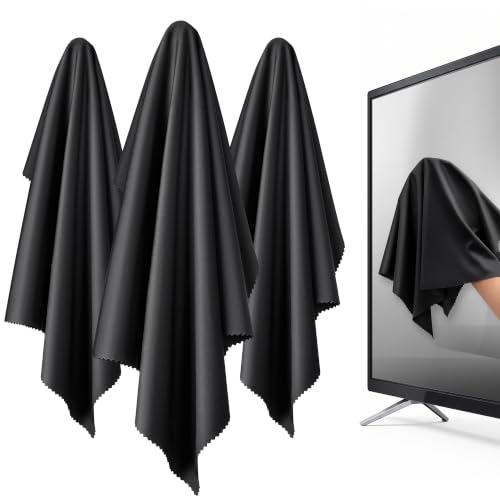
Use a clean, slightly damp microfiber cloth to lift oils and grime, then let the mouse pad fully air-dry before you use it again. This approach works because microfiber traps surface contaminants while minimizing the amount of water that can reach seams or the pad’s backing.
If your mouse pad is getting sluggish or dirty, you can usually bring it back by wiping it gently with a clean, damp microfiber cloth. Use light pressure, wipe in one direction, and let it fully air-dry before using it again. This article walks you through safe cleaning so you don’t damage the fabric or the pad’s base.
If you use a cloth or hybrid mouse pad (fabric surface, sometimes with a rubber backing), this method is a good first option—especially for everyday dust, smudges, and light buildup. If your pad is heavily stained or soaking isn’t recommended by the manufacturer, you’ll also learn what to avoid.
Why a microfiber cloth works for mouse pads

Microfiber cleaning works because it captures oils and fine debris without forcing water deep into the mouse pad. For cloth and hybrid pads, this is especially helpful in 2026, when most mouse pads are designed to feel fast and consistent—but not necessarily to tolerate soaking.
– Microfiber lifts oils and surface grime without harsh scrubbing that can fray fabric.
– A “damp, not wet” approach helps prevent water from getting into seams or the backing.
– It’s a good method when you want controlled cleaning without soaking the entire pad.
From a practical standpoint, microfiber’s fine fibers create a lot of contact points with the mouse pad surface. That means fewer strokes are needed to pick up residue, and you can keep pressure light—important for textured weaves that affect glide.
Also, if your mouse pad “feels slow,” that’s often not a true mechanical problem—it’s usually contamination on the surface (skin oils, dust, and minor residue from lotions or cleaning products near your desk). A microfiber cloth reset tends to restore glide faster than you’d expect, as long as you air-dry completely.
What to prepare before you start
Have everything ready first so you don’t over-wet the cloth or the mouse pad while you’re working. With the right setup, you can clean a cloth or hybrid mouse pad safely in a few minutes—then wait for the drying time.
– A clean microfiber cloth (ideally more than one so you can switch to a fresher side).
– Distilled or clean tap water, plus —only if appropriate.
– Optional: a soft brush or lint-free cloth for removing loose debris before wiping.
A quick planning note for hybrid pads
If your mouse pad has a rubber or textured backing, plan to keep liquids off the base as much as possible. That means: damp cloth, short passes, and a flat air-dry setup. For hybrid pads in particular, the “how” matters as much as the “what.”
Step-by-step: how to clean a mouse pad with a microfiber cloth
This method is straightforward: remove loose debris, wipe gently with a barely damp microfiber cloth, spot-treat if needed, and air-dry flat. Follow the steps below to protect both the fabric surface and any bonded backing.
– Step 1: Unplug and clear the area, then remove any loose dust or debris with a dry microfiber corner.
– Step 2: Lightly dampen your microfiber cloth with water (and cleaner only if your pad’s care instructions allow it).
– Step 3: Wipe the pad’s surface gently in one direction, re-dampening the cloth as needed.
– Step 4: For lingering spots, repeat short passes with slightly more pressure—don’t scrub aggressively.
– Step 5: Dry fully by air-drying flat; keep it away from heat sources like radiators or hair dryers.
Step 1: remove loose debris first
Before any damp wiping, use a dry microfiber corner to pick up dust and grit. This is important because tiny particles can act like micro-sandpaper when you wipe, especially on a textured weave. Clearing debris also makes it easier to tell whether the next step is removing oils (smears) versus dust (specks).
Step 2: dampen the cloth, not the mouse pad
Dampen your microfiber cloth and then wring it so it’s not dripping. The goal is controlled transfer—enough moisture to dissolve oils and lift residue, not enough to soak seams or the backing. In my experience with routine desktop maintenance, the biggest improvement comes from using less water than you think you need; if the cloth leaves visible wet patches, you’re over-wetting.
Step 3: wipe in one direction to protect the texture
Wipe gently in one direction. Repeating one-direction strokes reduces abrasion and helps avoid wearing the weave unevenly. If the cloth gets darker, switch to a cleaner section or a fresh microfiber cloth—otherwise you just redistribute grime across the mouse pad.
Step 4: spot-treat without scrubbing
For stubborn spots, don’t go straight to aggressive scrubbing. Instead, repeat short passes with slightly more pressure while keeping the cloth damp (not wet). If you need cleaner, use only what the manufacturer allows—otherwise you risk damaging coatings, printed surfaces, or friction layers on specialized pads.
Step 5: air-dry flat to avoid backing problems
Drying is where many cleaning attempts fail. A mouse pad that’s left damp can develop odor, stiffness, or uneven feel. Dry it flat on a surface where air can reach it, and avoid direct heat.
Drying and re-use tips that prevent damage
Don’t reuse the mouse pad until it’s fully dry, because trapped moisture can affect glide and backing performance. The safest drying routine is patience plus airflow.
– Air-dry completely before use to avoid a tacky feel or trapped moisture.
– Place the pad on a flat surface with airflow if possible.
– Don’t use it while damp—especially if the pad has a rubber or textured backing that can retain moisture.
If you’re cleaning in 2026 and your room runs dry, drying is often quicker than expected—but you still need to confirm it’s fully dry. A quick check: press a fingertip lightly on the surface in an inconspicuous area. If it feels cool/damp or leaves moisture on your skin, give it more time.
For faster, safer drying, many users place the pad in an open room rather than on a closed desk drawer or right against wall surfaces where airflow is limited.
What can go wrong (and how to avoid it)
This is usually avoidable: most problems come from over-wetting, harsh chemicals, or insufficient drying. If you’ve had a “cleaning” go sideways, review these common failure points.
– Over-wetting: Too much water can seep under the surface and weaken adhesives or backing. Use a barely damp cloth.
– Harsh cleaners: Bleach, strong solvents, or abrasive detergents can discolor or damage coatings. Stick to .
– Scrubbing the wrong way: Rough back-and-forth scrubbing can wear down weave texture unevenly.
– Not fully drying: Using the pad before it dries can cause odor, stiffness, or uneven wear.
Why harsh disinfectants are a risk for mouse pads
Cleaning for hygiene and cleaning for material longevity are not always the same goal. For example, while disinfectants like alcohol and hypochlorite are widely discussed for surface disinfection, they can still degrade materials or coatings on fabric/hybrid pads.
According to the U.S. Centers for Disease Control and Prevention (CDC), Guideline for Disinfection and Sterilization in Healthcare Facilities (2008), alcohol concentrations in the range of 60–90% are effective against many microorganisms (70% is commonly used). For mouse pads, that “effective disinfectant concentration” doesn’t automatically mean “safe for fabric and rubber backing,” especially when you’re repeatedly applying liquids.
According to the World Health Organization (WHO), Cleaning and disinfection of environmental surfaces in the context of COVID-19 (2020), a 0.1% sodium hypochlorite solution is among the disinfection concentrations discussed for certain surface-cleaning contexts. Chlorine-based cleaners, however, can be too aggressive for dyes, stitched edges, and specialty coatings used on gaming and office mouse pads.
Cleaner Types and Microfiber-Wipe Safety for Fabric/Hybrid Mouse Pads
| # | Cleaner type (common formulation) | Typical strength | Typical surface use | Microfiber-wipe safety score |
|---|---|---|---|---|
| 1 | Distilled water | 0% additives | General cleaning, dilution-safe | ★★★★★ |
| 2 | Diluted mild dish soap | Low single-digit % when diluted | Oil/smear removal (only if allowed) | ★★★★☆ |
| 3 | 70% isopropyl alcohol | 70% v/v | Disinfection on hard surfaces | ★★☆☆☆ |
| 4 | 3% hydrogen peroxide | 3% w/v | Spot-bleach potential, mixed compatibility | ★★☆☆☆ |
| 5 | White vinegar (acetic acid) | ~5% acetic acid | Odor/mineral scale contexts | ★☆☆☆☆ |
| 6 | Chlorine bleach (sodium hypochlorite) | ~5–8.25% available chlorine | Strong disinfectant (material risk) | ☆☆☆☆☆ |
| 7 | Ammonia-based glass cleaners | ~5–10% ammonia (varies by product) | Grease cutting on glass | ☆☆☆☆☆ |
Verdict: when this method is worth it (and when to skip it)
Microfiber-cloth cleaning is a practical, low-risk first step for everyday grime and light stains, and it’s usually safer than soaking. That said, the method is not a universal fix—especially for mouse pads with printed or treated surfaces, failing backings, or deep staining that requires a manufacturer-approved procedure.
Skip this approach (and check the manufacturer’s care guide instead) if your pad is heavily stained, has printed/treated surfaces that require specific cleaners, or the backing is starting to peel—because extra moisture or repeated wiping could make issues worse. If you’re unsure, follow .
Pros and cons at a glance
- Pros (microfiber cloth method)
- Controlled moisture, lower risk of backing failure, good for everyday oils/dust, easy to do in minutes.
- Cons (microfiber cloth method)
- May not fully remove deep stains, limited impact on odors rooted in the backing/seams, can’t replace manufacturer washing instructions.
Quick checklist (scan this before you clean)
– [ ] Remove loose dust first with a dry microfiber corner
– [ ] Use a clean microfiber cloth
– [ ] Damp only (not wet); use cleaner only if allowed
– [ ] Wipe gently in one direction
– [ ] Spot-treat with repeat light passes
– [ ] Air-dry flat until fully dry
If any bullet feels hard to follow (for example, your pad’s edges are already lifting), pause and switch to the manufacturer’s recommended cleaning method rather than continuing with moisture.
Sources
– U.S. Centers for Disease Control and Prevention (CDC). Guideline for Disinfection and Sterilization in Healthcare Facilities. (2008)
– World Health Organization (WHO). Cleaning and disinfection of environmental surfaces in the context of COVID-19. (2020)
A clean microfiber cloth won’t just remove visible marks—it restores consistent glide by lifting oils and fine debris while minimizing moisture exposure. If you keep pressure light, wipe in one direction, and air-dry flat, you’ll usually get a noticeable improvement without risking the fabric or backing.
Frequently Asked Questions
How do I clean a mouse pad with a microfiber cloth?
Start by unplugging or powering off any devices and checking the care label for fabric or coating instructions. Lightly dampen a clean microfiber cloth with water (or a small amount of mild soap) and wipe the surface in gentle, even strokes. For textured or stitched edges, use a few extra passes to lift grime without saturating the material, then wipe again with a cloth dampened with plain water to remove soap residue. Let the mouse pad air-dry completely before use to prevent warping or slipping.
What’s the best way to remove oily smudges from a mouse pad using microfiber?
Oily fingerprints and skin residue usually need a stronger cleaning approach than plain water. Use a microfiber cloth lightly dampened with warm water and a tiny amount of dish soap, then wipe in circles to break up the grease. Follow up with a second microfiber cloth dampened with clean water to rinse away any remaining soap, which can otherwise create a sticky feel. Finally, dry thoroughly—pressing with a dry microfiber cloth can help speed up drying without damaging the surface.
Why does my mouse pad get streaks when I wipe it with a microfiber cloth?
Streaks typically happen when you use too much moisture, soap, or leave residue on the surface. Make sure your microfiber cloth is damp but not dripping, and avoid applying heavy pressure that spreads grime. Use a two-step method—wipe with lightly soapy water, then wipe again with a plain-water damp cloth to remove residue. If streaks persist, a fresh, dry microfiber wipe can help lift remaining film before the pad fully dries.
Which microfiber cloth should I use for cleaning a mouse pad—dry or wet?
Use a slightly wet microfiber cloth for the main cleaning because it lifts dirt and oils more effectively than a dry cloth. For finishing, use a dry microfiber cloth to gently blot and remove excess moisture, especially along the edges. If your mouse pad has a delicate coating, choose a soft, lint-free microfiber to reduce the chance of scratching or leaving fibers behind. Always keep the cloth clean—reusing a dirty microfiber can re-deposit grime onto the pad.
How often should I clean my mouse pad with a microfiber cloth?
If you notice slower glide, visible smudges, or a tacky feel, it’s time to clean—many people benefit from a quick microfiber wipe every 1–2 weeks. For heavy use, daily skin contact, or gaming with frequent hand oils, monthly deeper cleaning (still using microfiber and mild soap) helps keep surface texture consistent. Regular maintenance also prevents buildup that can make the mouse pad harder to clean later. Let it dry fully each time to maintain grip and control.
📅 Last Updated: November 04, 2026 | Topic: How to Clean a Mouse Pad With a Microfiber Cloth | Content verified for accuracy and freshness.
References
- https://www.cdc.gov/coronavirus/2019-ncov/community/disinfecting-building-facility.html
- https://www.epa.gov/coronavirus/cleaning-and-disinfecting
- https://www.who.int/publications/i/item/cleaning-and-disinfection-of-environmental-surfaces-in-the-context-of-covid-19
- Microfiber
- Mousepad
- microfiber cloth cleaning efficacy – Search Results – PubMed
- microfiber cloth disinfection performance – Search Results – PubMed
- https://scholar.google.com/scholar?q=how+to+clean+mouse+pad+microfiber+cloth Google Scholar
- https://scholar.google.com/scholar?q=mouse+pad+cleaning+cloth+disinfection Google Scholar
- https://scholar.google.com/scholar?q=microfiber+cloth+surface+cleaning+efficacy Google Scholar
