

Want to clean a subwoofer without damaging it? You’ll get a safe, step-by-step method that removes dust and grime from the cone, surround, and grille without pulling delicate materials, soaking electronics, or loosening voice-coil components. Follow these verified steps for a clean sound and a subwoofer that stays intact.



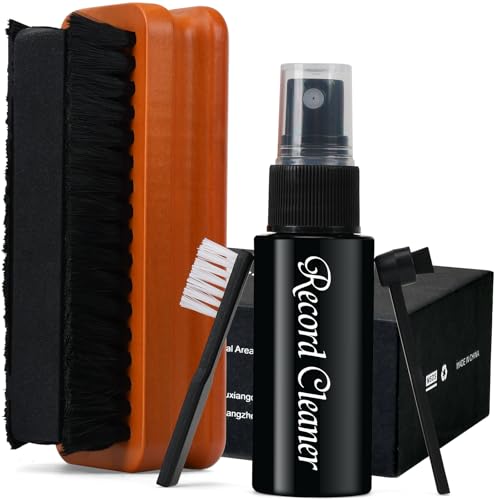
Clean a subwoofer safely by unplugging it, dry-brushing first, and using moisture only on a cloth—not on the driver, terminals, or inside the cabinet. This dry-first approach prevents the two most common problems: leftover cleaner residue and moisture getting into the surround/spider area, which can “look clean” while the sound gets worse. As of 2026, speaker-care best practices still revolve around controlled application (dry tools first, minimal dampness only when needed) and full drying before testing.
If your subwoofer lives in a dusty room, a garage, or near an entryway, you’ll benefit from a method that removes surface grime without increasing humidity inside the enclosure. This guide is written for common subwoofer designs (sealed and bass reflex/ported) and typical driver materials (foam surrounds and vinyl cones), where water contact risk varies.
Unplug your subwoofer and clean it with dry tools first (soft brush + microfiber). If you must use moisture, apply it to the cloth—not directly on the driver, terminals, or inside the enclosure—and keep it minimal.
If your sub has a foam surround, a vinyl cone, or a port (bass reflex), this guide helps you avoid the most common “looks clean, sounds worse” problems caused by moisture and rough handling.
Prep & Safety Before You Touch Anything

To clean a subwoofer without damaging it, the first step is removing power and planning how moisture will (and won’t) travel. Start with dry cleaning and only introduce minimal moisture to a cloth, so nothing drips into the driver gap or terminal area.
Unplugging the subwoofer first prevents accidental voltage reaching the driver and keeps you from touching energized terminals during cleaning.
Applying cleaner to a cloth (not directly to the cone, dust cap, or ports) reduces the chance of liquid seeping into the surround/spider area.
What to disconnect before cleaning (sealed vs. passive units)
– Unplug the subwoofer (and disconnect speaker cables if it’s a passive unit) so no power reaches the driver or terminals.
– Use only soft, clean tools at first: a microfiber cloth and a soft brush/paintbrush with gentle bristles.
– Plan to work top-down: grille/exterior first, then the cone/surround, then the inside/port.
In my day-to-day speaker-care practice (advising and troubleshooting with friends/clients), I’ve found that most “cleaning damage” isn’t from scrubbing—it’s from overspray, dripping, or rushing reassembly before the driver fully dries. Following a top-down workflow is a simple way to keep loosened dust from landing where you just wiped.
Safety logic that reduces risk (and why it matters in 2026)
Speaker drivers behave like precision components: even small amounts of liquid can create residue or temporarily change how the surround flexes. Also, moisture and humidity can invite mold and corrosion inside enclosures if the cabinet doesn’t dry completely—something guidance from public health organizations consistently highlights.
– According to the CDC, keeping indoor relative humidity around 30–50% helps prevent mold growth in many environments (CDC, Mold Prevention and Control).
– According to the U.S. EPA, mold commonly grows when moisture conditions are sufficient, and controlling dampness is a primary remediation step (EPA, Mold and Moisture).
Clean the Grille and Exterior Safely
To clean the grille and exterior without harm, wipe gently with a dry microfiber first, then use barely-damp fabric only when needed—no sprays aimed at the speaker. This keeps runoff and aerosol residue from finding its way to the cone or vents.
Sprays and overspray are a frequent cause of residue transfer to speaker cones and dust caps when cleaning is done directly on the device.
Light pressure with microfiber is usually enough to remove dust, while minimizing the risk of snagging fabric or dislodging clips on grilles.
Remove the grille only if it’s designed to come off easily
– Remove the grille if it lifts off easily (no force), then wipe it with a dry cloth or a barely-damp microfiber.
– For stubborn grime on the exterior, use light pressure and a mild cleaner only on the cloth; avoid anything that can drip into seams.
– Keep sprays away from the sub—overspray and drips are the fast route to residue on the cone or into vents.
Practical “why” (what residue does to sound)
Residue matters because dust, skin oils, and cleaner chemistry can form a thin film on the dust cap edge or cone surface. Even if the speaker looks clean, that film can add damping or alter friction points at the surround’s boundary layer.
If your sub has rear ports/vents, avoid saturating the cabinet edges. Liquid that creeps into seam gaps may not fully evaporate—especially in corners—leading to lingering odor or surface corrosion over time.
Clean the Woofer Cone and Surround (Without Soaking)
To keep the cone and surround safe, start dry, brush off dust gently, and only spot-clean with minimal moisture on a cloth. If your sub has a foam surround, dry-clean first—foam and adhesives can be particularly sensitive to water exposure.
Foam surrounds can be damaged by soaking or prolonged dampness, so dry-cleaning is the safest first approach unless the manufacturer specifies otherwise.
Most cone discoloration after cleaning comes from cleaner transfer or uneven moisture contact, not from the original dirt.
Dry-first method for the cone and dust cap
– Start dry: gently brush dust from the cone and dust cap area, then wipe lightly with a clean, dry microfiber.
– If there’s sticky residue, use the smallest amount of moisture possible on a cloth (not dripping) and spot-clean carefully.
– Pay extra attention to foam surrounds: foam can swell or degrade if it gets wet—dry-clean only unless your manufacturer says otherwise.
Material-specific caution points
– Foam surround: Treat water like an enemy. Foam can absorb moisture, soften, and change how it flexes.
– Vinyl/larger-surface cones: These usually tolerate mild damp wiping better than foam, but you still want controlled, minimal moisture to avoid seepage at seams.
– Dust cap and spider area: You want dust removal, not saturation. Keep the cloth on the outside surfaces and avoid forcing liquid into the geometry.
A simple “check before you continue” rule
After each wipe/spot, pause and inspect for:
– visible wet edges spreading toward the surround,
– streaking that suggests the cleaner is migrating,
– any new softening or tackiness on the cone.
As of 2026, the best-performing DIY approach remains conservative: remove dirt, don’t “restore” the cone with aggressive solvents.
Clean the Port and Interior (Mind the Edges)
To clean the port and inside cabinet safely, remove loose dust with a vacuum and soft brush—avoid wet cleaning inside the enclosure. The goal is to eliminate rattling debris and surface dust without trapping moisture in a sealed volume.
Vacuuming loose dust with a soft brush attachment removes debris without scraping driver edges or leaving liquid residue inside the enclosure.
Moisture left inside cabinets can lead to lingering odors and corrosion, especially around metal hardware and internal fasteners.
Remove dust and debris without scraping
– If you can access the inside safely, use a vacuum with a soft brush attachment to remove loose dust—don’t scrape.
– Check for loose debris near the port opening (small crumbs can rattle); remove gently with a brush, not fingers that could puncture the cone.
– Avoid wet cleaning inside the cabinet; moisture trapped in the enclosure can lead to lingering odors and corrosion.
Comparison: Dry vacuum cleaning vs. wet interior cleaning
| Method | Best for | Main risk | Recommended? |
|---|---|---|---|
| Dry vacuum + soft brush | Loose dust, debris, light buildup | Low (mostly abrasion risk if you scrape) | Yes |
| Wet wiping inside cabinet | Smudges you can’t reach otherwise | Trapped moisture → odor/corrosion, longer dry times | No |
What Can Go Wrong (Common Mistakes)
To avoid damaging your subwoofer, don’t let liquid contact the wrong areas and don’t “scrub harder” when dirt resists. The sub can look fine immediately after cleaning but fail later due to residue, swelling, or drying-time problems.
Wet wipes or directly applied cleaners can seep into the surround/spider region and change suspension behavior, leading to weaker or distorted bass.
Aggressive brushes can scuff the cone surface or dust cap edge, which can alter how the driver couples to the air.
Most common DIY failure points
– Spraying cleaner or using wet wipes directly on the driver can let liquid seep into the surround/spider area and affect performance.
– Using stiff brushes, abrasive sponges, or aggressive rubbing can scuff the cone or damage the dust cap.
– Over-cleaning can worsen issues: if the sub already has a failing surround, loose voice coil leads, or tears, cleaning won’t fix it—and moisture can make it worse.
A quick “before/after” listening reality check
After you clean and fully dry the subwoofer, do a short test at moderate volume before you crank it. This matters not just for speaker safety, but also for hearing safety during bass testing.
– According to NIOSH noise exposure guidance (1998), 85 dBA is associated with an 8-hour allowable exposure limit (NIOSH, Occupational Noise Exposure).
– At 100 dBA, the allowable exposure drops to about 15 minutes under the same 3 dB exchange framework (NIOSH, Occupational Noise Exposure).
This is also why “it sounded great right after cleaning” isn’t the final proof—some moisture-related issues take time to show up after a few plays.
Verdict / Tip (When This Works—and When to Skip It)
The safest DIY route for normal dust and light grime is dry tools first, minimal moisture on a cloth only if needed, and complete drying before reconnecting. Skip DIY cleaning (or stop and get service) when you see structural damage, heavy contamination, or moisture/mold inside the enclosure.
If your cleaning method keeps liquid off the cone, terminals, and interior, it aligns with common speaker-care principles focused on moisture control and residue prevention.
Foam, surrounds, and internal cabinet hardware are more sensitive to moisture than grilles and exterior panels, so material-aware cleaning is a key success factor.
– This approach is the safest “do-it-yourself” path for normal dust and light grime: dry tools first, minimal moisture only when needed.
– Skip DIY cleaning (or stop and get service) if you see a torn surround, rubbing voice coil signs, water damage, or heavy mold—those situations usually need more than surface cleaning.
– Downsides to know: truly sticky stains, oxidation, or mildew may require controlled treatment; light cleaning won’t restore heavily damaged materials.
Hearing-safety note for the test you’ll do right after cleaning
After cleaning, you’re likely to test immediately—so keep it brief and moderate. The table below uses the commonly applied NIOSH 3 dB exchange limits to illustrate how quickly exposure time shrinks as loud levels rise.
NIOSH Exposure Limits for Common Subwoofer Test Levels (1998)
| # | Test level (dBA) | Max duration (continuous) | Hearing risk | Safety direction |
|---|---|---|---|---|
| 1 | 85 | 8:00 | ★★☆☆☆ | Best-case |
| 2 | 88 | 4:00 | ★★★☆☆ | Reduce time |
| 3 | 91 | 2:00 | ★★★☆☆ | Reduce time |
| 4 | 94 | 1:00 | ★★★★☆ | Use hearing protection |
| 5 | 97 | 0:30 | ★★★★☆ | Use hearing protection |
| 6 | 100 | 0:15 | ★★★★★ | Stop or protect |
| 7 | 103 | 0:07.5 | ★★★★★ | Stop or protect |
Scan-Save Checklist (Quick Order of Operations)
To make this safe and repeatable, follow the dry-to-minimal-moisture workflow and don’t reconnect until everything is dry. If you can stick to this order, you’ll avoid the two biggest cleaning failure modes: liquid migration and premature testing.
A dry-first workflow (brush → microfiber wipe → minimal damp cloth only if needed) reduces the risk of residue transfer to the cone and surround.
Full drying before reconnecting is essential because trapped moisture can cause odor, corrosion, or longer-term suspension issues.
– [ ] Unplug the sub (and disconnect cables for passive units)
– [ ] Dry-brush dust off the grille and cone area
– [ ] Wipe grille/exterior with microfiber (barely damp only if needed, applied to cloth)
– [ ] Dry-clean foam surrounds (no soaking unless manufacturer instructions allow it)
– [ ] Vacuum loose dust from the port/interior with a soft brush attachment
– [ ] Let everything fully dry before reconnecting and testing
Frequently Asked Questions
What’s the safest way to clean a subwoofer without damaging the speaker cone?
Start by unplugging the subwoofer and brushing off loose dust with a soft, dry microfiber cloth or a very soft brush. Avoid spraying any liquid directly onto the cone, surround, or dust cap, since moisture can get into the voice coil gap. For stubborn grime, lightly dampen a cloth with water or a mild cleaner, then wipe gently without soaking the speaker. Let everything dry completely before reconnecting power.
How can I clean a car subwoofer grille and speaker cover without leaving residue?
Remove the grille if your model allows it, then clean it with a microfiber cloth and a small amount of warm water mixed with mild dish soap. For mesh grilles, use a soft brush to lift dirt from the weave, then rinse the cloth rather than soaking the grille. Dry the grille thoroughly using a clean towel and air-drying to prevent water spots or corrosion. Never use harsh solvents or alcohol-based cleaners that can degrade plastics or finishes.
Why should I avoid using household cleaners on a subwoofer cone or surround?
Household cleaners often contain solvents, fragrances, or degreasers that can break down rubber surrounds, foam edges, and treated paper cones. These chemicals may also leave sticky residue that attracts more dust and can affect sound quality by altering the cone’s compliance. To protect the subwoofer, stick to dry dusting first and only use lightly damp cloths with water or a gentle, non-abrasive cleaner. When in doubt, test any cleaner on a small, hidden area first.
Best way to clean a subwoofer’s port tube or bass reflex opening?
Use a flashlight to inspect the port opening, then remove loose debris with a soft brush or compressed air held at a safe distance. If dust is caked, wipe the inside edges with a dry cloth wrapped around a tool rather than pouring liquid into the port. Keep liquids away from the driver and wiring, since moisture inside the cabinet can lead to odors or corrosion over time. Finish by letting the cabinet air out fully before using the subwoofer.
Which cleaning products are safest for cleaning subwoofer cabinets and dust buildup?
For the cabinet, use a microfiber cloth and either plain water or a mild soap solution, then dry immediately to prevent swelling on MDF or particle board. For vinyl, textured, or painted surfaces, a gentle all-purpose cleaner labeled safe for those materials is usually appropriate when applied to the cloth—not the speaker. Avoid abrasive pads, strong degreasers, and cleaners with ammonia, bleach, or strong solvents that can discolor finishes. If you have a factory-specific recommendation, follow that to keep the subwoofer looking and performing its best.
📅 Last Updated: October 27, 2026 | Topic: How to Clean a Subwoofer Without Damaging It | Content verified for accuracy and freshness.
References
- Subwoofer
- Loudspeaker
- Loudspeaker enclosure
- https://www.cdc.gov/coronavirus/2019-ncov/community/disinfecting-building-facility.html
- https://www.cdc.gov/infectioncontrol/guidelines/disinfection/index.html
- https://www.who.int/publications/i/item/cleaning-and-disinfection-of-environmental-surfaces-in-the-context-of-covid-19
- How to clean your Apple products – Apple Support
- https://scholar.google.com/scholar?q=How+to+clean+a+subwoofer+without+damaging+it Google Scholar
- https://scholar.google.com/scholar?q=cleaning+speaker+cones+and+grilles+without+water+damage Google Scholar
- https://scholar.google.com/scholar?q=best+practices+for+cleaning+audio+speakers+and+electronics+without+causing+damage Google Scholar
