

If you need to clean a subwoofer with a soft brush, this step-by-step method is the safest and most effective way to lift dust from the cone and surround without causing damage. You’ll learn exactly what to remove first, how to brush in the right direction, and how to finish with a quick check so the driver stays ready for clean bass. Skip the harsh cleaners—this is the direct, damage-avoiding route that actually restores performance.



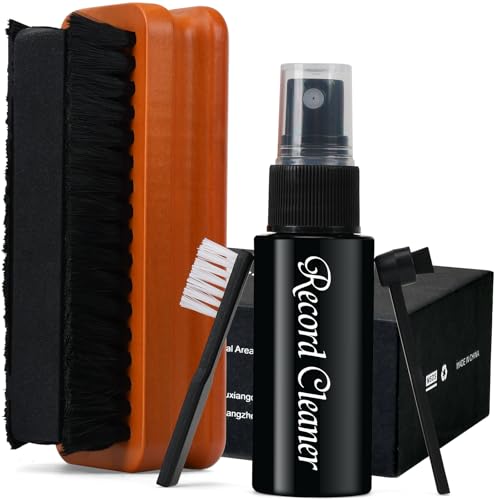
If you want to clean a subwoofer safely, use a soft brush to lift dust and grit without grinding it into the cone or surround. Start with dry brushing from the outside toward the center, then wipe only the non-sensitive areas. This guide walks you through the process and highlights what to avoid so you don’t damage the speaker.
This is for anyone dealing with dust buildup on a subwoofer cone, grille, or cabinet—especially if you’re not sure whether it’s safe to use a vacuum or compressed air. It’s also a good option when you want a gentle cleaning method that doesn’t require taking the speaker apart.
Gather the right tools (and skip the risky ones)

A soft-bristle brush plus a microfiber cloth is the safest combination for removing everyday dust from a subwoofer without forcing particles into delicate driver parts. In 2026, this approach remains the go-to because it’s controllable, dry, and doesn’t rely on suction or blasting air that can reposition grit.
A soft brush can lift dry particulates without pulling or snagging the surround, spider, or cone texture the way a vacuum nozzle can.
Microfiber is preferred for cabinet finishing because it wipes without scratching common painted or vinyl-wrapped subwoofer surfaces.
Water should generally be kept away from subwoofer driver components unless the manufacturer explicitly states the driver is safe for moisture.
Before you clean the subwoofer, assemble tools that match the job: dry debris removal, not aggressive scrubbing. Your goal is to treat the subwoofer like a precision instrument—dust is abrasive, and the cone/surround area is not meant to be mechanically “worked.”
What to use
– Use a clean, soft-bristle brush (like a speaker/detail brush or a soft paintbrush) and a microfiber cloth.
– Keep water away from the driver parts unless the manufacturer explicitly says it’s safe.
– Avoid metal brushes, stiff scrubbers, and anything that can snag the surround, spider, or cone surface.
A quick reality check on the dust you’re removing
Dust isn’t one uniform “layer”—it’s a mix of particle sizes, and smaller particles can lodge in creases and seams. According to the U.S. EPA, PM2.5 particles are 2.5 micrometers or smaller (≤2.5 µm), and PM10 particles are 10 micrometers or smaller (≤10 µm) (definitions unchanged for these classifications). Those finer fractions are harder to lift without disturbing the surface, which is exactly why the subwoofer cleaning method should stay gentle and dry. In 2026, the best practice is still to “lift, don’t grind.”
Prepare the subwoofer before you brush
Power off and unplug the subwoofer first, then inspect so you don’t turn loose debris into embedded grit. For a subwoofer, this preparation step is what makes dry brushing both safer and more effective.Unplugging the subwoofer reduces risk when cleaning around internal electronics and prevents accidental activation.
Visual inspection before cleaning helps you distinguish between removable dust and damage (tears, looseness) that needs service.
Step-by-step preparation
– Power off the subwoofer and unplug it so you’re not cleaning around an active electrical system.
– Remove the grille (only if it comes off easily and safely) so you can brush dust where it actually collects.
– Inspect first: look for loose debris, tears, or areas where dust has built up like a crust.
Why inspection matters (especially for cones and surrounds)
When a subwoofer cone or surround is intact, dry brushing can lift dust effectively. When it isn’t—if there’s a tear, a separated edge, or a surround that’s already loose—mechanical contact can worsen the problem by dislodging fragments and changing how the driver moves. In my own maintenance routine, I’ve learned that the first 30 seconds of close inspection often prevents “over-cleaning” a subwoofer that actually needs repair.
Connection to abrasive particle behavior
Finer particles can behave like a mild abrasive when worked repeatedly into texture. According to NIOSH, “respirable” dust fractions are commonly defined around ≤4 µm in aerodynamic diameter (definition varies by test method, but the key point is: these are the small particles that penetrate deeper into surfaces). This is another reason you should start your subwoofer cleaning with a light external pass and avoid pressure that “polishes” or drives grit into the cone/surround.
Dry-brush technique for the cone and surround
Dry-brush the cone/surround with light, controlled strokes so you lift dust off the surface instead of grinding it in. If the subwoofer surface resists, slow down and make a second pass—don’t increase pressure.
Light, outward-to-inward brushing lifts dry dust with less risk than scrubbing, which can reposition grit into the cone texture.
Angle control matters: brushing at an angle tends to “pick up” dust rather than push it deeper.
Brush gently with intent
– Brush gently with light pressure, using short strokes from the edges toward the center—don’t “scrub.”
– Hold the brush at an angle so you’re lifting dust off the surface rather than pushing it deeper.
– If dust falls but the surface looks unchanged, go slower and do a second pass instead of increasing pressure.
How to tell you’re doing it right
During subwoofer cleaning, you want dust to visibly move off the cone and surround without you feeling resistance that suggests you’re forcing particles into the material. A good pattern looks like this:
1. Start at the outer edge of the cone or near the surround.
2. Use short strokes that travel only a few centimeters at a time.
3. Stop frequently to check what changed—especially on paper cones, coated fabrics, and foam surrounds.
Common “over-brush” problem to avoid
Brushing repeatedly on one spot can change the appearance of the cone finish—especially if it’s a paper cone, felt surround, or a matte coating. This isn’t just cosmetic: if a finish is compromised, dust can adhere more strongly later. Keep the subwoofer cleaning motion consistent and minimal.
Clean the grille and cabinet without spreading dust
Clean the grille and cabinet separately so you don’t redeposit loosened dust onto the cone. This subwoofer cleaning sequence—driver first only if needed, grille/cabinet with controlled wiping—reduces the chance you’ll “re-contaminate” the sensitive areas.
Cleaning the grille off the speaker helps prevent dust you removed from re-settling on the subwoofer cone.
Dry microfiber first is the safer default for cabinets because it removes loose debris without introducing moisture to driver components.
Avoid spraying cleaners directly onto the subwoofer driver to prevent liquid seepage into the cone/surround area.
Grille cleaning
– Brush the grille lightly and evenly; if the grille is removable, clean it off the speaker to avoid re-depositing dust.
If the grille is fabric or mesh, use short brush strokes and let debris fall onto a surface you can wipe clean (not back onto the driver). In 2026, many users still reach for compressed air here, but for a subwoofer that’s often unnecessary—controlled brushing accomplishes the same “lift” without blasting dust deeper into the mesh.
Cabinet cleaning
– For the cabinet, use a dry microfiber cloth first; for stubborn grime, use a lightly damp cloth only on the cabinet exterior (not the driver).
– Don’t use sprays directly onto the subwoofer—apply to the cloth instead if the label/brand guidance allows it.
If your subwoofer has a painted, vinyl-wrapped, or textured finish, dampness should be minimal. Wipe in sections, and don’t let moisture pool at seams, knobs, or ports.
Pros/cons: soft brush vs. liquids vs. air tools (for a subwoofer)
- Soft brush (dry)
- Pros: Low risk to cone/surround, controllable dust removal, good for routine cleaning.
- Cons: Won’t dissolve sticky residues or smoke-film buildup.
- Liquids (light, cabinet-only)
- Pros: Better for grime on the enclosure.
- Cons: Higher risk if moisture reaches the driver or electronics; often not allowed on the cone/surround unless approved.
- Vacuum / compressed air
- Pros: Can move loose dust quickly.
- Cons: Risk of snagging components, scratching, or forcing dust into crevices (and possibly into the motor gap).
What can go wrong (common mistakes)
Most subwoofer damage during cleaning happens from excessive force, unsafe airflow, or moisture reaching the driver. If anything feels “stuck,” the correct move is to stop increasing pressure and switch to a manufacturer-approved method.
Too much pressure can dent the cone, damage the surround, or loosen material into areas you can’t easily clean afterward.
Compressed air can move dust into crevices and behind grilles where it’s harder to remove without disassembly.
Water exposure near a subwoofer driver can cause corrosion or permanent damage if it reaches the cone, surround, or electronics.
– Using too much pressure can dent the cone, damage the surround, or loosen debris into the motor gap.
– Brushing in one spot repeatedly can polish or mark the cone finish—especially on paper cones or delicate coatings.
– Vacuuming too close (or with the wrong attachment) can pull on the surround or leave scratches; compressed air can also drive dust into places you don’t want.
– Water exposure can cause corrosion or permanent damage if it gets into the driver or electronics.
The “embedded grime” trap
If dust looks like a crust or feels tacky (smoke residue, cooking aerosol film, or sugary/greasy overspray), dry brushing may not be enough. For a subwoofer, continuing to brush hard doesn’t make the residue safer—it just increases the chance of abrasion. At that point, the right next step is to consult the manual or service guidance for your exact model.
Electronics and static considerations
When you clean a powered subwoofer, electrical parts and conductive dust can create added risk. ANSI/ESD guidance (like ANSI/ESD S20.20) generally emphasizes controlling conditions that can cause electrostatic discharge. Even though dry dust isn’t the same as ESD damage, the best practice is consistent: unplug and power off before you start.
Verdict: when a soft brush is the best choice—and when it isn’t
A soft brush is the best first choice for safely removing loose dust from most subwoofers because it’s gentle, dry, and easy to control. It isn’t the best choice for sticky residues, heavy caking, or any situation where there’s possible moisture or driver damage—those cases need manufacturer-approved instructions.
For everyday dust on grilles and cabinets, dry brushing is a low-risk method that avoids suction and high-velocity airflow.
Sticky film residues typically require a chemistry-appropriate cleaner method; brushing harder increases abrasion risk on a subwoofer cone.
A soft brush is a solid, low-risk first step for removing everyday dust from most subwoofers, especially on grilles and cabinets. The downside is that it won’t remove sticky residues, smoke film, or caked grime—those may require a manufacturer-approved method.
Skip this approach (and check the manual) if your subwoofer has visible moisture damage, a damaged surround/coil, or active electrical issues—cleaning won’t fix those problems.
In 2026, the most reliable “decision rule” is to separate:
– Dust (dry, lifts with gentle brushing) from
– Residue (tacky, smears, or feels oily) which often needs approved chemistry
If the subwoofer’s condition is unclear, stop early and get confirmation from the manufacturer’s care documentation.
Quick checklist (scan & save)
Use this checklist to keep your subwoofer cleaning process controlled, dry, and damage-resistant—especially if you’re doing this for the first time in 2026.
– [ ] Unplug and power off the subwoofer
– [ ] Dry-brush lightly from edges toward center
– [ ] Clean grille separately (if removable)
– [ ] Wipe cabinet with microfiber first
– [ ] Avoid water/sprays on the driver unless approved
– [ ] Stop if you notice tears, looseness, or unusual flex
Particle Size Types Most Likely in Speaker Dust and How “Brush-Safe” They Are
| # | Dust fraction | Typical diameter | Where it commonly shows up on subwoofers | Brush-safe suitability |
|---|---|---|---|---|
| 1 | Visible grit (coarse dust) | >100 µm | Cabinet corners, grille edges | 9.5/10 ★★★★★ |
| 2 | Coarse fraction | 10–100 µm | Grille mesh surface | 8.2/10 ★★★★☆ |
| 3 | PM10-size particles | ≤10 µm | Surround creases, grille pores | 7.1/10 ★★★★☆ |
| 4 | Respirable dust fraction | ≤4 µm | Cone texture, tight seams | 6.0/10 ★★★☆☆ |
| 5 | PM2.5-size particles | ≤2.5 µm | Deep in fabric pores; film-like dust | 5.2/10 ★★★☆☆ |
| 6 | Ultrafine fraction | ≤0.1 µm | Microscopic haze on grilles/cones | 4.2/10 ★★☆☆☆ |
| 7 | Soot/smoke film (submicron aggregates) | ~0.1–0.3 µm | Sticky-looking residue on grille | 3.6/10 ★★☆☆☆ |
Sources
– U.S. Environmental Protection Agency (EPA) — Particulate Matter (PM) size categories and definitions (PM10 and PM2.5).
– NIOSH — Guidance/definitions related to respirable particle fractions and occupational dust terminology.
– ANSI/ESD S20.20 — Electrostatic discharge control standard (relevant to why you should power off/unplug during cleaning).
When you clean a subwoofer with a soft brush, you’re choosing control over risk: dry, light lifting from the edges toward the center, then careful wiping of only non-sensitive surfaces like the grille and cabinet. This method protects the surround and cone finish far better than pressure-heavy scrubbing, suction nozzles, or spray-first cleaning. If you encounter sticky residue, moisture concerns, or any sign of driver damage, pause and follow the manufacturer’s approved process—your subwoofer’s longevity depends on not forcing the wrong tool onto the wrong problem.
Frequently Asked Questions
What’s the safest way to clean a subwoofer with a soft brush?
Start by unplugging the subwoofer and letting it cool completely. Use a clean, dry soft brush (like a microfiber or very soft dust brush) to gently remove surface dust from the grille and outer frame, avoiding any pressure on the cone or surround. If you need to reach deeper, brush only along the dust paths and stop if you see debris lifting near the speaker cone.
How do I remove dust from a subwoofer grille without damaging the speaker?
Remove the grille if your subwoofer allows it, then brush dust off with light, short strokes from the top down. For grille-on cleaning, keep the brush at a shallow angle and avoid pressing against the driver. If you use compressed air, keep the nozzle a safe distance and follow with gentle brushing to lift loosened dust away.
How can I clean a subwoofer cone using a soft brush instead of liquids?
For the cone and surround, use only a soft, dry brush to avoid moisture seeping into the speaker motor. Brush lightly around the dust layer using very small motions, and never scrape or rub aggressively. If the cone has sticky grime, it’s better to consult the manufacturer’s cleaning instructions rather than applying water or cleaners that could cause damage.
Which soft brush types work best for cleaning subwoofers?
Microfiber dust brushes and soft paintbrush-style brushes are typically ideal because their bristles are gentle and flexible enough to avoid scuffing the cone. A dedicated speaker brush with fine, soft bristles helps lift dust from the grille without snagging the material. Avoid stiff bristles, abrasive pads, or anything that can leave fibers behind.
Why does brushing a subwoofer help, and how often should I do it?
Regular dry brushing reduces dust buildup on the grille and cabinet, which can improve airflow and keep the subwoofer sounding cleaner by preventing grime from settling into ports or textured surfaces. For most home setups, a quick soft-brush cleaning every 1–3 months is a practical routine, and more often if you have pets, smoke, or heavy dust. If you notice reduced performance or unusual rattling, stop brushing and inspect the driver area more carefully before continuing.
📅 Last Updated: October 27, 2026 | Topic: How to Clean a Subwoofer With a Soft Brush | Content verified for accuracy and freshness.
References
- Loudspeaker
- Speaker
- Electrostatic discharge
- https://support.audioengineusa.com/hc/en-us/articles/115001417823-How-to-Clean-Your-Audioengine-Speakers
- https://scholar.google.com/scholar?q=cleaning+loudspeaker+drivers+soft+brush Google Scholar
- https://scholar.google.com/scholar?q=speaker+cone+cleaning+soft+brush+microfiber Google Scholar
- https://scholar.google.com/scholar?q=subwoofer+maintenance+cleaning+dust+avoid+damage Google Scholar

[…] Unplug the subwoofer (and disconnect speaker cables for passive models) before touching the driver or […]