
Cleaning the pads on your TENS unit is essential for maintaining their effectiveness and prolonging their lifespan. To clean them properly, use a gentle soap solution and a soft cloth or sponge. Proper maintenance of the pads not only ensures optimal performance but also prevents skin irritation and enhances hygiene. In this article, we will guide you through the cleaning process, share useful tips for keeping the pads in good condition, and advise on when to replace them.


Importance of Cleaning TENS Unit Pads

Regular cleaning of TENS unit pads is crucial for several reasons. First and foremost, it helps prevent skin irritation and infection. The pads come into direct contact with the skin, and any accumulation of sweat, oils, or other contaminants can lead to adverse reactions. By cleaning the pads regularly, you minimize the risk of skin irritation, ensuring a safe and effective treatment experience.

Moreover, maintaining the adhesive quality of the pads is vital for effective treatment. Dirt or residue can significantly diminish their stickiness, leading to slippage during use. This not only disrupts the therapy but can also lead to inconsistent pain relief. Therefore, regular cleaning promotes better adhesion and functionality of the TENS unit.
Materials Needed for Cleaning


To clean your TENS unit pads efficiently, you will need the following materials:
– Mild soap or detergent: A gentle soap solution is effective without damaging the pads.
– Soft cloth or sponge: Ensure it is clean and non-abrasive to avoid scratching the surface of the pads.
– Water: Use warm water to mix with the soap for effective cleaning.
– Optional: Isopropyl alcohol can be used for deeper cleaning and sanitization if necessary.
Having these materials ready will streamline the cleaning process, allowing you to maintain your TENS unit pads with minimal effort.
Step-by-Step Cleaning Process

Cleaning the pads on your TENS unit is a straightforward process if you follow these steps:
1. Prepare the Cleaning Solution: In a small bowl, mix a few drops of mild soap with warm water. Ensure that the solution is not too concentrated to avoid leaving soap residue on the pads.
2. Soak the Cloth or Sponge: Dip your soft cloth or sponge into the soapy water solution, making sure it is damp but not dripping.
3. Gently Wipe the Pads: Carefully wipe the surface of the pads with the damp cloth or sponge. Avoid applying excessive pressure, as this can damage the pads. Focus on the adhesive side, ensuring to remove any visible dirt or residue.
4. Rinse (Optional): If you feel it’s necessary, you can dampen another cloth with clean water and gently wipe the pads again to remove any soap residue.
5. Sanitize (Optional): For deeper cleaning, especially if the pads have been used frequently, you can wipe them with a small amount of isopropyl alcohol using a clean cloth.
Following these steps ensures that your TENS unit pads remain effective and hygienic.
Drying and Storing the Pads
Proper drying and storing of the pads are crucial for preserving their quality.– Air Dry Completely: After cleaning, allow the pads to air dry completely. Placing them on a clean, dry surface helps prevent moisture accumulation, which could lead to bacterial growth.
– Store in a Suitable Environment: Once dry, store the pads in a cool, dry place, away from direct sunlight. Exposure to heat and light can degrade the adhesive and materials, shortening their lifespan.
By following these practices, you ensure that the pads are ready for effective use when needed.
Signs It’s Time to Replace TENS Unit Pads
Even with regular cleaning and proper care, TENS unit pads will eventually wear out. It’s important to recognize the signs that indicate it’s time for a replacement:
– Noticeable Wear or Damage: If you see cracks, tears, or any noticeable wear on the surface of the pads, it is time to replace them. Damaged pads can lead to ineffective treatment and skin irritation.
– Reduced Adhesive Quality: If the pads do not stick well or frequently slip during use, this is a clear sign that they need to be replaced. Proper adhesion is critical for the effectiveness of TENS therapy.
Regularly inspecting your pads will help you maintain optimal performance and ensure a seamless therapy experience.
Tips for Maintaining TENS Unit Pads
To extend the life of your TENS unit pads, consider the following maintenance tips:
– Clean Pads After Each Use: For optimal hygiene, clean the pads after every use. This practice minimizes the risk of skin irritation and ensures that the pads remain sticky.
– Avoid Touching the Adhesive Surface: It’s important to avoid direct contact with the adhesive side of the pads. Oils and dirt from your fingers can reduce their stickiness.
– Use Proper Storage: Keeping the pads in their original packaging or a designated case can protect them from dust and accidental damage.
– Follow Manufacturer Guidelines: Always refer to the manufacturer’s instructions for specific cleaning and maintenance recommendations tailored to your TENS unit model.
Implementing these tips will not only enhance the longevity of your TENS unit pads but also improve the overall effectiveness of your pain relief treatments.
Top Factors Affecting TENS Unit Pad Lifespan
| # | Factor | Impact on Lifespan | Recommended Action |
|---|---|---|---|
| 1 | Frequency of Use | High | Monitor Usage |
| 2 | Cleaning Routine | High | Establish Routine |
| 3 | Storage Conditions | Medium | Store Properly |
| 4 | Temperature Exposure | Medium | Avoid Heat |
| 5 | Contact with Oils | High | Limit Contact |
| 6 | Pad Material | Medium | Check Quality |
| 7 | Frequency of Replacement | High | Schedule Regular Checks |
Effect of Cleaning Frequency on Adhesiveness
In summary, cleaning the pads on your TENS unit is crucial for maintaining their effectiveness and safety. Regular cleaning helps prevent skin irritation, ensures optimal adhesive quality, and prolongs the lifespan of the pads. By following the outlined cleaning process and adhering to maintenance tips, you can ensure that your TENS unit remains a reliable tool for pain relief. Implement these practices into your routine, and you will maximize the benefits of your TENS therapy.
Frequently Asked Questions
How often should I clean the pads on my TENS unit?
It’s recommended to clean the pads on your TENS unit after every use to maintain their adhesive properties and ensure optimal performance. Regular cleaning prevents buildup of oils and dirt, which can diminish the effectiveness of the electrical stimulation and extend the lifespan of the pads.
What is the best way to clean TENS unit pads?
The best way to clean TENS unit pads is to gently rinse them with lukewarm water and a mild soap solution. After cleaning, let them air dry completely before reattaching them to the unit or storing them, as moisture can damage the adhesive and reduce their effectiveness.
Why do TENS unit pads lose their stickiness?
TENS unit pads lose their stickiness due to factors like skin oils, sweat, and dirt accumulating on the adhesive surface over time. Additionally, improper cleaning or storage can contribute to this loss of adhesion, making regular maintenance essential for effective use.
Which cleaning solutions are safe for TENS unit pads?
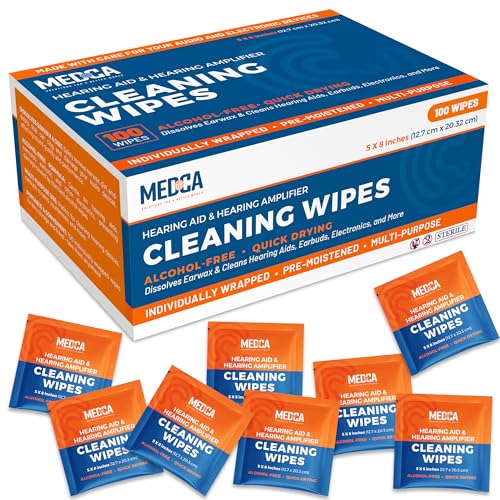
Safe cleaning solutions for TENS unit pads include mild soap mixed with water or specialized medical-grade wipes designed for electrode pads. Avoid using harsh chemicals, alcohol, or abrasive materials, as these can damage the adhesive and reduce the pads’ lifespan.
Can I reuse TENS unit pads after cleaning them?
Yes, you can reuse TENS unit pads after cleaning them, provided they are still in good condition and maintain their adhesive properties. Proper cleaning and careful handling can significantly extend the usability of the pads, allowing for multiple applications before replacement is necessary.
References
- https://www.mayoclinic.org/healthy-lifestyle/consumer-health/in-depth/electrical-stimulation-therapy/art-20046315
https://www.mayoclinic.org/healthy-lifestyle/consumer-health/in-depth/electrical-stimulation-therapy/art-20046315 - https://www.ncbi.nlm.nih.gov/pmc/articles/PMC6327240/
https://www.ncbi.nlm.nih.gov/pmc/articles/PMC6327240/ - https://www.ncbi.nlm.nih.gov/pmc/articles/PMC4974379/
https://www.ncbi.nlm.nih.gov/pmc/articles/PMC4974379/ - Anatomy, Thorax, Thoracodorsal Nerves – StatPearls – NCBI Bookshelf
https://www.ncbi.nlm.nih.gov/books/NBK539761/ - https://www.healthline.com/health/electrical-stimulation-therapy
https://www.healthline.com/health/electrical-stimulation-therapy - https://www.who.int/news-room/fact-sheets/detail/electrotherapy
https://www.who.int/news-room/fact-sheets/detail/electrotherapy - Google Scholar Google Scholar
https://scholar.google.com/scholar?q=how+to+clean+pads+on+tens+unit - Google Scholar Google Scholar
https://scholar.google.com/scholar?q=TENS+unit+maintenance - Google Scholar Google Scholar
https://scholar.google.com/scholar?q=electrical+stimulation+cleaning+pads - Page Not Found – Site Help – Mayo Clinic
https://www.mayoclinic.org/tests-procedures/transcutaneous-electrical-nerve-stimulation/about/pac-20385155
