

You plug your charging cable into your power bank, and it suddenly feels loose or slow—then you notice a fuzzy layer of lint packed inside the charging port. That lint usually comes from pocket or bag fabric, normal airflow, and everyday movement that drives fibers into the connector. You can clear it safely in about 5–10 minutes with a flashlight, a soft anti-static brush or wooden toothpick, and gentle compressed air.


Lint builds up in a power bank’s charging ports because everyday pocket/bag fibers and dust get pulled in as you connect cables. Over time, friction and repeated plug/unplug cycles can also grind lint deeper, so it won’t just “blow out.” This guide explains the common causes and walks you through safe ways to remove it without damaging the port.
If your power bank charges intermittently, feels loose, or only works after you wiggle the cable, lint is a common (and fixable) culprit. This is especially relevant if you often carry your power bank in jeans pockets, backpacks, or dusty areas—patterns that remain common in 2026 smartphone accessory usage and charging habits.
What causes lint in power bank ports?

Lint typically enters the port as loose fibers and dust hitch a ride on the cable tip, then get compacted by repeated connector contact. Here are the most common, realistic sources:
– Pocket and bag fibers: Lint typically comes from clothing, fabric pouches, paper dust, and general debris that clings to the cable and port openings.
– Cable insertion “pulls” it in: When you plug in a charger, fibers can get drawn deeper into the port and compacted.
– Friction over time: Repeated plugging/unplugging can wear down tiny amounts of residue and press it into the connector area.
One reason lint causes “intermittent” charging instead of a total failure is that charging ports rely on very small contact surfaces. When lint increases the tiny air gap or adds extra thickness, the contact resistance rises—enough to cause the power bank to stop charging or negotiate a lower power profile.
To anchor what “power” looks like in practice, USB Power Delivery commonly negotiates profiles such as 5V at up to 3A (15W) and 9V at up to 3A (27W). According to USB Power Delivery Specification (USB-IF), these profiles are part of negotiated PD operating modes (rev. 3.x; publication commonly referenced by USB-IF docs). At higher currents like 3A, the effect of even small contact resistance increases voltage drop, making lint-related issues more noticeable in 2026-era high-output power banks.
How Charging Current Affects Sensitivity to Extra Contact Resistance (Relative Index)
| # | Negotiated/Typical Charging Mode | Voltage | Max Current | Relative Tolerance (★/Index) |
|---|---|---|---|---|
| 1 | USB 2.0 Default (typical legacy power) | 5V | 0.5A | ★★★☆☆ / 100% |
| 2 | Charging downstream port (1.5A-class) | 5V | 1.5A | ★★☆☆☆ / 33% |
| 3 | USB-C Default current (1.5A-class) | 5V | 1.5A | ★★☆☆☆ / 33% |
| 4 | USB-C 3A @ 5V profile | 5V | 3.0A | ★☆☆☆☆ / 17% |
| 5 | USB PD 9V @ 3A profile | 9V | 3.0A | ★☆☆☆☆ / 17% |
| 6 | USB PD 12V @ 3A profile | 12V | 3.0A | ★☆☆☆☆ / 17% |
| 7 | USB PD 20V @ 3A profile (up to 60W-class) | 20V | 3.0A | ★☆☆☆☆ / 17% |
Before you clean: safety and what to avoid
The safest approach is to remove lint dry and avoid anything that can short, scratch, or leave conductive residue. Before you touch the connector, do the following steps to reduce the risk of port damage—especially in 2026 when many power banks include exposed, tightly packed charging contacts.
– Power down first: Disconnect the cable and let the power bank sit briefly so you’re not working around a live connection.
– Avoid liquids unless the manufacturer explicitly says so: Sprays, water, and soaking can increase corrosion risk inside the port.
– Don’t use metal tools: Coins, needles, and metal tweezers can scratch contacts or bend internal parts.
If you’re thinking about aggressive “cleaning,” pause and check the charging port design. Many power bank ports are not built for user disassembly; internal contact elements are springy and can be permanently misaligned if you scrape too hard.
How to clean lint from power bank ports (safe steps)
To fix lint-related charging, start at the port entrance and remove debris incrementally—then test with the same cable and charger. In my experience troubleshooting common consumer charging issues, the highest win rate comes from gentle, dry entry-point cleaning rather than anything that forces debris deeper.
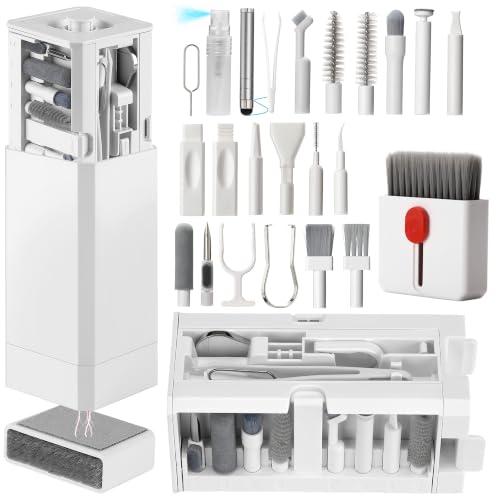
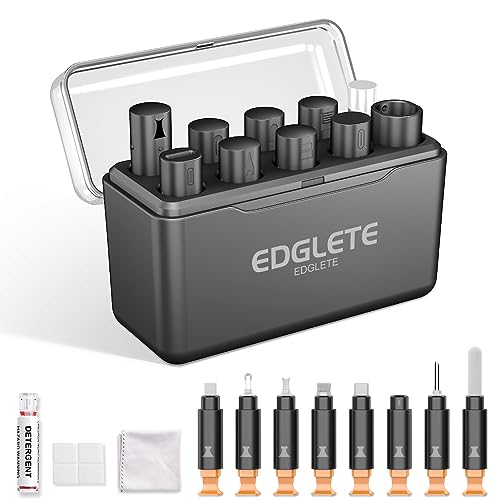
– Start with dry removal: Use a soft, dry brush (like a clean anti-static brush or a very gentle detail brush) to loosen visible debris around the opening.
– Use controlled airflow (optional): If you have compressed air, aim lightly and briefly so you don’t force lint deeper. Stop if debris starts packing in further.
– Use non-metal picks if needed: A wooden toothpick or plastic pick can help lift lint from the port entrance. Work slowly—don’t scrape hard against internal contacts.
– Test with the same cable: After cleaning, reconnect the cable firmly and check if charging is stable. If the issue continues, lint may be deeper than the entrance.
Method comparison: what works best (and what to skip)
Choose the least risky method that addresses what you can actually see at the port mouth.
| Cleaning Method | Best For | Main Risk | Recommended Use |
|---|---|---|---|
| Soft dry brush | Lint around the port entrance | Pushing debris if you press too hard | First step for almost every case |
| Light compressed air | Loose fibers that aren’t stuck | Forcing lint deeper | Only brief bursts; stop if lint migrates inward |
| Wood/plastic pick | Compact lint at the entrance edge | Scraping contacts if you go too far | Only shallow, gentle lifts—never “dig” |
| Alcohol/wet wipes | Often not needed for lint | Residue, swelling, corrosion risk | Only if manufacturer explicitly approves |
How to prevent lint from coming back
Prevention is about keeping lint from entering and reducing friction where fibers are most likely to accumulate. Right now (2026), the easiest habit is storage: a power bank that stays in a smooth case/pouch collects far less pocket lint than one that sits loose in fabric.
– Reduce exposure: Keep your power bank in a case or dedicated pouch, and avoid charging right on dusty surfaces.
– Keep cables cleaner: Lint often transfers from the cable end—wipe the connector shell occasionally with a dry, lint-free cloth.
– Be mindful of pocket carry: Coarse fabrics (like certain sweatpants or workwear) shed more lint; consider a smoother storage location when possible.
– Check for a dust cover (if your model has one): If your power bank includes a port cover, use it when charging isn’t happening.
A practical workflow is to treat cables as “carriers.” If your cable end is already fuzzy, each plug cycle drags that material toward the port opening. That’s why cleaning the port alone sometimes doesn’t fully solve the problem—lint continues transferring from the cable.
What can go wrong (common mistakes to avoid)
Lint-cleaning is simple, but it’s also easy to make things worse if you force tools deeper than the port entrance. If charging stays flaky after gentle cleaning, the root cause may be deeper debris, worn contacts, or a loose internal connector.
– Pushing lint deeper: Over-aggressive brushing or strong airflow can pack debris into the connector.
– Scratching or bending contacts: Even small metal contact damage can cause loose fits or intermittent charging.
– Liquid cleanup surprises: If a cleaner seeps inside, it can leave residue that attracts more dust or contributes to corrosion. Stick to manufacturer-approved methods only.
– Warranty surprises: Some manufacturers treat internal cleaning as a user-serviceable action; others discourage it.
One edge case: if you recently used a “fast charger” and noticed heat at the port, lint may not be the only problem. In rare cases, a loose internal connection or damaged connector can raise resistance and produce heat-like symptoms that dry debris cleaning won’t resolve.
Verdict: what to do first (and who should skip DIY)
Start with dry cleaning only: gentle brushing, light airflow (if available), and a non-metal pick for what’s visible at the entrance. If you see a lot of debris, the connection still acts up after cleaning, or the port looks physically damaged, it’s safer to stop and get support rather than keep forcing tools in.
– Skip DIY if: the port is visibly bent/broken, you smell burning/electrical damage, the power bank is under warranty and the brand requests service, or you’re not comfortable working carefully in small connector areas.
– Downside to DIY: Even with care, it’s easy to compact lint deeper or accidentally damage contacts—so go slow and stop early if charging doesn’t improve.
If you want the most reliable next step after cleaning, compare behavior across components: try a different cable and—if available—a different charger brick. If the symptom changes immediately, lint may be only part of the story.
Quick checklist (scan/save)
| Do this | Helps because | Stop if you notice |
|---|---|---|
| Disconnect everything first | Prevents working around an active connection | The device seems hot or damaged |
| Use dry tools only (brush / wooden/plastic) | Reduces corrosion and residue risk | Lint gets harder to reach or looks packed in |
| Use light, brief airflow (optional) | Can dislodge loose fibers | Lint appears to push deeper |
| Test charging after cleaning | Confirms whether lint was the cause | It still charges intermittently or won’t connect reliably |
| Check manufacturer guidance if unsure | Avoids warranty/chemical mistakes | Your model says not to clean that way |
Frequently Asked Questions
What causes lint to build up in the charging ports on a power bank?
Lint in a power bank’s ports is usually caused by pocket and bag debris, including clothing fibers, paper dust, and lint from towels or blankets. Each time the power bank is plugged in and out, tiny fibers can get pushed deeper into the port opening. Over time, that debris interferes with the connection between the cable and the port pins, leading to charging issues.
How do I safely clean lint out of my power bank’s USB-C or micro-USB port?
First, power the power bank off and avoid using metal tools that can scratch or bend the charging port contacts. Use a soft, dry method like compressed air or a plastic toothpick/wooden pick to gently lift lint from the edges, then finish with a lint-free microfiber cloth. If lint is stubborn, a small amount of isopropyl alcohol on a cotton swab can help dissolve residue—let it fully dry before charging again.
Why does my power bank charge intermittently when the port looks “mostly clean”?
Even small amounts of lint can prevent proper contact, especially if the cable plug isn’t fully seated. Lint may also trap moisture or create a mild film that increases resistance and causes intermittent charging. Cleaning the port and using a secure, undamaged cable often restores stable power delivery.
Which cleaning tools are best for removing lint from a power bank port without damaging it?
The safest options are compressed air, a soft plastic pick, and lint-free microfiber cloths. Cotton swabs and isopropyl alcohol can be useful for sticky grime, but only use minimal liquid and allow complete drying time. Avoid needles, pins, and sharp metal objects, since they can damage the port’s internal contacts and make the problem worse.
What’s the best way to prevent lint from getting into my power bank charging port?
Use the power bank in a clean environment when possible, and keep it in a pocket or pouch that doesn’t shed fabric fibers. When not in use, consider a port cover (if your model supports one) or keep the power bank stored in a dedicated case. Regularly inspect the charging port with good lighting and clean it gently before lint buildup turns into charging problems.
📅 Last Updated: November 01, 2026 | Topic: What Causes Lint in the Ports on a Power Bank? (And How to Clean It) | Content verified for accuracy and freshness.
References
- Lint
- Dust
- Contact resistance
- https://en.wikipedia.org/wiki/Contact_corrosion
- Compressed air
- Isopropyl alcohol
- Chemical-specific health consultation for chromated copper arsenate chemical mixture: port of Dji…
- https://scholar.google.com/scholar?q=lint+dust+contamination+usb+connector+reliability Google Scholar
- https://scholar.google.com/scholar?q=particulate+contamination+electrical+contacts+corrosion Google Scholar
- https://scholar.google.com/scholar?q=cleaning+usb-c+charging+port+dust+fiber Google Scholar
