

Can distilled water remove smudges from your computer monitor without risking streaks or damage? Yes—when you pair it with a clean microfiber cloth and apply moisture sparingly. Gather distilled water, two microfiber cloths, and a spray bottle, then wipe gently until the glass looks clear. You can finish in just a few minutes.



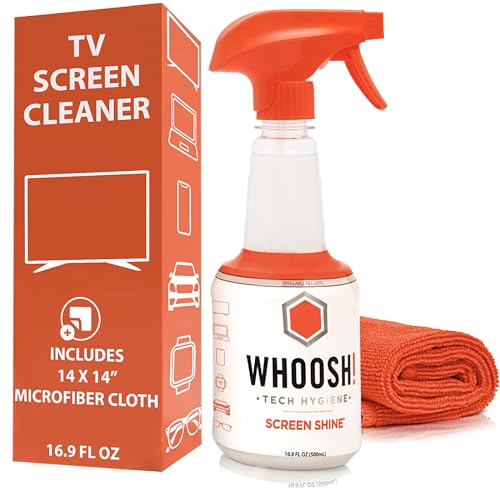
If you want the safest streak-free results, use distilled water to lightly dampen a microfiber cloth, then wipe your screen gently—never soak or spray the monitor itself. This approach reduces mineral residue that can otherwise dry into haze, while also avoiding many harsh chemicals that may dull or damage screen coatings. As of 2026, distilled water remains one of the simplest “low-risk” options recommended across many device care guides because it contains far fewer dissolved minerals than tap water.
This is for anyone cleaning a laptop screen or desktop monitor that’s looking dusty, smudged, or streaky. It’s especially useful when you want a simple, low-risk approach using a common household item: distilled water.
Gather the right supplies (and what to avoid)

Start with the right materials, because screen coatings are the limiting factor—not scrubbing strength. For most modern displays (LCD, LED-backlit LCD, and many OLEDs with protective polarizers), the safest path is a microfiber cloth and distilled water only.
Use a microfiber cloth and distilled water only (no paper towels). Microfiber is designed to lift oils and fine dust without the abrasive effect you can get from paper towels (which can leave micro-scratches and lint).
Avoid spraying liquid directly onto the screen. Spraying distilled water—or any liquid—onto a display increases the chance of moisture creeping into the bezel seams, ports, or controls, where it can cause corrosion or damage over time.
Don’t use glass cleaner, vinegar, alcohol, or abrasive wipes unless the manufacturer specifically approves. Many glass cleaners contain surfactants and solvents that may be safe on glass but can harm anti-glare and anti-reflective layers on screens. Alcohol (including isopropyl) can also strip protective coatings or make haze worse, especially on matte finishes.
To help you make sense of “why distilled water,” here’s how different water types typically behave on screen surfaces.
Mineral Residue Risk by Water Type (Typical Use on Displays)
| # | Water/Option | Typical dissolved solids (TDS) | Coating risk | Low-streak score (1–10) |
|---|---|---|---|---|
| 1 | Distilled water | ~0–10 mg/L | ★★★ ★ ★ | 10 |
| 2 | Deionized (DI) water | ~0–5 mg/L | ★★★ ★ ★ | 9 |
| 3 | Reverse-osmosis (RO) water | ~1–20 mg/L | ★★★ ★ ☆ | 8 |
| 4 | Bottled “drinking” water (typical) | ~30–200 mg/L | ★★★ ☆ ☆ | 6 |
| 5 | Softened tap water | ~100–500 mg/L | ★★ ☆ ☆ ☆ | 4 |
| 6 | Typical hard tap water | ~200–800 mg/L | ★ ☆ ☆ ☆ ☆ | 2 |
| 7 | Saltwater / saline solutions | Very high | ☆ ☆ ☆ ☆ ☆ | 1 |
A quick technical anchor: According to the IAPWS formulation commonly used for pure-water properties, pure water at 25°C has extremely low electrical conductivity (about 0.055 µS/cm), which aligns with the idea that distilled water leaves far fewer dissolved residues behind. (IAPWS, water property formulations used widely in water-chemistry reference work; values at 25°C) Another practical measurement used in quality control is that ultrapure water can reach about 18.2 MΩ·cm resistivity at 25°C, reflecting very low dissolved ion content. (NIST reference values for ultrapure water conductivity/resistivity)
Power down and prep the screen safely
Turning the display off first is the fastest way to avoid misses and reduce risk. When the monitor is off, you can see dust and streaks more clearly because there’s no backlight glare, and you eliminate electrical hazards by unplugging when possible.
Turn off the monitor and unplug it if you can (reduces risk and helps you see streaks). If your laptop, you can power down, then disconnect the charger.
Let the screen cool if it’s been on for a while. Heat can make moisture evaporate too quickly and promote streaks, even when you’re using distilled water.
Remove loose dust first with a dry microfiber pass to prevent scratching. This step matters because dry particles act like grit: if you drag them across the panel while the cloth is damp, they can grind and leave visible trails.
Why this matters for distilled water
Distilled water works best when it’s only dealing with a thin film of oils or haze—not with loose debris. Distilled water will not “erase” sand-like dust; a dry microfiber pre-wipe is the difference between clean results and permanent-looking micro-marks.
Dampen the cloth—don’t wet the screen
The simplest rule for distilled water is control over quantity: dampen the cloth, not the display. If you see liquid pooling or dripping potential, you have already gone too far.
Pour a small amount of distilled water onto the microfiber cloth until it’s lightly damp. Think “barely wet,” not “soaked.” You should be able to wipe immediately without visible drips.
Use gentle pressure; you should not see water dripping. The microfiber fibers should do the work by contacting and lifting oils, while distilled water carries away residue and evaporates without leaving much mineral content.
If you see streaks, re-dampen the cloth very slightly rather than adding more liquid to the screen. Re-dampening the cloth keeps moisture off seams and reduces the chance of spreading residue.
A note on screen types and distilled water
Distilled water is usually safe for many LCD/LED/most matte finishes when used lightly. However, some displays have specialized coatings (anti-glare, anti-reflective, or polarizer treatments) that are sensitive to repeated aggressive wiping. Using distilled water lightly—and using microfiber—helps keep cleaning within the “surface-contact” zone.
Wipe using the correct motion and pressure
The right wiping technique prevents streaks even more than the liquid choice. With distilled water, you want smooth, consistent contact—then you finish by buffing dry.
Start with light, straight passes; then switch to gentle circular motions only if needed. Straight lines reduce smearing when you’re dealing with general smudges. Circles can help lift oily fingerprints, but only apply them briefly.
Work in small sections so the screen stays under control. If you wipe the whole display at once, you can end up redistributing moisture before it fully evaporates.
Use a dry corner of the microfiber cloth to buff lightly for a streak-free finish. This is the step that “locks in” the result when distilled water is doing its job.
Practical technique tip
If you notice that fingerprints are “gathering” in one direction, that’s a sign you’re moving residue across the panel faster than it’s being lifted. Pause, flip to a cleaner cloth area (microfiber works best when the face is fresh), then continue with the same distilled-water method.
What can go wrong (common mistakes and edge cases)
Even with distilled water, a few predictable mistakes can still cause hazing, streaking, or damage to coatings. The goal is to avoid turning a gentle wipe into moisture ingress or abrasion.
Spraying directly: Liquid can seep into edges, buttons, or seams. When you apply distilled water to the cloth instead, you dramatically reduce the likelihood of moisture migrating into openings.
Over-wetting: Too much moisture can leave haze or damage internal components. Distilled water is “clean,” but it’s still water—so apply less, wipe more deliberately, and buff dry.
Wrong cloth: Paper towels and rough fabrics can scratch coatings. If a cloth leaves lint or feels gritty, it’s not ready for distilled water screen cleaning.
Coating differences: Some screens have special anti-glare or anti-reflective layers—cleaning too aggressively can dull them. This is why distilled water should be paired with gentle pressure and short, controlled motions.
If the screen has stubborn grime: Distilled water may be insufficient; in that case, follow the monitor’s manual rather than escalating to harsh chemicals. Sticky deposits (like dried soda, sunscreen residue, or cooking grease) often require an approved cleaner or a manufacturer-specified wipe.
Distilled water vs common alternatives (quick comparison)
| Method | Best for | Main risk |
|---|---|---|
| Distilled water + microfiber | Dust, fingerprints, light smudges, mineral streak reduction | Using too much moisture or pressing too hard |
| Glass cleaner (unapproved) | Typically glass surfaces—not screens | Residue, coating dulling, or solvent incompatibility |
| Vinegar solution | Hard non-porous surfaces | Acidity can react with coatings; streaking risk |
| Isopropyl alcohol (unapproved) | Electronics components in specific, approved contexts | May strip protective layers or increase haze |
The takeaway: distilled water paired with microfiber is the “predictable baseline.” When you need to go beyond that, the monitor’s manual should be your authority.
Verdict: a solid method—when to use it (and when not to)
Cleaning with distilled water and a microfiber cloth is a reliable, low-lift method for smudges and light dust, and it’s generally safer than many household alternatives. The method works because distilled water minimizes dissolved mineral residue that can dry into streaks, and microfiber reduces the scratch risk that often comes from paper products.
That said, this approach has limits. Distilled water may not remove sticky residue or heavy buildup, and it won’t “cut through” grease as effectively as some manufacturer-approved screen solutions. Also, if your monitor’s manual requires a specific approved cleaner, you should follow that instead—especially for premium matte coatings and certain touchscreen layers.
Skip this approach if you’re unsure about your screen’s coating or if the manufacturer explicitly warns against water-based cleaning. If the screen is damaged (cracked panel, failing polarizer, bubbling coating), extra cleaning pressure can worsen cosmetic issues.
Quick checklist (scan before you start)
– [ ] Turn off and cool the screen
– [ ] Dry-dust with microfiber first
– [ ] Damp microfibre cloth (lightly—no dripping)
– [ ] Wipe gently in sections
– [ ] Dry-buff with a clean cloth corner
– [ ] Don’t spray liquid directly on the display
Frequently Asked Questions
What’s the safest way to clean a computer monitor with distilled water?
Power off your monitor and unplug it, then let the screen cool so you don’t spread grime with heat. Lightly dampen a microfiber cloth with distilled water—never spray liquid directly onto the screen. Wipe gently using straight lines or light circular motions, then dry with a second clean microfiber cloth to prevent streaks.
How do I remove smudges and fingerprints using distilled water on my monitor?
Use a microfiber cloth slightly dampened with distilled water and focus on the smudged areas first. Apply minimal pressure and wipe until the fingerprints lift, then switch to a dry section of the cloth or a fresh microfiber to remove any remaining moisture. If smudges persist, re-dampen the cloth rather than adding more liquid, since too much water can leave marks.
Why is distilled water recommended for cleaning a computer monitor?
Distilled water has fewer minerals than tap water, so it’s less likely to leave residue or water spots on the screen. That matters because monitor coatings can be sensitive to mineral deposits that show up as streaks over time. Using distilled water helps achieve a cleaner, streak-free result with less risk of buildup.
Which microfiber cloth should I use to clean a monitor with distilled water?
Choose a high-quality microfiber cloth designed for screens, ideally labeled for electronics or eyeglasses. Avoid abrasive towels, paper products, or rough shop cloths, which can scratch screen coatings. Use one cloth for lightly wiping with distilled water and a separate dry microfiber cloth for finishing.
What’s the best step-by-step method to clean a computer monitor with distilled water without damaging the screen?
Turn off and unplug the monitor, then remove dust with a dry microfiber cloth or a gentle screen brush. Dampen a microfiber cloth with distilled water (not dripping) and wipe the screen lightly in one direction, then follow with a dry microfiber to eliminate streaks. Never pour water into ports or vents, and avoid harsh cleaners or ammonia—distilled water should be your base option for routine cleaning.
📅 Last Updated: November 23, 2026 | Topic: How to Clean a Computer Monitor With Distilled Water | Content verified for accuracy and freshness.
References
- How to clean your Apple products – Apple Support
- https://www.dell.com/support/kbdoc/en-us/000140939/how-to-clean-your-dell-monitor
- https://www.cdc.gov/coronavirus/2019-ncov/prevent-getting-sick/cleaning-disinfection.html
- https://www.who.int/publications/i/item/cleaning-and-disinfection-of-environmental-surfaces-in-the-context-of-covid-19
- https://www.epa.gov/coronavirus/disinfecting-your-home
- https://pubmed.ncbi.nlm.nih.gov/?term=computer+screen+cleaning
- https://pubmed.ncbi.nlm.nih.gov/?term=distilled+water+lcd+screen+cleaning
- https://scholar.google.com/scholar?q=distilled+water+cleaning+LCD+screen Google Scholar
- https://scholar.google.com/scholar?q=monitor+screen+cleaning+distilled+water+microfiber+cloth Google Scholar
- https://scholar.google.com/scholar?q=electronic+display+cleaning+guidelines+LCD+screen Google Scholar

 -81%
 -73%
 -70%