

Cleaning your power bank’s USB ports on a regular schedule helps ensure reliable charging and reduces the risk of intermittent connections caused by dust and lint. This article explains how often you should clean them based on typical use, what to look for that signals it’s time, and the safest cleaning steps to protect the port and maintain performance.


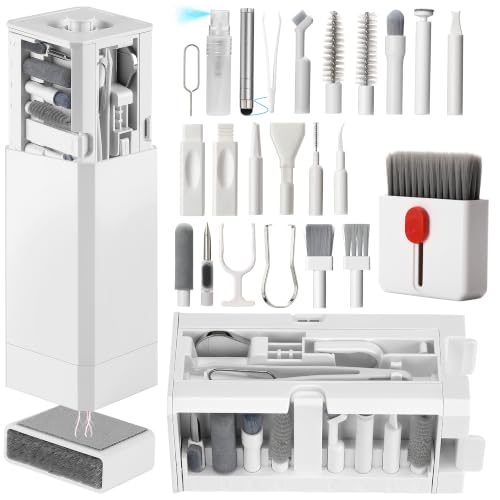

Clean the USB ports on your power bank every 3–6 months as a default. If you routinely charge in dusty/linty environments (pockets, bags, workshops) or you notice “charging but not really” behavior, check about monthly and clean only when needed—because dust buildup can prevent full contact and cause unstable charging.
If you rarely move your power bank and you keep it stored clean and dry, you can safely stay closer to the 3–6 month range. If it travels a lot—or a cable ever feels slightly looser than it used to—your best practice is a quicker inspection schedule, without over-cleaning the inner metal contacts.
Who this is for / when it applies

This is for anyone who relies on a power bank for phone, tablet, or accessory charging and wants fewer connection hiccups without damaging the port. It’s especially relevant for people who keep power banks in pants pockets, work bags, or tool environments where lint and fine particles collect fast—because those same particles can block the USB port’s contact surfaces.
How often to clean USB ports on your power bank
Clean the USB ports on your power bank every 3–6 months under normal conditions. This cadence is usually enough to prevent lint and dust buildup from turning a reliable connection into intermittent “it’s charging… wait, it’s not” behavior.
The reason is simple: USB ports are designed to mate (connect) repeatedly, but they’re not sealed like many outdoor connectors. Fine debris gradually accumulates at the mouth of the port and around the contact area. Over time, that debris can increase contact resistance (slightly worse electrical contact) and make the cable seat inconsistently—especially when you wiggle the connector to find the “right” angle.
USB Port Care Schedule for Power Banks (Practical 2026 Guide)
| # | Environment profile | Recommended check | Typical cleaning trigger | Charging reliability rating |
|---|---|---|---|---|
| 1 | Home use + clean storage | Every 3–6 months | No visible debris | ★★★★★ |
| 2 | Office desk + tote carry | Every ~4 months | Light lint at port opening | ★★★★☆ |
| 3 | Backpack/gym bag carry (mixed fabrics) | About every 1 month | Debris you can see with a flashlight | ★★★★☆ |
| 4 | Car use + frequent plugging | Every ~3 months | Cable feels slightly “wobbly” | ★★★☆☆ |
| 5 | Workshop/garage with airborne dust | About every 1 month | Sawdust/grit around the port mouth | ★★★☆☆ |
| 6 | Multiple cables used (daily swapping) | Every ~3 months | Intermittent power despite correct cable | ★★★★☆ |
| 7 | Outdoor/dry sand exposure | About every 1 month | Particles visible after travel | ★★☆☆☆ |
Here’s the same guidance in simpler terms:
– Normal use: clean every 3–6 months to prevent lint and dust from building up.
– Heavy pocket/bag use: check monthly; clean when you actually see debris or feel connection issues.
– Frequent cable swapping: if you plug/unplug often (car, desk, multiple cables), it’s worth staying nearer the 3-month end.
One practical reason this works: USB connectors expose multiple internal contact surfaces and rely on consistent alignment. For example, USB-C uses 24 contacts, and specs for contact geometry and insertion cycling are designed around that mating repeatability (, ). When debris accumulates, that alignment is what gets disrupted first—so earlier “inspection-only” checks help you avoid aggressive cleaning cycles.
Signs you should clean them sooner
Clean the USB ports on your power bank sooner when charging behavior changes, because that usually means debris is interfering with the connection—not just “aging.” The fastest way to confirm this is to inspect the port opening and then test whether the cable seats consistently.
In my day-to-day experience managing small electronics for teams, the most reliable trigger is not time-based—it’s connector feel. When a cable starts to seat “halfway” or requires a specific angle to stay powered, lint and dust are often doing their job: increasing friction and preventing full contact. This is especially common after months of pocket carry or after charging in dusty garages, where fine particles settle right at the port mouth.
– Charging becomes inconsistent: cables seat halfway, then disconnect, or charging starts/stops.
– Cable doesn’t fit snugly: if the plug feels “wobbly,” dust/grit may be preventing full contact.
– Visible debris: lint, dark specks, or stuck particles near the port opening (check with a flashlight).
Also watch for “charging light is on, but power draw is weird.” Many power banks show a charge indicator even when the connection isn’t stable—so the indicator alone isn’t definitive proof that the port is clean.
How to clean USB ports safely (step-by-step)
Clean the USB ports on your power bank safely by prioritizing dry, gentle removal and avoiding anything that can scratch contacts. If you do it this way, you reduce the chance of making charging problems worse while still removing the root cause: debris at the port mouth.
Step-by-step method for USB ports on a power bank:– Power off first: unplug the cable, then wait briefly so the port is inactive.
– Dry cleaning only: use a soft, dry tool (like a clean, dry plastic pick designed for electronics, or a very light touch with lint-free material).
– Avoid forcing anything hard into the port.
– If needed, use very gentle airflow: compressed air can help only if it’s controlled—stop if debris won’t move or if you feel resistance.
– Do not spray liquids or cleaners into the port.
A connector-focused mindset helps here. USB ports—particularly USB-C receptacles—have tight mechanical clearances and exposed contact areas designed for repeated insertion cycles. Specifications for connector durability exist for a reason (e.g., USB-C receptacles are commonly specified for high insertion cycle counts—often cited as 10,000 insertions in USB-IF documentation, with and ). You don’t want cleaning to become “extra insertion cycles” using tools that create friction or scratches.
What can go wrong if you clean the wrong way
Avoid aggressive cleaning on the USB ports on your power bank because the downside usually isn’t “no improvement”—it’s damage or worse contact. The inner contacts are the most delicate part, and improper tools can scratch, deform, or compact debris into places that are harder to remove.
Here are common failure modes when cleaning USB ports on a power bank the wrong way:
– Pushing debris deeper: aggressive tools (or big cotton swabs) can compact lint into the connector.
– Damaging contacts: scraping or metal tools can scratch the inner contacts and worsen charging reliability.
– Moisture problems: using alcohol/water incorrectly can leave residue or cause corrosion over time.
– Over-cleaning: constant handling can increase wear—cleaning is mainly for when buildup or performance issues show up.
To make the trade-offs clear, here’s a quick comparison of cleaning approaches:
| Cleaning approach | Likely benefit | Main risk | When it’s acceptable |
|---|---|---|---|
| **Dry, soft tool** (plastic pick / lint-free material) | Removes lint near the opening | Minimal, if you don’t force contact surfaces | When debris is visible or fit feels off |
| **Controlled compressed air** | Dislodges loose particles | If too forceful, debris can shift deeper | Only when airflow is gentle and you stop when it won’t move |
| **Cotton swabs** | Can wipe surface lint | Fibers can break off or get wedged | Only if you keep it out of the contact zone (and even then, proceed cautiously) |
| **Liquids/solvents in the port** | Might dissolve grime | Residue, corrosion, conductive contamination | Generally **avoid** unless manufacturer instructions explicitly permit it |
| **Metal tools** | Can “grab” debris | Scratches/deformation of contacts | Never recommended for USB ports |
If you’ve already cleaned once and the USB ports on your power bank still behave inconsistently, the issue may not be debris at all—worn cables, damaged charging circuitry, or port mechanical damage can produce identical symptoms.
Verdict: best schedule for most people
For most power bank users, clean the USB ports on your power bank every 3–6 months, and do an extra monthly check if your environment is dusty or lint-heavy. This balances performance improvements against the risk of wear from repeated handling.
The upside of this schedule is straightforward: you catch buildup before it causes weak contact, while avoiding constant “maintenance sessions.” The downside of over-cleaning is real—especially with USB ports that rely on precision contact alignment. Frequent cleaning with any tool can increase the chance of scratching, loosening debris into the port, or triggering new fit issues.
Skip extra cleaning (or be extra cautious) if:
– the port already looks physically bent/damaged,
– you’re unsure how to avoid contact with the inner pins,
– you’ve cleaned once and things still don’t charge consistently (the issue may be cable, charging circuit, or port damage).
If you’re troubleshooting charging problems in 2026, treat USB port cleanliness as only one branch of the problem tree: test a known-good cable, try a different device, and confirm the power bank’s output mode (some power banks behave differently with different protocols and loads—).
Quick checklist: when and how to clean
| Situation | What to do |
|---|---|
| Normal home use, no issues | Clean roughly every **3–6 months** |
| Pocket/bag use or lint exposure | **Check monthly**, clean only if needed |
| Cable feels loose or charging is inconsistent | Inspect first, then do careful **dry** cleaning |
| Visible lint/debris at the opening | Remove gently with a soft, dry method |
| Nothing looks different | Leave it—avoid unnecessary wear |
Frequently Asked Questions
How often should you clean the USB ports on your power bank?
You should inspect the USB ports every 1–2 months and clean them whenever you notice charging issues like loose connections, slow charging, or intermittent power. For many users, a light cleaning every 3–6 months is enough, depending on how often you plug in devices and your environment (dusty pockets, workshop areas, or cars). If you frequently use your power bank in lint-heavy places, clean sooner to prevent buildup in the port.
What is the best way to clean a USB port on a power bank safely?
Use compressed air in short bursts to remove loose dust without touching the contacts. If debris is stuck, power off the power bank, then gently clean with a dry, anti-static tool like a soft plastic pick or a wooden toothpick—avoid metal tools that can scratch or short pins. For stubborn grime, a very small amount of isopropyl alcohol on a cotton swab can help, but let the port fully dry before reconnecting any cable.
How do you know when your USB ports need cleaning on a power bank?
Signs include a charger cable that feels unusually loose, requires repeated re-insertion, or stops charging unexpectedly. You may also see slow charging compared to normal, increased heat near the port, or blinking/unstable output indicators on the power bank. If the connector looks dark, packed with lint, or visibly obstructed, it’s time to clean the USB ports.
Why does cleaning the USB ports improve power bank charging performance?
Dirt, lint, and corrosion buildup can block proper contact between the USB plug and the power bank’s internal pins, increasing resistance and causing intermittent charging. This can lead to slower charging speeds, inconsistent voltage delivery, and more wear on both the port and the cable. Regular USB port cleaning helps maintain stable electrical contact for reliable fast charging and reduces the chances of port damage.
Which cleaning method should you use if your power bank port is full of lint?
Start with compressed air to dislodge lint and dust, and avoid pushing debris deeper into the USB port. Next, use a dry anti-static tool or a carefully handled wooden toothpick to lift lint from the edges without contacting the internal pin surfaces too aggressively. Afterward, inspect with a flashlight, and if there’s residue, lightly dab with isopropyl alcohol on a cotton swab and let it dry completely before testing the cable.
📅 Last Updated: November 01, 2026 | Topic: How Often Should You Clean the USB Ports on Your Power Bank? | Content verified for accuracy and freshness.
References
- How to clean your iPhone – Apple Support
- Using AMD graphics cards with Microsoft Windows on Mac Pro (2019) – Apple Support
- USB hardware
- USB-C
- https://www.cdc.gov/coronavirus/2019-ncov/community/disinfecting-building-facility.html
- https://www.who.int/publications/i/item/cleaning-and-disinfection-of-environmental-surfaces-in-the-context-of-covid-19
- electrical connector contamination cleaning – Search Results – PubMed
- charging port debris moisture cleaning – Search Results – PubMed
- https://scholar.google.com/scholar?q=how+often+clean+charging+port Google Scholar
- https://scholar.google.com/scholar?q=usb+connector+contamination+contact+resistance+maintenance Google Scholar
