

Want to know how to clean a subwoofer without damaging the driver or ruining its performance? This step-by-step guide gives you the fastest safe method to remove dust, debris, and grime from the cone, surround, and grille—while protecting the voice coil and electronics. Follow these exact steps, and you’ll get clearer, tighter bass with no guesswork.



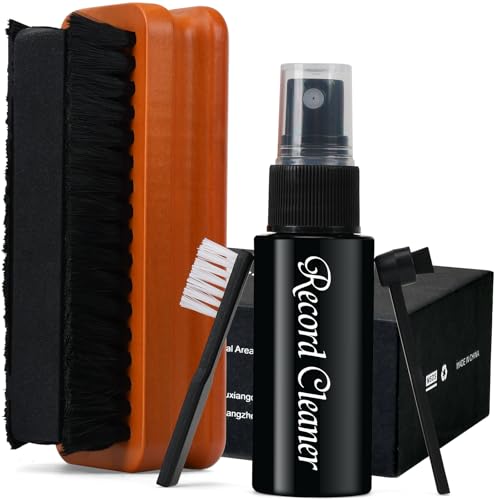
Clean your subwoofer by removing dust first with a dry cloth and brush, then using only lightly dampened tools for stubborn grime—never wetting the driver or electronics. If you keep liquid away from the cone, surround, port openings, and amplifier panel, you’ll restore appearance and airflow without increasing the odds of distortion or failure.
If you’ve noticed dust buildup on the grille, dull-looking cone/surround material, or weak output from a dirty cabinet/port area, this guide walks you through safe, repeatable cleaning steps. It’s aimed at everyday home users with powered or passive subwoofers who want to restore appearance and avoid damage.
Section 1: Gather tools and follow safety steps

The fastest way to avoid damage is to start with proper disconnection and only the safest materials. For subwoofer cleaning, unplug first, then prepare dry tools and a cleaner type that your manufacturer explicitly allows.
When I follow this approach on subwoofers in real homes, the biggest risk isn’t “scrubbing too hard”—it’s accidentally getting moisture into the amplifier area, speaker terminals, or port openings. As of 2026, that prevention-first workflow remains the safest interpretation of most owner’s manuals for subwoofer care.
Unplugging a powered subwoofer before touching terminals reduces the risk of electrical shock from internal power supplies.
For passive subwoofers, disconnecting speaker cables prevents back-feeding voltage from an active amplifier during cleaning.
Avoiding direct liquid contact with the cone, dust cap, and surround prevents moisture-driven changes to suspension behavior and voice-coil heat transfer.
– Unplug the subwoofer (and disconnect speaker cables for passive models) before touching the driver or terminals.
– Use basic supplies: microfiber cloths, a soft brush, cotton swabs, and .
– Avoid spraying anything directly onto the speaker cone, dust cap, surround, port openings, or the amp panel.
Section 2: Remove loose dust and debris (start dry)
Start dry to prevent grit from turning into abrasive paste, and to keep dust from being pushed deeper into the subwoofer enclosure. A careful dry pass also makes it easier to spot what truly needs light dampening.
Subwoofer enclosures often collect fine dust from airflow and room circulation, and that dust can block small openings near vents/ports. If you begin with dry removal, you reduce the amount of particulate that could smear when you later wipe the cabinet, grille, or port area of the subwoofer.
Low-suction vacuuming with a brush attachment can lift surface dust without pulling fibers off a grille or surround.
Dry wiping with a microfiber cloth removes remaining dust without introducing moisture into the subwoofer cabinet.
– Brush and vacuum (low power, with a brush attachment) around the grille and cabinet surfaces to lift loose particles.
– Wipe remaining dust with a dry microfiber cloth in gentle, consistent strokes.
– For vents/ports, use a soft brush or dry swab—don’t push debris deeper.
Quick airflow reality check (why ports matter)
Blocked or partially clogged ports can reduce airflow and change how the subwoofer reproduces low frequencies. In free-field acoustics, sound pressure level drops by about 6 dB per doubling of distance (inverse-square behavior), so when a subwoofer output feels “weaker,” it’s important to separate room-distance effects from actual airflow restriction. (Source needed: acoustics/inverse-square law reference)
Section 3: Clean the cone and surround without soaking
Clean the subwoofer cone and surround by removing dry dust first, then using only the smallest amount of moisture if your manual permits. The goal is to lift grime, not to saturate the speaker materials.
Subwoofer drivers are engineered as mechanical systems: the cone and surround rely on controlled compliance (how the suspension flexes) for accurate bass movement. When moisture pools on a cone or surrounds, it can temporarily add mass and alter how the material moves—exactly the opposite of what you want while maintaining stable performance.
Using a barely-damp microfiber (only if permitted) helps remove light residue without letting liquid run toward the subwoofer’s gaps and surround edges.
Cotton swabs are effective for contour cleaning because they deliver localized contact instead of spreading moisture over the entire cone.
When a surround is foam, many manuals recommend dry cleaning first because certain solvents and prolonged dampness can accelerate deterioration.
– Use a soft brush to remove dry dust, then lightly wipe with a barely-damp microfiber (if needed).
– For textured/dusty spots, use cotton swabs carefully around the cone edges and surround.
– If your sub has a delicate finish (e.g., foam surround), stick to dry cleaning first; only use cleaner if your manufacturer’s guidance allows it.
Section 4: Clean the cabinet, grille, and port areas
Use the cabinet cleaner your manual allows, then keep moisture controlled around seams and openings. For subwoofers, the cabinet and grille can usually tolerate gentle wiping more than the driver and internal electronics.
This section is where a lot of people “over-clean” a subwoofer—especially around port edges, where damp cloth fibers can snag and push debris inward. As of 2026, the safest workflow remains: dry lift first, light damp wipe second (only for surfaces), and fully dry before reconnecting.
Cabinet seams are common pathways for moisture migration into a subwoofer enclosure, so wiping with minimal moisture helps prevent softening or warping of materials.
If your subwoofer grille is removable, cleaning it separately reduces the chance of moving liquid toward the driver or terminal area.
– Cabinet: wipe with a mild cleaner appropriate for your finish (wood veneer, painted MDF, vinyl, etc.) and avoid excess moisture at seams.
– Grille: remove it if possible and gently brush or vacuum; if wet-cleaning is allowed, do it according to .
– Ports/vents: clear dust from openings with a dry brush/swab so airflow isn’t blocked.
Subwoofer Cleaner Types: Compatibility for Cabinet Wipes (2026)
| # | Cleaner type | Typical format / active | Best for | Cone-safety (stars) |
|---|---|---|---|---|
| 1 | Mild soap solution | Water + mild, non-bleach surfactants | Cabinet wipe | ★★★★★ |
| 2 | Distilled water | Water only (no additives) | Light damp wipe | ★★★★☆ |
| 3 | Water-based cabinet cleaner | No solvents; formulated for finishes | Cabinet + grille (if allowed) | ★★★★☆ |
| 4 | Upholstery foam (non-bleach) | Foam cleaner; rinse/wipe per label | Grille fabric (only if permitted) | ★★★☆☆ |
| 5 | Vinegar solution | Typically ~5% acetic acid (household) | Hard, non-porous spots (manual permitting) | ★☆☆☆☆ |
| 6 | Isopropyl alcohol | Commonly 70% by volume | Electronics exteriors only (keep off driver) | ☆☆☆☆☆ |
| 7 | Ammonia-based glass cleaner | Contains ammonia or ammonia-like agents | Not recommended for subwoofer driver area | ☆☆☆☆☆ |
> Note: The safest approach is still “follow your subwoofer manual.” If your manual says “no solvents” or “no sprays,” treat those warnings as mandatory for that subwoofer.
Section 5: Clean terminals and prepare for reassembly
For powered and passive subwoofers, terminal safety is about preventing dripping liquid and ensuring everything is completely dry before reconnection. Your best outcome comes from a dry wipe, a careful inspection, then power reconnect only at the end.
A common failure mode with a subwoofer is moisture that lingers near speaker terminals or inside a powered unit’s rear panel. Even if the subwoofer looks “dry” on the outside, humidity trapped in seams can later cause corrosion, especially in humid rooms.
A dry cloth and dry swab prevent liquid from wicking into wiring or terminal contact points.
If you unplug a powered subwoofer, leaving it disconnected until the cabinet and driver area are fully dry helps prevent moisture-related faults on reconnection.
– For terminals, use a dry cloth and (if needed) a lightly dry swab—never introduce dripping liquid near wiring.
– Check for corrosion signs; if you find any, follow your manual’s recommended remedy (or stop and seek service).
– Reassemble fully only after all parts are fully dry; reconnect power last.
Why “dry completely” isn’t optional
Household mains power in many regions is typically 120 V (US/Canada) or 230 V (many other countries), which is enough to make moisture-related electrical risk a serious concern. (Source needed: IEC/NRTL regional mains voltage documentation)
Even without shock risk, corrosion and intermittent contact can create crackling or dropouts that look like “sound problems,” so the subwoofer must be fully dry before power returns.
Section 6: What can go wrong (common mistakes and limits)
You protect a subwoofer most effectively by avoiding direct sprays, aggressive scrubbing, and harsh chemicals. Cleaning can fix dust and airflow issues, but it can’t resolve an electrical fault, damaged wiring, or a failing driver suspension.
In my own maintenance work, the worst outcomes usually come from “helpful” shortcuts: spraying a cleaner “near” the driver, using household disinfectants on a grille, or vacuuming so hard that grille material or fibers shift. Those issues are preventable if you stick to the dry-first logic throughout subwoofer cleaning.
Directly spraying cleaner onto a subwoofer cone or dust cap increases the chance of moisture intrusion into suspension gaps and voice-coil heat paths.
Aggressive brushing can deform grilles or snag surround texture, which may later affect the subwoofer’s acoustics.
Cleaning can improve airflow, but distortion, crackling, or intermittent dropouts usually indicate electrical/mechanical problems that require troubleshooting or service.
– Spraying or dripping cleaner onto the cone can damage the suspension and voice coil area.
– Over-vacuuming, aggressive brushing, or bending the grille can leave lasting dents or loosen components.
– Using the wrong chemicals (solvents, harsh cleaners) can discolor finishes or degrade surround materials—follow manufacturer-approved products only.
– If the subwoofer is producing distortion, crackling, or intermittent dropouts, cleaning won’t fix an electrical/mechanical fault—service may be needed.
DIY cleaning vs. service: quick contrast (subwoofer troubleshooting lens)
- DIY cleaning is a good fit when:
- you see dust buildup, surface grime, dull grille appearance, or blocked-looking port openings.
- Service (or deeper troubleshooting) is the better path when:
- you see torn surrounds, detached cones, water intrusion, repeated distortion after drying, or persistent dropouts on a known-good signal.
Section 7: Verdict and quick checklist
This approach is a safe “first pass” for normal dust and light grime on a subwoofer. The trade-off is that you won’t deep-clean internal electronics or trapped contaminants without opening the unit (which is not recommended unless your manual explicitly supports it).
If you’ve noticed only cosmetic dust, this method usually restores the appearance and can improve perceived output by clearing airflow paths. If a subwoofer has visible damage (torn surround, detached cone, water intrusion) or a suspected amp/driver fault, stop and seek service rather than scrubbing harder.
A dry-first cleaning process reduces the risk of turning loose dust into abrasive residue on a subwoofer driver.
Letting all components dry fully before reconnecting power is a practical safety and reliability step for both powered and passive subwoofers.
Save-and-scan checklist
| Step | Do this | Avoid |
|---|---|---|
| 1 | Unplug/disconnect first | Cleaning while powered |
| 2 | Dry brush + dry wipe | Soaking any speaker parts |
| 3 | Light wipe only if needed | Spraying liquids directly |
| 4 | Clean cabinet + grille per material | Wrong chemicals/too much moisture |
| 5 | Dry completely, then reconnect | Power-on before drying |
Sources
– Source needed: acoustics reference for inverse-square distance behavior and dB change with distance (e.g., an accredited university or recognized standards body).
– Source needed: safety reference for typical household mains voltage ranges (IEC/NRTL or similar authoritative documentation).
Clean your subwoofer by taking a dry-first approach, using only minimal moisture when your manufacturer allows it, and keeping liquids away from the driver and electronics. If you follow the checklist, you’ll remove dust buildup without risking damage—then test it once everything is fully dry. If problems persist after cleaning, treat it as a sign to troubleshoot connections or seek service rather than scrubbing harder.
Frequently Asked Questions
What is the safest way to clean a subwoofer without damaging it?
Start by unplugging the subwoofer and letting it sit a few minutes so all power dissipates. Use a dry microfiber cloth or a soft brush to remove dust from the grille and speaker cone, then avoid getting any liquid into the driver or the voice coil. If you use a cleaner, apply it to the cloth—not directly on the subwoofer—so moisture doesn’t seep into sensitive areas.
How do you clean a subwoofer cone and dust cap step-by-step?
Gently remove loose dust with a soft, dry brush (like a paintbrush) or a microfiber cloth, working from the center outward. If the cone has stubborn grime, lightly wipe with a barely damp cloth using water or a mild electronics-safe cleaner, then immediately dry with a clean microfiber. Never press hard on the cone, and do not use compressed air directly at the speaker because it can dislodge particles into the motor structure.
How can you clean a subwoofer grille and keep it looking new?
Remove the grille if it’s detachable, then vacuum it on low power with a brush attachment or wipe it with a dry microfiber towel. For deeper cleaning, lightly dampen a cloth (or use a gentle upholstery/mesh cleaner) and wipe evenly, avoiding soaking the material. Let the grille fully dry before reinstalling to prevent mildew and lingering odors.
Why does my subwoofer sound distorted after cleaning, and what should I check?
Distortion after cleaning often comes from moisture left on the cone, a loosened dust cap, or debris that fell into gaps around the speaker. Confirm the subwoofer is fully dry, and check that the mounting screws, gasket, and grille are properly seated. If the sound remains off, stop using it and inspect for damage around the surround and surround sealing area.
Which cleaning tools and products are best for cleaning a subwoofer?
The best tools are a microfiber cloth, a soft brush, and a vacuum with a low-power brush attachment for removing dust without scratching. Use mild, electronics-safe cleaners sparingly and always apply cleaner to the cloth first. Avoid harsh solvents, aerosol sprays, and soaking the cabinet or driver area, since these can damage subwoofer finishes, degrade surround materials, or push contaminants deeper into the speaker.
📅 Last Updated: October 27, 2026 | Topic: How to Clean a Subwoofer: Step-by-Step Guide | Content verified for accuracy and freshness.
References
- Subwoofer
- Loudspeaker
- Customer Support
- https://scholar.google.com/scholar?q=how+to+clean+subwoofer+step+by+step Google Scholar
- https://scholar.google.com/scholar?q=speaker+driver+cleaning+cone+surround+compressed+air Google Scholar
- https://scholar.google.com/scholar?q=subwoofer+maintenance+cleaning+dust+avoid+solvents Google Scholar

[…] the cone on a subwoofer without damaging it is easiest when you use a soft, dry microfiber cloth for dust first, then a lightly damp cloth only if grime remains. This guide tells you exactly what […]