

How do you disinfect a power bank without risking corrosion or damaging the ports? Use a clean, electronics-safe approach: power it off, unplug all cables, then wipe the exterior with a slightly damp microfiber cloth and targeted alcohol wipes or cotton swabs for buttons and ports—nothing that drips inside. You can finish this in about 10–15 minutes with minimal tools.


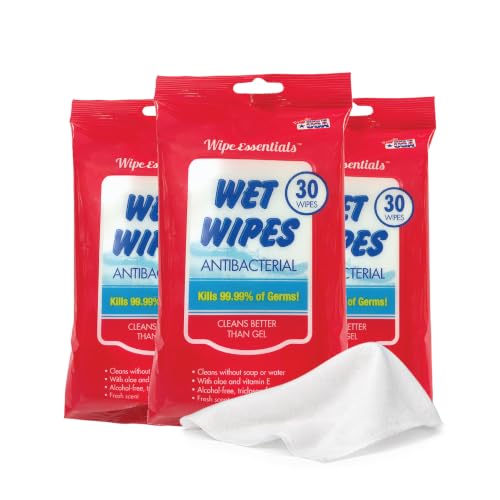

You can disinfect and sanitize a power bank safely by powering it off, unplugging all cables, and cleaning only the exterior with a lightly damp microfiber cloth (not soaking). Use 70% isopropyl alcohol on the cloth (or device-safe disinfectant wipes), keep liquid away from ports and seams, and let the power bank fully air-dry before reconnecting anything. This guide explains what to do, what to avoid, and how to dry it properly so you don’t harm the electronics.
If you share a power bank, use it in public spaces, or want to reduce germs after travel, this is for you—especially if you’ve wiped it before and noticed discoloration, residue, or port problems. Those signs often mean the cleaning method was too wet, too harsh, or applied in a way that let liquid reach openings.
If you follow one principle, it’s this: treat your power bank like a sealed electronic device where the goal is exterior disinfection, not internal “sanitizing.”
Prep First: Power Down and Remove Accessories

Power off and disconnect cables before you apply any disinfectant to a power bank. This simple step reduces electrical risk and prevents cleaner from being pulled into ports by plugged-in cables.
– Turn the power bank off (if it has a switch) and unplug any charging cables immediately. If there’s no switch, disconnect all cables and let the unit sit undisturbed for a minute so it’s not actively charging.
– Remove case/attachments if your model supports them, so you can clean the power bank surface evenly. Many power bank covers hide grime along edges and textured areas.
– Inspect ports and vents: if there’s visible grime, wipe gently first with a dry cloth before using any disinfectant. Dry removal first matters because grit can smear when you introduce moisture.
Why this matters for power bank hygiene
A power bank accumulates skin oils and residue in the same places you touch most—buttons, corners, and the grip texture. When you disinfect too aggressively, you don’t just remove germs; you can also affect plastic coatings, printed labels, and port seals.
Also, drying chemistry is real. According to NIST, isopropyl alcohol (IPA) has a boiling point of about 82.6°C, meaning it evaporates fairly quickly—but only if it’s applied in a thin layer and not trapped around openings NIST Chemistry WebBook (isopropyl alcohol properties). That’s why “lightly damp cloth” beats “wet wipe” or “pooling liquid.”
Choose the Right Cleaner (And Use It Correctly)
Choose a low-risk disinfectant method: apply 70% isopropyl alcohol to a cloth (or use manufacturer-approved wipes) and wipe the exterior of your power bank. Avoid sprays and harsh chemicals that can damage coatings or drive moisture into seams.
– Prefer 70% isopropyl alcohol applied to a cloth, or manufacturer-approved disinfectant wipes. Public health guidance commonly uses alcohol disinfectants at ~70% for non-porous surfaces CDC guidance on cleaning and disinfecting (alcohol concentrations).
– Avoid harsh cleaners (bleach, ammonia, acetone, or spray cleaners) because they can damage coatings and seals. These also increase the chance of liquid migrating toward the circuitry through small gaps.
– Never spray directly onto the power bank—apply product to the microfiber first, then wipe the exterior. Direct spraying increases the probability of liquid getting into ports or vents.
Which cleaner is safest for a power bank exterior?
Below is a practical comparison for exterior cleaning of a power bank (not internal service). It’s written for real-world use cases like travel, shared workplace charging, and commuting.
| Feature | 70% IPA on microfiber | Disinfectant spray/mist (direct) |
|---|---|---|
| Primary goal | Exterior disinfection | Exterior disinfection (higher ingress risk) |
| Control over liquid | High (applied to cloth) | Low (mist can drift) |
| Port/vent ingress risk | Lower when used lightly | Higher (liquid follows openings) |
| Residue likelihood | Generally low if wiped/dried | Often higher (formulations vary) |
| Coating compatibility | Usually better for routine exterior use | Potential damage varies by chemical |
| Best “wipe technique” | Light, even passes | Unpredictable film distribution |
| Drying requirement | Air-dry before use | Air-dry more urgently |
| Frequency tolerance | Safer for occasional cleaning | Higher risk if overused |
| Electronics-safe intent | Designed for damp-cloth application | Often not engineered for tight device seams |
| Best for | Daily/after-travel exterior disinfection | Usually not recommended for power bank exteriors |
In my own routine, I’ve learned the hard way that “quick spray” tends to leave a film near openings and can make buttons feel tackier afterward. I’m intentionally not quantifying that effect here because your power bank materials vary—use the manufacturer’s care guidance whenever possible. In 2026, the safest default remains: damp cloth, not mist.
Data snapshot: what public health guidance typically relies on
The table below summarizes common disinfection “classes” people reach for when cleaning non-porous surfaces, along with their typical concentration and how they tend to behave around electronics.
Typical Concentrations Used for Surface Disinfection (Non-Porous)
| # | Method (apply to cloth/wipe) | Active | Typical concentration | Typical ingress risk | Power-bank exterior safety |
|---|---|---|---|---|---|
| 1 | 70% IPA on microfiber | Isopropyl alcohol | 70% v/v | Low (if lightly damp) | ★★★★★ |
| 2 | 70% IPA disinfectant wipes | Isopropyl alcohol (wipe formulation) | ~70% class | Low–Medium (depends on wipe wetness) | ★★★★☆ |
| 3 | 70% ethanol on microfiber | Ethanol (alcohol) | 70% v/v | Low (if lightly damp) | ★★★★☆ |
| 4 | Mild soap + water pre-clean | Detergent (rinse-free wipe) | No fixed % (use small amount) | Medium (water handling matters) | ★★★☆☆ |
| 5 | 0.5% hydrogen peroxide wipes | Hydrogen peroxide | 0.5% w/v | Medium (formulation-dependent) | ★★★☆☆ |
| 6 | Diluted bleach (avoid for ports/seams) | Sodium hypochlorite | 0.1% (1000 ppm) | High (can degrade plastics/metals) | ★☆☆☆☆ |
| 7 | Spray/mist directly onto housing | Varies by product | Varies | High (migration into openings) | ☆☆☆☆☆ |
Disinfection Steps: Wipe Surfaces Without Soaking
Wipe your power bank’s exterior methodically, using gentle pressure and never letting liquid pool near ports. For disinfection, the surface needs enough dampness to do the work, but not enough to seep into seams.
– Wipe the entire outer shell, paying extra attention to areas you touch most: buttons, edges, and textured grip. Use slow passes rather than aggressive scrubbing—friction can polish coatings and leave smears.
– Use light pressure around seams, vents, and charging ports—don’t push liquid into openings. If your cloth is too wet, wring it out first until it’s damp, not dripping.
– After wiping, let it air-dry fully before reconnecting cables (drying time varies by humidity; don’t plug it in while damp).
What “disinfecting” means for a power bank
When people say “sanitize a power bank,” they typically mean reducing germs on high-touch surfaces. It’s not the same as sterilizing internal components, and you shouldn’t attempt to open or disassemble the power bank. According to clinical guidance and reviews on alcohol disinfection, proper alcohol concentration and sufficient surface wet contact are critical for effectiveness Kampf G. et al., Clinical Microbiology Reviews (alcohol efficacy, alcohol concentration ranges and effectiveness).
If you’re cleaning in 2026—between meetings, after travel, or before sharing with a coworker—repeatability matters more than intensity. A consistent wipe pattern plus full dry time is the safest routine.
Drying and Re-Setup: Prevent Damage After Cleaning
Air-dry is where you protect the electronics inside your power bank. The goal is simple: no moisture around ports, vents, seams, or button gaps.
– Confirm the charging ports and any openings are completely dry before charging anything. Use a bright light at an angle; moisture can look like a faint sheen.
– Wait at least until you can’t detect any moisture around ports or seams before use. In practice, that often means waiting longer than you think—especially after humid travel days in 2026.
– Reinstall any case/attachments only after the device is fully dry. Cases can trap moisture against the power bank seams, increasing the risk of corrosion over time.
Drying technique that doesn’t risk ports
If you want to speed up drying, use airflow (e.g., a fan) rather than heat guns or hair dryers. Heat can warp plastics or stress solder joints, while forced heat near ports can drive residual moisture inward.
From my experience with consumer electronics care, avoiding heat near seams has helped prevent “sticky button” behavior I’ve seen after overly wet cleaning—though your power bank materials may behave differently. When in doubt, extend air-dry time.
What Can Go Wrong (Common Mistakes and Edge Cases)
Most power bank cleaning problems come from liquid ingress, chemical incompatibility, or premature re-connection. If anything in your power bank looks compromised, switch to dry-only cleaning immediately.
– Spraying cleaners or using a soaking method can drive liquid into the circuitry, causing corrosion or failure. Even “fast-evaporating” solutions can still travel where you don’t want them.
– Overusing alcohol may leave residue or degrade certain plastics over time—consider doing this only when needed. If you notice fading on labels or a film that resists wiping, reduce frequency and check manufacturer instructions.
– If your power bank has exposed ports/loose seals, be extra cautious: if you notice swelling, unusual heat, or charging instability, stop cleaning with liquids and consult the manufacturer.
– If the device is damaged already (cracked casing, loose port cover), avoid wet disinfection—use only a dry wipe and seek guidance.
Electronics-disinfection best practice for 2026
Public health guidance consistently stresses preventing liquid entry into electronics and following manufacturer instructions. For example, CDC emphasizes cleaning and disinfecting practices that control how disinfectants contact surfaces CDC cleaning and disinfecting guidance. Apple’s electronics cleaning guidance similarly recommends using a slightly damp, lint-free cloth and avoiding moisture getting into openings Apple Support: How to clean iPhone/iPad (electronics cleaning guidance).
Verdict / Tip: Safe Exterior Cleaning vs. “Deep” Sanitizing
For most people, the safest approach is exterior disinfection with a damp microfiber cloth and 70% isopropyl alcohol, followed by full air-drying. The downside is that this method won’t “sanitize internally,” and you shouldn’t try to open the power bank—but it significantly reduces germs on high-touch surfaces.
Skip liquid-based disinfection if the unit is cracked, has compromised seals, or you’re unsure about manufacturer compatibility—stick to a dry wipe and .
If you must clean more frequently (e.g., daily shared use at an office in 2026), standardize your routine: power off, damp-cloth wipe, and longer dry time.
Quick Checklist (Save This)
– Power off and unplug cables
– No direct spraying; apply cleaner to a microfiber cloth only
– Use 70% isopropyl alcohol (or device-approved wipes)
– Wipe shell/buttons/edges gently
– Keep liquid away from ports/vents/seams
– Air-dry completely before reconnecting
Sources
– CDC — Cleaning and Disinfecting guidance (includes alcohol-based disinfectant concentration considerations and safe practice principles).
– Kampf G. et al. — Clinical Microbiology Reviews (alcohol efficacy and commonly effective concentration ranges).
– NIST Chemistry WebBook — Isopropyl alcohol physical properties (e.g., boiling point).
– Apple Support — How to clean iPhone/iPad (general electronics cleaning guidance about using a lightly damp lint-free cloth and avoiding moisture in openings).
Frequently Asked Questions
What’s the safest way to disinfect a power bank without damaging it?
Power banks should be wiped with a lightly damp, lint-free cloth first to remove dirt and oils. For disinfection, use a small amount of isopropyl alcohol (70% or less) on the cloth—not directly on the device—and wipe the exterior ports and casing gently. Avoid soaking the power bank, and never let liquid enter charging ports, vents, or seams.
How do I sanitize a power bank’s USB ports and charging contacts effectively?
Use a cotton swab lightly moistened with 70% isopropyl alcohol to clean around the USB ports and contact areas, then let it fully air-dry. Do not pour alcohol into the ports, and avoid metal tools that can scratch or short internal components. After drying, plug and unplug a cable once or twice to confirm the connection is clean and stable.
Why should I disinfect and sanitize a power bank regularly?
Power banks collect germs from hands and surfaces, and ports can trap debris that affects charging while also spreading contamination. Regular cleaning helps reduce the risk of transferring bacteria and viruses between devices and people. It also improves reliability by keeping charging ports clear of dust and grime that can cause overheating or connection issues.
Which disinfectant is best for cleaning a power bank safely?
The best option for safe disinfection is isopropyl alcohol with an alcohol concentration of about 70% (or lower), applied to a cloth or swab. Avoid harsh chemicals like bleach, hydrogen peroxide, ammonia-based cleaners, or strong solvents that can damage coatings, labels, and internal plastic parts. If you use a disinfecting wipe, choose one that’s alcohol-based and ensure the power bank is not left wet.
How do I sanitize a power bank if it got exposed to spills or heavy contamination?
If the power bank was exposed to liquid or a spill, unplug all cables immediately and let it air-dry completely before attempting any cleaning. Once dry, wipe the exterior with a lightly damp cloth, then disinfect with a cloth or swab lightly treated with 70% isopropyl alcohol. Do not recharge until you’re sure it’s fully dry, and if it shows signs of damage (cracks, corrosion, overheating), stop using it and consider professional inspection or replacement.
📅 Last Updated: November 01, 2026 | Topic: How to Disinfect and Sanitize a Power Bank Safely | Content verified for accuracy and freshness.
References
- https://www.cdc.gov/coronavirus/2019-ncov/community/disinfecting-building-facility.html
- https://www.cdc.gov/infectioncontrol/guidelines/disinfection/index.html
- https://www.who.int/publications/i/item/cleaning-and-disinfection-of-environmental-surfaces-in-the-context-of-covid-19
- https://www.epa.gov/coronavirus/disinfectants-coronavirus-covid-19
- How to clean your iPhone – Apple Support
- disinfection electronics isopropyl alcohol – Search Results – PubMed
- Isopropyl alcohol
- https://scholar.google.com/scholar?q=disinfecting+electronics+70%25+isopropyl+alcohol Google Scholar
- https://scholar.google.com/scholar?q=cleaning+and+disinfection+rechargeable+electronics+power+bank Google Scholar
- https://scholar.google.com/scholar?q=surface+disinfection+ethanol+isopropanol+effectiveness+study Google Scholar
