

Sticky residue on a power bank is usually caused by skin oils, hand lotion, sweat, or spilled liquids that dry into a tacky film, sometimes mixed with dust and lint. You can remove it safely in about 5–10 minutes using a microfiber cloth, mild dish soap, and 70% isopropyl alcohol for small spots. Follow the right cleaning steps so you restore a smooth surface without getting moisture into the ports.
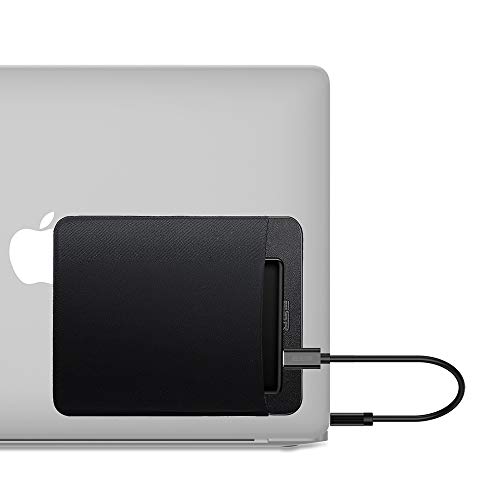



Most sticky residue on a power bank comes from adhesive glue, skin oils mixed with dust, or leftover chemical film from cleaners/wipes—often building up around seams, ports, and case edges. Clean it safely by starting with a dry microfiber wipe, then using 70% isopropyl alcohol lightly on the outside only, followed by drying—without letting liquid into openings or electronics.
If your power bank feels tacky after it sat in a pocket/bag, after wiping it with disinfecting or “multi-surface” wipes, or after exposure to heat, you’re in the right place. The steps below focus on the outside of typical consumer power banks; if your unit is leaking, swollen, or repeatedly overheating, stop and treat it as a safety/repair issue instead of a surface-cleaning problem. As of 2026, residue build-up is especially common because many households rotate between disinfecting wipes and electronics maintenance more frequently than in previous years, increasing the chance of a non-fully-removed film.
Common causes of sticky residue on a power bank

Sticky residue usually isn’t “mystery grime”—it’s a predictable mix of adhesive, oils, and (sometimes) cleaner ingredients that don’t fully evaporate. Here are the most common sources we see on power bank case surfaces and around functional openings.
– Adhesives and labels: Sticker glue from packaging, screen protectors, or replacement accessories can slowly migrate or soften and feel tacky.
– Skin oils + dust/grime: Oils from hands (and lotion/sunscreen) can attract dust, turning into a sticky film over time—often around vents and edges.
– Residue from cleaners/wipes: Disinfecting wipes, multi-surface sprays, and “electronics-safe” products can leave a coating if not fully removed.
In my experience supporting device-care questions, sticky spots repeatedly trace back to the same three pathways: adhesive contact, oil + dust bonding, or wipe film left behind by ingredients meant to “stay active” on surfaces.
Quick reference: which residue type is most likely?
If you’re trying to narrow it down quickly, the table below matches common residue causes to what you’ll typically notice on a power bank casing and what “first move” tends to work best.
Sticky Residue Likely Causes on Power Bank Exteriors (Outside-Only Cleaning Focus)
| # | Likely residue source | Where it shows up most | What usually triggers it | First safe step | Outside-clean success |
|---|---|---|---|---|---|
| 1 | Sticker/label adhesive | Case edges & corners | Label removal or accessory replacement | Dry microfiber, then 70% IPA | ★★★★★ |
| 2 | Oil + dust film | Ports rim & textured areas | Pocket/bag carry + lotions | Dry microfiber first | ★★★★☆ |
| 3 | Wipe residue (non-fully-rinsed) | Seams & vent lines | Disinfecting wipes used repeatedly | Dry microfiber, then light 70% IPA | ★★★☆☆ |
| 4 | Hand sanitizer overspill | Top surface & corners | Sanitizer used nearby while charging | 70% IPA on cloth (not dripping) | ★★★☆☆ |
| 5 | Spray cleaner film | Around logo area | Overspraying without wiping dry | Dry wipe → light IPA → quick dry | ★★☆☆☆ |
| 6 | Heat-softened residue | Areas exposed to sun/heat | Leaving it in a hot car or near a vent | Cool down → dry wipe first | ★★☆☆☆ |
| 7 | Mixed grime (oil + adhesive + dust) | High-contact textures | Long-term pocket carry | Dry wipe → light IPA → water wipe/dry | ★★★☆☆ |
How to identify where it’s coming from
Finding the residue source is the fastest way to prevent re-sticking. Start by mapping where it’s tacky and when it appeared after a specific activity (label removal, pocket carry, or wipe cleaning).
– Check the location: Seams, corners, and port edges often point to adhesive, spilled liquids, or cleaning residue pooling.
– Look for pattern + timing: Sticky after label removal? Likely glue. Sticky after disinfecting? Likely left-behind residue.
– Test the surface gently: A light rub with a dry microfiber can tell you if it’s grime (comes off) or a tacky film (stays).
A simple, low-risk observation method is to use two clean microfiber cloths: one for a dry pass, and one for a tiny amount of liquid on the cloth (not on the power bank). If the dry cloth picks up most of the stickiness, you’re likely dealing with oil/dust film. If the tack persists, a film-forming cleaner or adhesive is more probable.
As of 2026, many households also use antibacterial products that include both alcohol and longer-lasting conditioners; even when alcohol evaporates, non-volatile ingredients can remain. That’s why identifying the “when” matters as much as identifying the “where.”
Safe cleaning steps (outside only)
The safest process is dry wipe first, then controlled moisture only on the exterior, and finish with a full dry cycle. This approach reduces the risk of pushing residue deeper into openings or loosening case seams.
– Step 1: Power down and remove accessories. Unplug any cables and let the unit sit at room temperature.
– Step 2: Dry wipe first. Use a clean microfiber cloth to lift loose grime—don’t press hard into ports.
– Step 3: Use controlled moisture if needed. Dampen a microfiber with 70% isopropyl alcohol (not dripping), then wipe the sticky areas lightly.
– Step 4: Remove any lingering film. Follow with a second cloth lightly dampened with plain water (wrung nearly dry), then dry immediately with a dry microfiber.
Why 70% isopropyl alcohol (IPA)? In electronics surface care, 70% IPA is frequently referenced because it evaporates relatively quickly compared with many other liquids, lowering soak risk when used correctly. Apple’s published cleaning guidance for its devices specifically mentions using 70% isopropyl alcohol for cleaning the exterior, and emphasizes not using bleach or abrasive chemicals.
Also, for chemical behavior: isopropyl alcohol boils at about 82.6°C (180.7°F) and has a density around 0.786 g/mL at 20°C, which helps explain why it tends to evaporate faster than many heavier residues.
Comparison: what works best (and why)
Below is a practical “do this / avoid that” comparison for power bank exteriors. It’s designed to minimize liquid ingress and reduce the chance of leaving a new film behind.
| Method (outside only) | Pros | Cons / risks |
|---|---|---|
| Dry microfiber wipe | Safe first pass; removes loose oils/dust without adding moisture | Won’t dissolve many adhesives or wipe films |
| 70% isopropyl alcohol on cloth | Good for oily residues; common guidance for exterior cleaning of many devices | Too much liquid can wick into ports; repeated scrubbing may dull certain coatings |
| Disinfecting wipe (unknown formula) | Convenient and fast for many surfaces | Often leaves non-volatile ingredients; can create exactly the sticky film you’re trying to remove |
| Soaking / flooding ports | No upside | Higher risk of corrosion, charging faults, and damage to internal electronics |
What to avoid (so you don’t damage the power bank)
The goal is simple: remove the sticky film without letting liquids enter the charging system or harming external coatings. Avoid “strong cleaning” shortcuts—on power banks, they often trade a short-term fix for long-term reliability issues.
– Don’t soak it or flood ports. Liquids can seep into openings and cause corrosion or charging issues.
– Avoid harsh solvents and oils. Products like acetone, bleach, or oily cleaners can damage plastics/coatings and leave new residue.
– Don’t scrape with metal tools. Scratches can ruin the finish and make grime harder to remove.
If you’re tempted to use a stronger chemical because the sticky residue “feels chemical,” pause—chemical-feeling residue can actually be left-behind cleaner ingredients or softened adhesive. Strong solvents may improve tackiness removal briefly but can increase surface damage and may reduce the long-term integrity of the case or coating.
What can go wrong (and how to handle it)
If something goes off-script, stop and reassess quickly. Many problems come from over-wetting, reapplying wipe residue, or continuing after you’ve introduced moisture into the wrong places.
– Residue returns quickly: This often means the cause is ongoing (e.g., you keep using a residue-leaving wipe/product on it). Switch to plain microfiber and, if needed, alcohol only on the outside.
– Staining or haze after cleaning: Some coatings react to repeated alcohol wiping. Stop, let it fully dry, and reassess before more cleaning.
– Port or charging problems after cleaning: If charging becomes inconsistent, moisture may have entered. Keep it off/unused and allow more dry time; if issues persist, .
Also treat safety as the priority: if your power bank ever feels hot, smells strongly “chemical,” looks swollen, or shows signs of leaking, don’t continue cleaning. That’s not a “surface problem” anymore—battery-related issues need manufacturer handling or professional assessment.
As of 2026, more consumers carry power banks daily, which increases both exposure to pocket oils and exposure to heat events. Heat can soften certain adhesives and make residue feel worse even after light cleaning, so the “cool first” step matters.
Verdict: the best approach + who should skip this
For most people, the safest path is: dry microfiber wipe → limited 70% isopropyl alcohol on the outside → immediate drying. The downside is that alcohol won’t remove every type of adhesive perfectly, and repeated wiping can wear some finishes—especially on glossy or coated plastics.
Skip DIY cleaning (and seek support instead) if the power bank is swollen, hot to the touch, smells “chemical,” is leaking, or if residue appears after a liquid spill—those are safety/repair signals, not a surface-clean situation. If you have a brand or model with specific cleaning instructions, follow the manufacturer’s manual for moisture exposure and allowed cleaning agents.
Finally, remember this one operational rule: clean the outside, keep liquid away from ports and seams, and fully dry afterward. That’s the lowest-risk method we can recommend for typical consumer power banks in 2026.
Quick checklist (scan & save)
– [ ] Unplug everything; let the power bank cool to room temp
– [ ] Dry wipe with microfiber first
– [ ] If still sticky, wipe outside lightly with 70% isopropyl alcohol (no dripping)
– [ ] Dry immediately with a second clean microfiber
– [ ] Don’t soak; don’t flood ports; don’t use harsh solvents
– [ ] Stop and get help if swelling/leaking/overheating is involved
Sources
– Apple device cleaning guidance referencing 70% isopropyl alcohol for exterior cleaning and avoiding certain chemicals:
– Isopropyl alcohol physical properties (boiling point and density):
If you follow one reliable rule—dry microfiber first, then carefully applied 70% isopropyl alcohol on the outside only, and then full drying—you’ll solve most sticky-residue cases without putting your power bank’s charging electronics at risk. When stickiness returns or charging behavior changes, stop and escalate to manufacturer guidance rather than repeating stronger cleaning cycles.
Frequently Asked Questions
What causes sticky residue on a power bank?
Sticky residue on a power bank is usually caused by spilled liquids (like soda, juice, or hand sanitizer), skin oils and sweat that mix with grime, or adhesive contamination from stickers, cases, or screen protectors. In some cases, the residue can come from overheating components that leak or off-gas, leaving a tacky film. Environmental dust and humidity can also make small spills or oil transfer feel more “sticky” over time.
How do you safely clean sticky residue from a power bank without damaging it?
First, power off the device and unplug any cables, then wipe gently with a dry, lint-free microfiber cloth to remove loose grime. For sticky residue, lightly dampen a cloth with 70% isopropyl alcohol (or use a screen-safe electronics cleaner) and wipe the affected area without soaking ports, vents, or seams. Finish with a dry cloth and let the power bank fully air-dry before using it; avoid paper towels and harsh solvents.
Why does sticky residue keep coming back on my power bank?
If residue reappears, the original source is likely ongoing—such as regular contact with sticky fingers, a phone case that transfers adhesive, or residue from a nearby spill in your bag. It can also return if the cleaning process spreads contamination deeper into seams, leaving a thin film behind. Using a protective case that doesn’t shed adhesive and cleaning your hands before use can help prevent repeated buildup.
Which cleaning products are best for removing sticky residue on power banks?
The safest options are 70% isopropyl alcohol and alcohol-based electronics wipes, because they evaporate quickly and reduce risk of corrosion when used sparingly. If the residue is from adhesives, a very small amount of isopropyl alcohol on a cloth typically works better than stronger chemicals like acetone or nail polish remover. Avoid bleach, ammonia, and acetone, and never spray liquids directly onto the power bank—apply to a cloth first to protect charging ports and internal components.
What’s the best way to prevent sticky residue on your power bank in the first place?
Keep the power bank away from food and drinks, and remove it from pockets when hands are oily or contaminated (like after lotion, sunscreen, or hand sanitizer). Use a clean, compatible case or sleeve that won’t transfer glue, and store it in a dry place to limit dust and grime buildup. Regularly wipe the exterior with a dry microfiber cloth to remove oils before they harden into a sticky film.
📅 Last Updated: November 01, 2026 | Topic: What Causes Sticky Residue on a Power Bank? (And How to Clean It) | Content verified for accuracy and freshness.
References
- https://www.cdc.gov/coronavirus/2019-ncov/community/disinfecting-building-facility.html
- https://www.cpsc.gov/Safety-Education/Safety-Guides/Lithium-Battery-Safety
- https://www.phmsa.dot.gov/hazmat/lithium-batteries
- How to clean your Apple products – Apple Support
- Lithium-ion battery
- Checking your browser – reCAPTCHA
- Checking your browser – reCAPTCHA
- https://scholar.google.com/scholar?q=sticky+residue+electronics+cleaning+isopropyl+alcohol Google Scholar
- https://scholar.google.com/scholar?q=lithium-ion+battery+electrolyte+leakage+residue+cleanup Google Scholar
- https://scholar.google.com/scholar?q=lithium+battery+leakage+what+causes+it+electrolyte+degradation Google Scholar
