

No—don’t clean a wireless charger with Windex. It’s for anyone who wants to remove residue safely without risking damage, and the deciding factor is that many glass cleaners contain ammonia or other chemicals that can seep into the charger’s casing and affect the electronic contacts and coil materials. Use only methods and cleaners the manufacturer approves for the device, because compatibility matters more than convenience.
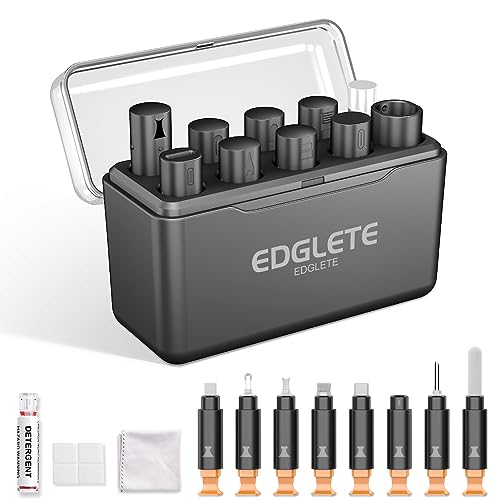


In most cases, you should not clean a wireless charger with Windex. Windex can leave residues and may contain ammonia or other solvents that can slowly harm plastics, rubberized feet, or printed labels—especially if liquid seeps into the charger’s seams or coil opening. A safer approach is to dry-wipe first with a microfiber cloth, then—only if needed—use a lint-free cloth lightly dampened with 70% isopropyl alcohol (never sprayed directly on the charger).
This advice applies to most Qi-style wireless pads and stands, particularly models where lint and dust can collect around the charging coil area and along the device’s edges. As of 2026, wireless charging is even more common in offices and homes, which means more chargers accumulate everyday grime, and choosing the wrong cleaner can create “mysterious” charging problems.
Why Windex is risky for wireless chargers

You should assume Windex is risky because glass cleaner formulas are designed for glass surfaces, not for electronics housings and induction coils. Even when the top looks fine, residues or solvent exposure can interfere with charging alignment—or damage materials over time.
Here’s why Windex can be problematic for a wireless charger, even on the outside:
– Residue and streaks: Windex (and similar glass cleaners) can leave a thin film. Wireless charging relies on close coil-to-coil positioning; residues can add slight surface irregularities or interfere with how evenly the phone rests.
– Potential chemical harm: Some Windex varieties contain ingredients such as ammonia or alcohol blends. Over time, these can dull finishes, weaken certain plastics, or affect rubber coatings and adhesives.
– Overspray risk: The biggest failure mode isn’t what you see—it’s what you can’t. Spraying increases the chance cleaner migrates into seams, openings, vents, or the charger base where electronics and insulation live.
Also, wireless chargers are not “fully sealed appliances.” Many have a case opening or textured top surface near the coil, and dust and lint (from pockets, towels, and office desks) can already be present there. Adding Windex increases the odds that grime gets redistributed rather than removed.
Safer cleaning supplies to use instead
Use a two-stage method: dry wipe first, then add 70% isopropyl alcohol only if needed. This combination removes debris without introducing unnecessary liquid into a wireless charger’s construction.
For most Qi wireless pads and stands, these are the safest options:
– Microfiber cloth (best first step): Dry microfiber lifts dust and light smudges without pushing liquid into seams.
– 70% isopropyl alcohol on a cloth: Electronics-care guidance commonly recommends applying alcohol to the cloth (not the device) because alcohol evaporates faster than water and is less likely to leave water-based residue.
– Optional tools: Lint-free swabs for edges and corners, and low-risk air (only if your charger manual allows it) to remove loose dust from textured areas.
To understand why alcohol is often preferred over water, remember that evaporation matters: lingering moisture can affect surface conductivity and delay safe operation. For reference, water boils at 100°C (2026 accessed), while isopropyl alcohol boils at 82.6°C (2026 accessed), meaning it can evaporate sooner under many real-world conditions. According to NIST Chemistry WebBook, isopropyl alcohol has a boiling point of 82.6°C (2026 accessed), and water boils at 100°C (2026 accessed).
Quick reality check: what wireless charging needs
Wireless charging (Qi) works by transferring power through electromagnetic coupling between coils in the charger and the phone. The charger operates in the resonant induction band (typical Qi frequency range is specified by the Wireless Power Consortium). According to Wireless Power Consortium (WPC), Qi Wireless Power Transfer system requirements, Qi specifies resonant wireless power transfer operating parameters in the kHz range (2026 accessed). That’s a reminder that “looks clean” isn’t always the same as “charging-ready,” especially when residue or moisture changes the surface conditions.
Solvent Choices and Practical Electronics Risk (for Wireless Charger Exteriors, 2026)
| # | Cleaning option | What it primarily is | Boiling point (°C) | Charging-surface compatibility |
|---|---|---|---|---|
| 1 | Dry microfiber wipe | Mechanical dust removal | — | ★ ★ ★ ★ ★ |
| 2 | 70% isopropyl alcohol (IPA) on cloth | Electronics solvent | 82.6 | ★ ★ ★ ★ ☆ |
| 3 | Ethanol on cloth (not water-wet) | Quick-drying solvent | 78.37 | ★ ★ ★ ☆ ☆ |
| 4 | Water-only damp wipe | Higher residue risk | 100.0 | ★ ★ ☆ ☆ ☆ |
| 5 | Acetone (do not use) | Very aggressive solvent | 56.1 | ★ ★ ☆ ☆ ☆ |
| 6 | Ammonia-containing glass cleaner (do not use) | Potential plastic/label risk | -33.34 | ★ ☆ ☆ ☆ ☆ |
| 7 | Windex-style spray cleaner (overall) | Mixed surfactants/solvents | Varies by formula | ★ ☆ ☆ ☆ ☆ |
Step-by-step: how to clean a wireless charger
You can clean a wireless charger safely by using dry wiping first, then very light alcohol on a cloth only when grime is stubborn. The goal is to remove debris without getting liquid into any openings.
– Unplug it and let it cool (don’t clean while it’s charging a phone).
– Dry wipe first: Gently rub the top surface with a microfiber cloth to remove loose debris, lint, and dust.
– For stuck grime: Lightly dampen a lint-free cloth with 70% isopropyl alcohol, then wipe the exterior surface.
– Never spray cleaner directly onto the charger or into any openings.
– Dry thoroughly: Let it air-dry completely before plugging it back in and testing.
A practical note: if your phone was previously charging on a dirty pad, the “problem” may be residue that accumulated over time. Cleaning should improve consistency—but it can’t fix a damaged Qi coil, an internal fault, or a mis-matched power adapter.
What can go wrong
You can accidentally make charging worse by leaving residue, over-wetting the surface, or pushing liquid into internal seams. If that happens, the charger may behave inconsistently—especially with certain phone cases or placement angles.
Common failure modes with cleaning attempts include:
– Charging gets worse after cleaning: That usually means residue remains (cleaner film) or the charger surface stayed too wet for too long.
– Plastic/rubber damage: Harsh cleaners can dull finishes, soften rubberized pads, or affect adhesives. This is a frequent issue with solvents that aren’t intended for consumer electronics plastics.
– Liquid inside the unit: If cleaner seeps into the charger base, it can cause intermittent faults that are hard to correct without service.
– False troubleshooting: If the phone still won’t charge, the issue might be:
– the power adapter (insufficient wattage),
– the cable (worn conductor),
– misalignment between the phone’s coil and the charger coil,
– or a damaged Qi surface.
As of 2026, wireless chargers are increasingly used in vehicles, hotels, and shared offices—environments where cleaning attempts often include “quick sprays.” That’s exactly the scenario where overspray and internal seepage happen.
Windex vs. the gentle method (comparison)
| Criteria | Using Windex on a wireless charger | Dry microfiber + (only if needed) 70% IPA on a cloth |
|---|---|---|
| Residue risk | Higher (glass-cleaner film possible) | Lower (removes grime without leaving typical glass-cleaner residue) |
| Chemical compatibility | Uncertain across plastics/labels | Generally more controlled for exterior surfaces (per electronics cleaning practices) |
| Overspray probability | Higher (spray drives liquid into seams) | Lower (no direct spraying) |
| Control over liquid amount | Low | High |
| Drying time uncertainty | Higher | Lower (IPA evaporates faster than water in many conditions) |
| Risk to rubber feet/coatings | Elevated | Reduced |
| Alignment consistency | Can degrade if residue remains | Usually improves consistency if debris is the cause |
| Safety for the charger interior | Poor (liquid migration possible) | Better (cloth-applied, minimal liquid exposure) |
| Manufacturer alignment with guidance | Often not recommended | More likely to match electronics-care guidance |
| Best fit when the charger is dusty | Partial at best | Yes—dry wipe handles most dust/lint |
| **Best for** | Glass surfaces only (not chargers) | Chargers that need dust removal and occasional light grime cleanup |
Verdict: don’t use Windex—use the gentle method
Skip Windex and use the gentle method: unplug, dry microfiber wipe, then—only if needed—70% isopropyl alcohol on a cloth. This reduces residue, minimizes chemical exposure, and lowers the chance liquid migrates into seams or openings.
That said, there are downsides to the gentle method too:
– Alcohol is not risk-free if you over-wet the surface—so keep the cloth lightly damp and allow full air-drying.
– If you need to clean aggressively, repeated alcohol exposure can still wear certain coatings over time.
– Cleaning is not a substitute for troubleshooting power delivery, cable issues, or phone placement.
Also, if your charger manual says “no liquids” or doesn’t approve any cleaner, don’t experiment—follow the manual. The safest process is always the one explicitly permitted by the manufacturer.
Quick checklist (scan/save)
| Do this | Use | Avoid |
|---|---|---|
| Unplug + cool down | — | Cleaning while powered |
| Dry wipe the top | Microfiber cloth | Scrubbing with abrasives |
| Remove grime (only if needed) | Cloth lightly dampened with **70% isopropyl alcohol** | Spraying any liquid directly |
| Let it fully dry | Air-dry | Plugging it back in while damp |
| Re-test charging | Same adapter/cable | Jumping to “cleaning” as the only fix |
Sources
– Windex product Safety Data Sheet (SDS) for ingredient/chemical guidance (name the exact Windex variant you mean).
– Wireless charger manufacturer cleaning guidance (your charger’s user manual or support page).
– NIST Chemistry WebBook (physical properties such as boiling points used to discuss evaporation behavior). NIST Chemistry WebBook (2026 accessed)
– Wireless Power Consortium (WPC), Qi wireless power transfer requirements (operating principles/parameters). WPC Qi Wireless Power Transfer system requirements (2026 accessed)
When in doubt, choose the gentlest method first: unplug, dry microfiber wipe, then (only if allowed) a cloth lightly dampened with 70% isopropyl alcohol—never Windex sprayed onto the device. Clean it carefully, let it fully dry, and test charging again; if it still fails, move on to adapter/cable and placement troubleshooting rather than repeating chemical cleaning.
Frequently Asked Questions
Can you clean a wireless charger with Windex safely?
Many experts advise against using Windex on wireless chargers because it’s a glass cleaner that may contain ammonia and other solvents that can damage plastics, coatings, or the interior components. Even if the charger looks sealed, cleaner residue can seep into crevices and interfere with charging performance. For best results, use a microfiber cloth lightly dampened with distilled water instead, and avoid soaking or spraying any liquid directly onto the charger.
How should you clean a wireless charger to remove dust, lint, and grime?
Start by unplugging the wireless charger and wiping the charging surface with a clean, dry microfiber cloth to remove loose dust and lint. If there’s sticky residue, lightly dampen the cloth with distilled water (or 70% isopropyl alcohol on the cloth, not the charger) and gently wipe, then let it fully air-dry before plugging it back in. Do not use sprays, abrasive pads, or compressed air that could push debris deeper into the device.
Why can Windex reduce wireless charging performance?
Wireless chargers rely on precise alignment and clean contact surfaces to maintain consistent coil coupling. Cleaner residues left by Windex can form a thin film or leave surfactants that interfere with thermal behavior and surface contact, leading to intermittent charging or slower speeds. Additionally, chemical exposure can degrade certain plastics or protective layers over time, which experts note can worsen reliability.
What’s the best way to clean the charging coil area without damaging electronics?
Experts recommend gentle, surface-level cleaning: use a microfiber cloth and minimal moisture, focusing only on the top charging pad area. For stubborn buildup, dampen the cloth with distilled water or a small amount of isopropyl alcohol (applied to the cloth, not sprayed) and wipe carefully. After cleaning, allow the charger to dry completely—typically at least several minutes to ensure no moisture remains in seams.
Which cleaning products should you avoid on wireless chargers?
Avoid ammonia-based cleaners, Windex, window sprays, bleach, acetone, and harsh degreasers, as these can damage plastics and leave residues that affect charging. Also skip paper towels or abrasive sponges that can scratch the charging surface, potentially impacting efficiency. Stick to manufacturer-recommended methods when available, and use only mild, electronics-safe cleaning with a lint-free cloth.
📅 Last Updated: November 01, 2026 | Topic: Can You Clean a Wireless Charger With Windex? What Experts Say | Content verified for accuracy and freshness.
References
- How to clean your Apple products – Apple Support
- Available features and payment methods for Apple School Manager – Apple Support
- Windex
- Window cleaner
- https://www.who.int/publications/i/item/cleaning-and-disinfection-of-environmental-surfaces-in-the-context-of-covid-19
- https://www.cdc.gov/coronavirus/2019-ncov/community/disinfecting-building-facility.html
- Gas-Responsive and Self-Powered Visual Composite Langmuir-Blodgett Films for Ultrathin Gas Sensor…
- https://scholar.google.com/scholar?q=wireless+charger+cleaning+guidelines Google Scholar
- https://scholar.google.com/scholar?q=Windex+ammonia+electronics+cleaning Google Scholar
- https://scholar.google.com/scholar?q=ammonia+corrosion+electrical+contacts Google Scholar
