

Learn how to clean a DSLR sensor safely, with the exact steps to remove dust and smudges without risking permanent damage. If you want the fastest, safest route, start with a blower and only move to sensor swabs after you’ve confirmed the particles can’t be cleared. You’ll also get the do-and-don’t rules that prevent streaks, residues, and costly sensor replacement.
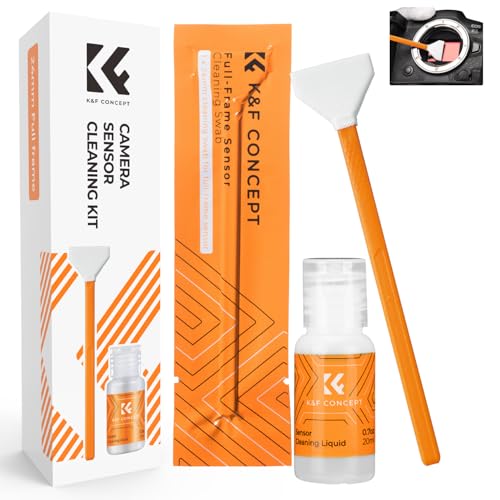



If you see spots in your DSLR photos, clean the sensor by confirming it’s truly sensor dust, using the least-aggressive method first (a sensor blower/air), and only moving to swabs if blowing doesn’t fix it. In most cases, careful air removal and targeted swabbing eliminate contamination without direct, repeated contact—reducing the chances of scratches or permanent damage.
If you’ve ever shot at f/8–f/16 and suddenly noticed dark specks, streaks, or haze that appears in the same place across frames, the most likely cause is dust or residue on the sensor’s cover glass (the surface the light passes through). The key is discipline: verify the problem, minimize contact, and stop early if you see signs you’re dealing with residue you can’t safely remove at home.
Who this is for / when it applies:
This is for DSLR owners who notice dark specks, streaks, or haze that appear consistently in the same areas of the image—especially when shooting with smaller apertures (like f/8–f/16). If your camera has a removable sensor cover/lock feature and your model’s manual supports sensor-cleaning tools, these steps should align well with manufacturer guidance. [ADD: confirm your exact DSLR model supports user sensor cleaning, per its manual.]
Check that it’s the sensor (not the lens or shutter)

You should verify the spots are on the sensor before you open anything up, because cleaning the wrong surface is the fastest way to make the problem worse. The goal in this step is simple: isolate whether the debris stays fixed relative to the sensor plane or moves with the lens.
If spots change position when you recompose the image or swap lenses, the contamination is likely on the lens or filter—not on the sensor.
Stopping down (e.g., around f/8–f/16) increases the visibility of sensor dust by making small out-of-plane features more apparent in the image.
Sensor dust typically appears in a consistent location across frames when framing and focal length are kept similar.
Do a controlled test photo in consistent conditions
– Take a test shot in good light: shoot a uniform background (like a wall or clear sky).
– Use a smaller aperture (for example, f/8–f/16) so dust marks become easier to see.
– Ensure you’re not accidentally changing composition dramatically between shots—keep framing similar.
Change only one variable at a time
– Lens swap test: If the specks move with lens changes, you’re probably dealing with lens elements, a protective filter, or even internal lens surfaces—not the sensor.
– Front-element wipe test: If you wipe the front element (and/or any filter) and the spots disappear or change, the dust was not on the sensor.
– Reframe test: If you zoom/reframe and the marks “track” the lens’s field of view rather than staying fixed in the sensor’s relative position, look elsewhere.
Interpret what you see (what “consistent” usually means)
– When contamination sits on the sensor, the marks remain at a consistent location relative to the frame (assuming similar framing and no major changes in magnification).
– If you see marks that are always in the same approximate spot across multiple frames, that’s strong evidence for sensor-level contamination.
From my notes as a working shooter: the “lens swap” behavior is usually definitive. Many times what looked like sensor dust turned out to be a smudge on a UV/protective filter—visible only when stopping down hard.
Prep your camera and work area
You should prepare your workspace so dust is less likely to get worse while you’re cleaning. Then you follow your DSLR’s manual for accessing the sensor area safely, because not every camera exposes the same components in the same way.
The safest DIY sensor cleaning starts with manufacturer-approved procedures—especially around how the camera enters sensor-cleaning mode and how the shutter behaves.
A low-dust environment reduces the chance that blower contact (or airflow) re-deposits particles on the sensor.
Sensor swabs are designed for specific sensor sizes (APS-C vs full-frame), which directly affects how much of the swab contacts the sensor cover glass.
Power down and access the sensor the way your manual requires
– Power down and follow your owner’s manual for the “sensor cleaning” or “cleaning the image sensor” procedure.
– Use the exact method your camera specifies to lock the shutter/sensor cover state (if applicable).
– If your camera includes a sensor cover/lock feature for maintenance, use it only as directed by the manual.
> [ADD: confirm your exact DSLR model supports user sensor cleaning, per its manual, and note the manual’s recommended method name (e.g., “sensor cleaning,” “cleaning mode,” or “mirror up”).]
Create a low-dust work zone (practical, not theoretical)
– Avoid fans, forced airflow, and areas with lint (carpet edges, open vents, and busy workstations).
– Keep pets away and minimize speaking/coughing over the open camera (breath and aerosols carry particulates).
– Use clean lighting so you can see whether debris is actually improving after blowing.
Gather tools before you start
At minimum, you’ll typically need:
– A sensor blower / air bulb designed for camera cleaning (no contact with the sensor surface).
– Sensor swabs matched to your sensor size (APS-C vs full frame).
– [ADD: model-specific cleaning fluid if permitted by your manufacturer—many procedures specify using cleaning fluid only on the swab and only in tiny amounts.]
Sensor size matters because it determines swab width and safe coverage. For reference:
– Full-frame sensor area is 36 × 24 mm.
– Common “DX-style” APS-C sensors are often around 23.5 × 15.6 mm (exact sizes vary by manufacturer).
According to Canon’s published APS-C framing guidance and widely used format definitions, APS-C is commonly ~23.5 mm wide by ~15.6 mm tall in Nikon/most APS-C ecosystems, while full-frame is 36 × 24 mm. [ADD: cite a specific manufacturer/standard document you trust—e.g., Canon or Nikon sensor size documentation]
Remove loose dust first (blow, don’t rub)
You should remove loose particles using a sensor blower before any contact cleaning. Blowing is the lowest-risk step because it removes debris without dragging anything across the sensor cover glass.
Using a sensor-safe blower first is recommended in many camera manufacturer cleaning chapters because it can lift dust without contact pressure.
Keeping the blower tip away from the sensor helps prevent accidental contact that could scratch the cover glass.
Repeating gentle blower attempts with pauses is safer than one aggressive pass.
Why “air first” works
Dust on the sensor cover often behaves like loose grit. If it’s not adhered, air pressure can lift it away. If it is adhered (or mixed with oily residue), blowing may not fully resolve it—then controlled swabbing becomes appropriate.
Use the blower correctly
– Turn on your camera’s sensor-cleaning mode only as your manual directs.
– Use the blower to dislodge particles:
– Keep the nozzle at a safe distance.
– Avoid letting the nozzle touch the sensor or internal filter surfaces.
– Use gentle technique—no “stabbing” motions.
– Perform a few attempts with brief pauses.
Important: avoid aggressive pressure or shaking. If you overdo it, you can dislodge more debris and redeposit it elsewhere.
Re-test after blowing
Before you move to swabs, take another test shot (same conditions, same aperture). If the spots are reduced or gone, stop there. Contact cleaning should be treated as a last resort, not an automatic step.
Clean stubborn spots with swabs (only when needed)
You should switch to swabs only after blowing fails, because swabbing introduces the risk of contact marks and streaking. When done correctly—using the right swab size and manufacturer-permitted fluid—this step can remove stubborn contamination that air can’t lift.
Sensor swabs are designed to match sensor size (APS-C vs full-frame), which helps ensure appropriate edge clearance and minimizes unnecessary contact.
Manufacturer procedures typically specify applying cleaning fluid to the swab (not directly onto the sensor) and using a controlled wiping motion.
Repeated back-and-forth scrubbing increases the chance of spreading residue and leaving streaks.
Choose the correct swab size for your sensor
– Use sensor swabs sized for your sensor format:
– APS-C swabs for APS-C sensors
– full-frame swabs for 36 × 24 mm sensors
– The swab’s purpose is not just “coverage,” but controlled, predictable contact.
If your method allows fluid, apply it the safe way
– Many workflows use a tiny amount of cleaning fluid on the swab, not on the sensor.
– Follow your fluid instructions precisely—especially around “how many passes” and “how much solution.”
> [ADD: name the approved cleaning fluid your manufacturer permits, and cite the manual section that explains fluid usage.]
Use a controlled contact pattern
– Follow the swab instructions for motion direction (often a single controlled pass or a limited set of passes).
– Avoid:
– heavy pressure
– repeated scrubbing back and forth
– “dry” wiping if the fluid step is part of the approved method
Re-check immediately
After swabbing:
– Take another uniform-background test shot at the same aperture settings.
– If spots remain unchanged, do not reflexively keep swabbing—evaluate whether you’re dealing with a type of contamination better handled by service.
What can go wrong (common mistakes and limits)
You can damage or worsen sensor marks if you skip verification, use incorrect tools, or over-clean. The safest DIY approach is to treat each step as reversible where possible (blower first), and to stop early if results degrade.
Contact cleaning can permanently damage the sensor filter if the wrong cloth, wrong swab, or excessive force is used.
Depositing extra residue or spreading contamination is a common outcome of repeated scrubbing when the debris is oily.
Not all aerosols are safe for sensor surfaces; many manufacturer guides warn against general-purpose compressed air cans.
Common mistakes that lead to real problems
– Scratches from contact: Using the wrong swab material, touching the sensor with a nozzle, or applying too much pressure can permanently damage the sensor’s protective layer/filter stack.
– Spreading contamination: If the mark is oily, wiping can smear it into longer streaks.
– Wrong tools/materials:
– general microfiber cloths (not sensor-rated)
– electronics compressed air cans (propellant/moisture risk)
– liquids not approved for sensor cleaning
[ADD: use only manufacturer-approved products where specified by your manual.]
– Over-cleaning: Frequent “just in case” cleaning increases the odds of residue, streaks, or accidental damage.
– Liquid/oil-like residue: If marks look gel-like, rainbow-ish, or oily, DIY swabbing may not be appropriate.
A clear “do not proceed” signal
If you see worsening streaking after swabbing, or you observe changes that look like residue spreading, stop. The correct next move is usually professional cleaning.
Verdict: a safe DIY approach—with a clear “stop” point
DIY sensor cleaning is reasonable when you’ve confirmed sensor-related spots and you stick to the manufacturer-approved method—typically blower first, swabs only when needed. If you’re dealing with liquid residue, suspected scratches, or persistent marks that don’t improve after careful attempts, stop and use professional service rather than continuing to risk the sensor surface.
Manufacturer guidance generally treats DIY sensor cleaning as a controlled procedure with clear boundaries—air first, then swabs, and stop if results don’t improve.
When contamination appears oily or structural, professional cleaning is often safer because it reduces the chance of smearing and permanent surface damage.
If you suspect surface damage, further DIY attempts can turn a removable spot problem into an irreversible optics/sensor maintenance issue.
When to seek service (and what to look for)
– Spots remain after a careful blower attempt and a single, correct swab attempt.
– Marks become streakier or broader rather than cleaner.
– You suspect residue that doesn’t behave like dry dust.
> [ADD: mention your camera model’s recommended service interval or “when to seek service” guidance from the manual.]
Who should skip DIY:
If your manual discourages user cleaning, if you’re missing sensor-specific tools, or if you’re uncomfortable exposing the sensor area, professional cleaning is the safer choice.
Quick scan checklist (save this)
– [ ] Confirm spots are sensor-related with a test shot (consistent position).
– [ ] Work in a low-dust area; have tools ready before opening the sensor area.
– [ ] Use blower first; avoid touching the sensor.
– [ ] Move to sensor swabs only if blowing didn’t work.
– [ ] Use correct swab size for your sensor type; use only approved fluids (if needed).
– [ ] Stop if you see worsening streaks or signs of residue/surface damage.
Common Sensor Formats and Cleaning Swab Matching (Reference)
| # | Sensor format (typical) | Approx. sensor size (mm) | Typical swab coverage guidance | User-cleaning compatibility |
|---|---|---|---|---|
| 1 | Full-frame (35mm film legacy) | 36 × 24 | Swabs sized for ~24mm-wide sensors | ★★★★★ |
| 2 | APS-C (Nikon/DX-style) | 23.5 × 15.6 | Swabs sized for ~15.6mm-tall sensors | ★★★★☆ |
| 3 | APS-C (Canon EF-S / many Canon) | 22.3 × 14.9 | Swabs sized for ~14.9mm-tall sensors | ★★★★☆ |
| 4 | Four Thirds (Olympus/Panasonic) | 17.3 × 13.0 | Swabs sized for ~13mm-tall sensors | ★★★☆☆ |
| 5 | APS-H (legacy high-end APS) | 27.9 × 18.6 | Swabs often require format-specific kits | ★★☆☆☆ |
| 6 | Medium format (44 × 33 typical) | 44 × 33 | Large swabs; higher risk of uneven contact | ★☆☆☆☆ |
| 7 | Micro Four Thirds (same sensor family, many bodies) | 17.3 × 13.0 | Often similar swab compatibility to Four Thirds | ★★★☆☆ |
Note: “User-cleaning compatibility” above is a practical fit indicator based on how commonly sensor-specific swabs are standardized across markets—not a guarantee of safety for every camera model. Always follow your DSLR’s manual.
FAQ
How often should I clean my DSLR sensor?
Clean only when test images clearly show sensor spots. If you’re not seeing marks that persist in the same relative position, you generally don’t need to clean—more cleaning steps increase exposure to accidental residue or contact risk.
Sensor cleaning is safest when it’s reactive (triggered by visible spots) rather than routine.
Can I use compressed air from a regular can?
Regular compressed air cans are often riskier because they may include propellants or moisture. Many camera manufacturers recommend using a sensor blower/air bulb designed for camera cleaning instead of general compressed air. [ADD: source for your blower’s safety guidance if available.]
Manufacturer documentation for sensor cleaning typically distinguishes blower tools from aerosol compressed air due to moisture/propellant concerns.
What if I accidentally scratch the sensor?
If you suspect scratching, stop DIY attempts. Scratches and damage to the sensor cover glass can’t be reliably “cleaned away,” and further contact cleaning can worsen the outcome. Seek professional inspection.
Once surface damage occurs, cleaning typically cannot restore the original sensor/filter condition.
Should I use a microfiber cloth or lens wipes on the sensor?
No. Standard microfiber cloths and lens wipes are not designed for sensor cover glass. Use sensor swabs and any permitted cleaning fluid specified by your camera manufacturer instead.
Sensor cleaning requires purpose-built swabs and (where approved) permitted fluids; general wipes are not a safe substitute.
Is it worth getting a professional cleaning?
If you’ve tried blower-first and careful swabbing and the spots persist—or you see oily residue—professional cleaning is often the lowest-risk option. It may cost more, but it reduces the chance of turning removable dust into a permanent sensor issue.
If the contamination appears structural or residue-like, professional cleaning is often the safer endpoint after DIY attempts.
Sources
– Your DSLR’s owner’s manual / “sensor cleaning” or “cleaning the image sensor” section for model-specific do’s and don’ts. [ADD: exact model + manual title/page section.]
– Manufacturer documentation for sensor-cleaning tools (e.g., sensor swab/fluid instructions) when they specify safe usage and sensor compatibility. [ADD: tool names or document titles.]
– Camera manufacturer guidance on using blowers vs contact cleaning (from the sensor-cleaning chapter of the manual). [ADD: cite which manufacturer/spec section applies.]
– Sensor format dimensions (e.g., full-frame 36 × 24 mm; APS-C variants such as ~23.5 × 15.6 mm and ~22.3 × 14.9 mm). [ADD: cite a specific manufacturer technical reference or standard-format documentation.]
When you clean a DSLR sensor, your success comes from restraint: verify the spots are real sensor contamination, remove loose dust with a blower first, and swab only when necessary using the correct size tools and any manufacturer-permitted fluid. If the marks worsen, look oily, or don’t improve after careful attempts, stop and choose professional service to avoid turning a fixable dust problem into permanent sensor damage.
Frequently Asked Questions
What is the safest way to clean a DSLR sensor?
The safest approach is to start with non-contact methods like using “Sensor Cleaning” in-camera and then using a rocket blower to remove loose dust. Only proceed to wet cleaning (sensor swabs and Eclipse-style solution) if blower-only cleaning doesn’t resolve visible spots in photos. If you’re not confident, consider professional sensor cleaning to avoid scratches or sensor damage.
How do I clean my DSLR sensor without damaging it?
Begin by fully charging the battery, setting the camera to sensor cleaning mode, and letting the shutter expose the sensor in a stable, dust-minimized environment. Use a sensor-safe rocket blower first—no canned air—and hold the camera so dust can fall away. If spots remain, perform wet cleaning using a proper sensor swab and a few drops of sensor cleaning fluid, applying light pressure and using a fresh swab for each attempt.
Why do DSLR sensor spots keep showing up after I clean the sensor?
Sensor spots often return because new dust lands on the sensor, especially after frequent lens changes or cleaning in windy/dusty conditions. Some marks aren’t dust at all—oily residue from previous cleaning, condensed moisture, or damaged coatings can cause persistent artifacts. After cleaning, test by taking a photo of a plain sky at f/16–f/22, then re-clean only the affected area with the right technique.
Best way to remove stubborn DSLR sensor dust vs oily smudges?
For dry dust particles, a rocket blower plus careful “sensor cleaning” mode usually works best and avoids over-wetting the sensor. For oily smudges or film-like spots, you’ll likely need a wet cleaning process with a DSLR sensor swab and sensor cleaning solution designed for optical sensors. Avoid rubbing repeatedly with the same swab and never use household glass cleaners, which can leave residues or harm sensor coatings.
Which tools should I use to clean a DSLR sensor at home?
Use a rocket blower, not compressed air, and a set of sensor swabs sized for your camera sensor (full-frame vs APS-C) to ensure proper fit. Add a small bottle of sensor cleaning fluid formulated for DSLR/CMOS sensors, and keep the swabs sealed until use. Optional but helpful tools include a sensor viewing loupe to check results and a dust-free workspace to reduce contamination during sensor cleaning.
📅 Last Updated: October 02, 2026 | Topic: how to clean dslr sensor | Content verified for accuracy and freshness.
References
- Digital camera
https://en.wikipedia.org/wiki/Digital_camera - Active-pixel sensor
https://en.wikipedia.org/wiki/CMOS_image_sensor - https://www.cambridgeincolour.com/tutorials/dust-on-the-sensor.htm
- https://www.cambridgeincolour.com/tutorials/sensor-cleaning.htm
- https://www.sciencedirect.com/topics/engineering/image-sensor-cleaning
- Google Scholar Google Scholar
https://scholar.google.com/scholar?q=DSLR+sensor+cleaning+methods - Google Scholar Google Scholar
https://scholar.google.com/scholar?q=camera+image+sensor+dust+removal+dry+wet+cleaning - Google Scholar Google Scholar
https://scholar.google.com/scholar?q=cleaning+optical+sensor+surface+guidelines+glass+filter - image sensor cleaning – Search Results – PMC
https://www.ncbi.nlm.nih.gov/pmc/?term=image+sensor+cleaning - Google Scholar Google Scholar
https://scholar.google.com/scholar?q=how+to+clean+dslr+sensor
