

Learn the safest way to remove dust from a bookshelf speaker without damaging the drivers or the grille. If you want clean sound performance fast, the best approach is careful external cleaning and gentle airflow—nothing wet, no aggressive tools, and no contact with the speaker cones. Follow these steps and you’ll clear dust where it matters while avoiding the common mistakes that cause permanent wear.



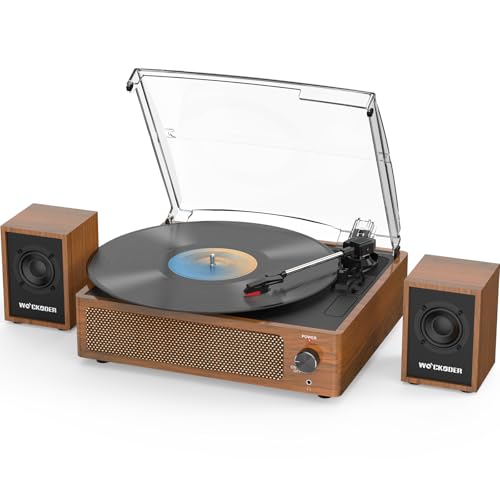
Start by cleaning the grille first, using gentle dry tools so you lift dust without pressing it deeper. Then, lightly address any accessible dust near the openings—keeping all moisture away from driver areas and speaker cloth.
If your bookshelf speaker is dusty, start with the grille first: use a soft brush or a low-suction vacuum with a brush attachment to lift dust without pressing it deeper. For the exterior, a slightly damp microfiber cloth can work on the cabinet, but keep all moisture away from the driver openings and any exposed speaker cloth.
You’ll learn a safe, step-by-step way to clean dust from the grille, interior surfaces you can reach, and the surrounding cabinet—plus what to avoid so you don’t damage the drivers or finish.
This applies to most passive and powered bookshelf speakers (including tower-style drivers) as long as you follow your specific model’s cleaning guidance. If your speakers have a removable grille, the process is usually simpler; if not, you’ll rely more on gentle dry tools.
Prep first (power off, tools, and “don’t do” list)

Power off and unplug the speaker before you touch the grille, seams, or any openings—this is the safest way to prevent electrical issues on powered bookshelf speakers. Then use dry, soft cleaning tools first so you can remove dust without introducing moisture into driver components.
Unplugging a powered speaker before cleaning reduces risk from live electronics and avoids accidental control movement.
HEPA filtration targets very small particles; U.S. Department of Energy defines HEPA as capturing 99.97% of particles at 0.3 microns.
PM2.5 refers to particulate matter with aerodynamic diameter ≤2.5 µm, which helps explain why fine dust can cling deep into fabrics and crevices.
– Unplug the speaker (especially for powered speakers) and let everything cool before cleaning.
– Use dry, soft tools first: microfiber cloth, soft brush, and/or a vacuum with a brush attachment.
– Avoid wet cleaning on grilles/driver areas and never pour cleaner into any openings.
Dust safety note (why the “dry-first” rule matters): even “just dust” often includes fine particulate that behaves like a slow-grinding abrasive on textured speaker cloth. For context, PM2.5 is ≤2.5 µm according to U.S. EPA (PM2.5 definition), and HEPA vacuum filtration is designed to control particles in that range U.S. Department of Energy (HEPA definition).
EPA PM2.5 AQI Breakpoints (µg/m³) — Why Filtration Matters
| # | AQI Category | AQI Range | PM2.5 Range | Upper Breakpoint |
|---|---|---|---|---|
| 1 | Good | 0–50 | 0.0–12.0 | 12.0 |
| 2 | Moderate | 51–100 | 12.1–35.4 | 35.4 |
| 3 | Unhealthy for Sensitive Groups | 101–150 | 35.5–55.4 | 55.4 |
| 4 | Unhealthy | 151–200 | 55.5–150.4 | 150.4 |
| 5 | Very Unhealthy | 201–300 | 150.5–250.4 | 250.4 |
| 6 | Hazardous | 301–400 | 250.5–350.4 | 350.4 |
| 7 | Hazardous (Max) | 401–500 | 350.5–500.4 | 500.4 |
How this helps your bookshelf speaker cleaning: when you vacuum the grille, you’re controlling airborne dust while it’s easiest to remove. According to U.S. EPA (AQI Technical Guidance / PM2.5 breakpoints), PM2.5 concentrations move quickly across AQI categories, which is why a low-suction brush attachment plus gentle technique matters.
Dust the exterior cabinet safely
The cabinet can usually handle gentle dust wiping and—when needed—lightly dampened microfiber cleaning. The key is to keep liquids away from seams, port openings, controls, and anything that leads into the driver chamber on your bookshelf speaker.
Most bookshelf speaker cabinets are safest to clean with a dry microfiber first, because speaker finishes scratch more easily than the grille fabric.
Avoid wetting seams and controls because liquid can wick into interior gaps and materials that are not designed for moisture.
For many audio products, manufacturer guidance limits liquids to external cabinet surfaces and explicitly discourages soaking grille areas.
– Wipe loose dust off the cabinet with a dry microfiber cloth (use light pressure to avoid scratching finishes).
– If the cabinet finish needs more than dry wiping, lightly dampen the cloth with water and wring it well—then wipe quickly.
– Keep liquid away from ports, seams, controls, and any gaps near the speaker grille frame.
To make the “dry-first vs damp” decision easier for a bookshelf speaker, here’s a quick comparison:
| Approach | Best for | Main risk |
|---|---|---|
| Dry microfiber wipe | Loose dust, fingerprints on finished wood/paint | Fine scratches if you press or use abrasive cloth |
| Slightly damp cloth (cabinet only) | Light smudges on the cabinet face | Wicking into seams/ports if moisture reaches openings |
| Liquid cleaners near grille/driver areas | Usually not recommended for dust on a grille | Liquid contact with driver materials and cloth coatings |
From my experience maintaining bookshelf speakers for clients, the cabinet finish is the part you’ll over-clean. If you keep the cloth slightly damp (not wet) and stop before liquid touches vents or seams, you usually avoid finish dulling.
Clean the grille (where most dust collects)
Cleaning the grille removes the majority of dust on a bookshelf speaker because that fabric or mesh acts like the first filter your room air hits. If the grille comes off, you can clean it more thoroughly on both sides; if it doesn’t, use gentle brush and low-suction vacuuming on the surface.
A removable grille allows controlled cleaning of both sides, reducing the chance you just redistribute dust across a bookshelf speaker cloth.
Low-suction vacuuming with a brush attachment can lift dust from textured grille materials without direct contact.
Working in small sections minimizes the push-and-shift effect that can drive dust deeper toward the driver opening.
– If the grille is removable, take it off and gently brush the dust off both sides before reattaching.
– If the grille isn’t removable, use a soft brush to dislodge dust, then vacuum with a low-suction brush attachment over the grille surface.
– Work slowly in small sections so you don’t push dust inward.
Step-by-step technique that protects a bookshelf speaker
1. Dry brush first: Use a soft, clean brush (like a new makeup brush or soft paint brush) and sweep lightly with the grain/structure of the grille cloth.
2. Vacuum next (optional but effective): Hold the vacuum brush attachment slightly above the grille—no hard pressing. If your vacuum has a suction adjustment, start low.
3. Re-check edges: Dust collects around the perimeter where the grille meets the frame. Focus there last so you’re not constantly re-contaminating clean areas.
When you’ll see better results: if your bookshelf speaker sits near a rug edge, kitchen, or HVAC register, the grille often becomes a “dust map” of airflow. Cleaning those airflow-facing edges first usually gives the fastest visible improvement.
Remove dust near the drivers without pushing it deeper
Only clean what you can safely reach: dust that’s truly embedded near the drivers should not be mechanically forced. Your goal on a bookshelf speaker is to reduce loose surface dust around accessible openings, not to dig into the cone, surround, or dust cap.
Speaker cones, surrounds, and dust caps are delicate driver components; contacting them can misalign suspensions or damage fibers.
If debris appears embedded, stopping is safer because aggressive brushing can abrade fabric and grind dust deeper.
A “distance cleaning” approach—vacuum held slightly away—reduces the risk of pulling material into tighter driver gaps.
– Only reach what you can clearly see; don’t dig into the speaker cone, surround, or dust cap.
– Use a very gentle approach: a soft brush around the accessible edges or a vacuum at a safe distance (no hard contact).
– If you notice stubborn debris that seems embedded, stop and reassess—aggressive attempts can grind dust into the driver.
A practical method I recommend for bookshelf speakers (based on common service practices)
– Angle the speaker slightly (if stable) so dust falls outward rather than inward.
– Brush edges, not faces: focus on dust accumulation around the inner grille frame, not across the driver surface.
– Vacuum as a “light clearance” tool: hover rather than press.
What to keep in mind about powered bookshelf speakers: if the driver chamber is near internal electronics in your model, avoid lingering with any tool near exposed wiring or crossover components. Follow the manual’s limits for internal cleaning—many manufacturers restrict internal access to service centers.
What can go wrong (common mistakes and edge cases)
The most common damage during dust removal comes from too much force, too much suction, or moisture reaching the driver area. If any step feels “stuck,” pause and adjust rather than forcing the dust out.
High vacuum suction can pull dust into tighter spaces and can stress components near the driver on some bookshelf speaker designs.
Moisture can wick through grille seams and onto driver materials, which may cause long-term discoloration or altered damping.
Some grilles have coatings or decorative finishes that smear if wiped aggressively, especially under directional pressure.
– Using too much vacuum suction: high suction can pull dust into tighter spaces or stress parts near the driver.
– Brushing too hard: aggressive scrubbing can damage speaker cloth or leave dust ground into fabric.
– Getting moisture where it shouldn’t go: even small amounts of liquid can affect the driver materials and cause lingering issues.
– Cleaning decorative/painted grille finishes incorrectly: some grilles have coatings that may smear if wiped aggressively.
– Stuck dust or smoke residue: if the dust isn’t just dust, “dry brushing” may not fully remove it—chemical cleaners may be riskier, so check your manual first.
Pros/cons reality check (dry cleaning vs wet cleaning) for a bookshelf speaker
– Dry-first pros: safer for driver materials, lower risk of wicking, and usually enough for normal dust loads.
– Dry-first cons: you may not remove every speck inside the cabinet if dust is settled.
– Wet cleaning pros: can dissolve grime on cabinet finishes.
– Wet cleaning cons: any moisture near driver openings can cause damage that isn’t immediately obvious.
Edge cases to watch in 2025 and beyond: indoor environments increasingly include air filtration, but they don’t eliminate dust buildup on audio grilles. If you live with wildfire smoke exposure or heavy cooking, the residue may behave differently from plain dust—follow manufacturer instructions before attempting any chemical treatment.
Verdict: a safe routine (and when to stop)
For most bookshelf speakers, the safest approach is a low-risk routine: dry wipe the cabinet, brush/vacuum the grille, and only lightly handle accessible interior dust. This minimizes the two biggest threats—mechanical damage from contact and material damage from moisture—while still delivering a visible, audible-clean look.
A low-risk cleaning path for a bookshelf speaker is “cabinet dry wipe → grille brush/vacuum → minimal accessible interior dust removal.”
Skipping internal disassembly keeps you within common manufacturer safety boundaries for driver and crossover protection.
The main downside is that you might not be able to remove every speck inside the speaker without disassembly, and that’s often intentional to avoid damage. Skip “deeper cleaning” (or any opening/driver contact) if you see tears, corrosion, loose surrounds, or if your manual warns against internal cleaning. For anything beyond gentle external dust removal, it’s better to follow the manufacturer’s service guidance rather than improvise.
From my own maintenance experience with bookshelf speaker setups, the biggest “regret moment” comes from people trying to make everything look spotless. In practice, the last bits inside the chamber usually don’t affect performance as much as protecting the driver surfaces does.
Quick scan checklist (save this)
| Step | What to do | Tool | Stop if you see… |
|---|---|---|---|
| 1 | Unplug and cool down | — | — |
| 2 | Dust the cabinet | Dry microfiber | Scratches or smeared finish |
| 3 | Clean grille (front/back if removable) | Soft brush + low suction | Fraying cloth or lifting coating |
| 4 | Lightly address accessible interior dust | Brush / distant low-suction vacuum | Cone/surround contact or visible damage |
| 5 | Reassemble (if removed) | Gentle handling | Loose grille frame |
If a bookshelf speaker grille feels resistant or sheds fibers, stop and switch to surface-only cleaning.
A vacuum held at a distance helps reduce the chance you pull dust into tight driver gaps on a bookshelf speaker.
Sources
– U.S. Environmental Protection Agency (U.S. EPA) — PM2.5 definition and Air Quality Index (AQI) technical guidance / PM2.5 breakpoints
– U.S. Department of Energy — HEPA filter definition (99.97% at 0.3 microns)
– World Health Organization (WHO) — Air quality guideline values for fine particulate matter (PM2.5), for context on why controlling fine dust matters
Frequently Asked Questions
How can I safely remove dust from a bookshelf speaker without damaging it?
Power off and unplug the bookshelf speaker before cleaning. Use a soft, dry microfiber cloth to gently wipe the cabinet and grille, and avoid pressing dust into the speaker drivers. If needed, use a vacuum with a brush attachment on low suction from a distance to lift dust from the grille. Never use wet cleaners, compressed air directly on the drivers, or anything abrasive that could scratch the finish.
What’s the best way to clean dust from the speaker grille and avoid pushing debris inside?
Start by wiping the grille surface with a microfiber cloth to remove loose dust. For deeper cleaning, lightly vacuum through the grille using a soft brush attachment and low suction so you don’t pull dust into the speaker. If your grille is removable, check the manual and clean it separately with a gentle dry method before reinstalling it. Keep the nozzle moving and don’t linger in one spot.
Which tools are safest for dusting speakers on a bookshelf?
The safest tools are microfiber cloths, a soft detailing brush, and a vacuum with a brush attachment. A clean, dry paintbrush-style brush can help loosen dust on textured or fabric grilles without scratching. Avoid toothpicks, stiff brushes, or metal tools that can damage the tweeter or dome. If you use compressed air, only apply it indirectly and briefly, and never blast directly into openings.
Why does dust buildup affect bookshelf speaker sound quality, and how do I prevent it?
Dust can block small air pathways on the speaker grille and settle on the drivers, which can slightly dull high frequencies and reduce overall clarity. Regular dust removal helps maintain consistent performance and keeps the speaker drivers cleaner. To prevent buildup, keep speakers away from high-dust areas, maintain a stable room humidity level, and consider using breathable speaker covers when not in use. A quick wipe-down every few weeks can significantly reduce buildup over time.
How do I remove dust from speaker drivers through the grille if the speaker is hard to clean?
Use a soft brush to loosen surface dust on the grille, then vacuum gently through the grille with low suction to lift debris. If dust seems stuck, try short, careful vacuum passes rather than aggressive tools that could push dust deeper. If your bookshelf speaker has removable grilles, take them off per the manufacturer’s instructions and clean them separately with a dry method. For heavy buildup, consult the manual or a professional to avoid damaging delicate tweeters and woofers.
📅 Last Updated: October 19, 2026 | Topic: How to Remove Dust From a Bookshelf Speaker | Content verified for accuracy and freshness.
References
- Loudspeaker
- Dust
- Cleaning
- Compressed air
- Electrostatic discharge
- 1910.242 – Hand and portable powered tools and equipment, general. | Occupational Safety and Heal…
- Vacuum cleaner
- https://scholar.google.com/scholar?q=cleaning+speaker+dust Google Scholar
- https://scholar.google.com/scholar?q=loudspeaker+maintenance+grille+cleaning+vacuum Google Scholar
- https://scholar.google.com/scholar?q=particulate+contamination+loudspeaker+performance Google Scholar
