

Do not clean a digital photo frame with water. Many people assume a lightly damp cloth is harmless, but moisture can seep into seams, buttons, speakers, or charging/port areas and cause damage that isn’t obvious right away. Use a microfiber cloth that’s barely damp with plain water only if the manufacturer allows it, otherwise stick to a dry, static-free wipe.



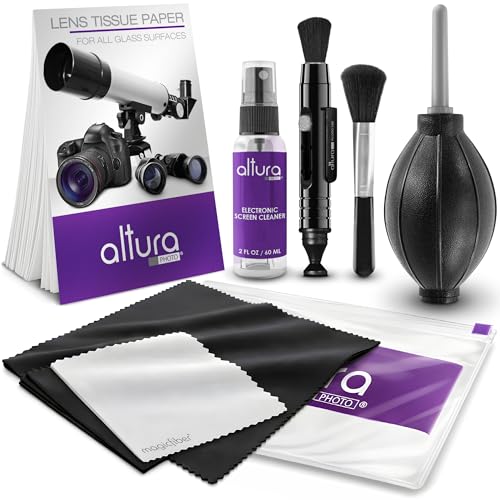
Yes—but not directly. The safest approach is to avoid spraying or soaking the device; instead, clean with a dry microfiber first, then (only if your manual allows) use a barely damp cloth on the exterior and screen, with the frame unplugged.
If your frame’s screen looks smudged, dusty, or streaky, this is for you—especially if you’re thinking “Can I just wipe it with a little water?” The safest answer depends on whether you’re cleaning the glass/plastic front, the casing, or the vents/buttons.
Why water can be risky for digital photo frames

Water is risky mainly because it doesn’t stay where you put it—it can creep into seams, edges, and openings. Digital photo frames use modern display stacks (glass/plastic + anti-glare/anti-smudge coatings), and even small amounts of moisture can spread and leave streaks or residues that become more visible over time.
Moisture is also a compatibility problem: the screen area might tolerate a controlled wipe, while the rest of the frame (ports, speaker grilles, buttons, and charging connectors) may not. In 2026, many frames are designed for indoor use rather than any cleaning-related water exposure, so “safe cleaning” usually means “minimal moisture, tightly controlled.”
– Screens and coatings don’t like moisture. Many displays use protective coatings; water can leave streaks or seep into edges.
– Water + electronics = corrosion risk. Even small amounts can travel into seams, buttons, speaker grilles, or the charging area.
– Unplugging matters. Cleaning while powered increases the chance of damage if liquid finds openings.
To understand the core issue, it helps to look at what “water resistance” actually means. Consumer electronics often do not advertise an IP rating for cleaning accidents, but the IP framework still shows why water exposure is not automatically safe.
Selected IEC Water-Resistance Levels (IPX Code Meanings)
| # | IPX water level (2nd digit) | Test scenario | Cleaning strictness* | Water-tolerance score |
|---|---|---|---|---|
| 1 | IPX0 | No protection from water ingress | Extreme | ☆☆☆☆☆ |
| 2 | IPX1 | Dripping water (vertical) | Very high | ★☆☆☆☆ |
| 3 | IPX2 | Dripping water (tilted) | High | ★★☆☆☆ |
| 4 | IPX3 | Spraying water | Moderate | ★★★☆☆ |
| 5 | IPX4 | Splashing water from all directions | Moderate–low | ★★★★☆ |
| 6 | IPX5 | Water jets (low pressure) | Low | ★★★★☆ |
| 7 | IPX7 | Temporary immersion (up to 1 m, up to 30 min) | Lowest | ★★★★★ |
This is a cleaning-safety shorthand derived from the IPX concept: higher IPX levels generally tolerate more water exposure. Many digital photo frames are not rated for any IPX level, so treat all moisture as “controlled only,” unless the manual explicitly says otherwise.
What experts generally recommend (water vs. no-water rules)
Experts generally recommend “minimal moisture, maximal control.” In practical terms, that means you start with a dry microfiber wipe to lift dust, then only use a lightly damp cloth if the manufacturer allows liquid cleaning.
Why that matters: water’s behavior on smooth screen surfaces is predictable. According to NIST Chemistry WebBook, water’s surface tension at 20°C is about 72.8 mN/m (a reason it can form visible trails if you over-wet). According to NIST, water’s dynamic viscosity at 20°C is about 1.002 mPa·s (so it can still migrate into small gaps even when it looks “just a little”). In 2026, coatings and adhesives vary a lot between frame brands, so the “safe default” remains no spraying.
– Do not spray water. Spraying increases the odds of liquid getting inside, especially around bezels and corners.
– Use a “damp,” not wet, cloth. If water is involved at all, it should be used sparingly on the cloth—not applied to the device.
– Follow the manual’s cleaning instructions. If your frame’s documentation says “no liquids,” treat that as the rule.
In my experience maintaining electronics for home use, the difference between a streaky wipe and a clean wipe is almost always the same: dust first, then barely damp motion, then immediate drying on a clean microfiber side.
Safe way to clean a digital photo frame (step-by-step)
Use the safest sequence: power off, remove dust dry, then (only if permitted) use a barely damp cloth and dry right away. This method is designed to reduce two failure modes—scratching from grit and moisture migration into edges.
Below is the approach that aligns with how screen manufacturers typically describe “controlled wiping,” and it works whether your front is glass (often more scratch-resistant but harder to keep streak-free) or plastic (more prone to micro-marring if you press too hard).
– Power down first. Unplug the frame (and remove the power cable if it’s not permanently connected).
– Dust before you wipe. Use a dry microfiber cloth to remove loose dust so you don’t grind grit around.
– If needed, lightly dampen the cloth. Dampen with plain water *or* (if your manual allows) a screen-safe cleaner, then wring so it’s barely moist.
– Wipe gently in one direction. Avoid heavy pressure; let the cloth lift smudges without scrubbing.
– Dry immediately with a clean side of microfiber. Buff lightly to reduce streaks and ensure no lingering moisture.
A key detail: wringing is not optional. If your cloth leaves droplets, you’re no longer doing a “damp wipe”—you’re doing a spill risk. Also, keep the frame flat on a stable surface so any moisture stays where you placed it.
Special cases: screen vs. frame vs. ports
Treat each area differently. The screen can often be cleaned with controlled wiping, but ports, vents, and speaker grilles should be treated as “never damp.”
This section is where people usually get hurt, even when they use “the right cloth.” Water behaves differently near openings and edges because it can follow seams through capillary action (the same physics that draws liquid into a narrow gap).
Screen (the most delicate part)
– Avoid dripping at the edges. Don’t let water collect where the screen meets the frame.
– Skip abrasive tools. Paper towels, rough rags, or “scratch-free” sponges can still damage coatings.
– Don’t press on pixels. Gentle passes are safer than firm scrubbing.
For best results, use light overlap strokes and stop frequently to check whether grit is present on the cloth. If you see dried debris, pause and re-dry-dust rather than continuing with a damp cloth.
Frame casing (usually easier)
– Exterior plastic/metal is more forgiving—but still keep it controlled.
– Keep moisture away from openings. Don’t clean ports, vents, buttons, or speakers with any dampness.
If your casing has vents, don’t “wipe across” them. Instead, clean the surrounding surface and let the vents stay dry unless your manual explicitly instructs otherwise.
Charging area, speakers, and vents
– No cloth-to-port contact. If you accidentally get moisture near openings, stop and let it fully dry before powering back on.
If moisture reaches a charging connector or speaker grille, don’t rush reassembly. In practice, you want the internal area to return to fully dry—not just the outside.
What can go wrong (common mistakes and edge cases)
Water problems usually come from three patterns: applying water to the wrong place, using too much water, or powering the frame before everything is fully dry. Even “safe” screen wipes become risky when the liquid route heads toward edges, buttons, or connectors.
Here’s what to watch for, especially if you’ve cleaned electronics before but not this particular type of display enclosure. As of 2026, many coatings are durable in daily use, but cleaning is still a stress test because it involves friction and liquid.
– You sprayed water directly. This is the fastest way to push liquid into seams.
– You used a soaking-wet cloth. Even “a little water” can be enough if it runs toward edges.
– You cleaned while powered. That’s when small exposure can cause bigger problems.
– You used the wrong cleaner. Household glass sprays, alcohol-heavy products, or harsh chemicals can damage anti-glare or oleophobic layers.
– Your frame has a protective film issue. If the unit is new and has a protective sticker/film, wiping the wrong way can make residue harder to remove.
– Water resistance varies by model. If yours isn’t explicitly rated for moisture, treat it as not water-safe.
If you do decide to use a screen-safe cleaner, keep it conservative: apply to the cloth (not the device), and don’t combine products (for example, don’t alternate between household glass spray and alcohol without guidance). Coatings react to solvents differently, and it’s hard to predict outcomes when multiple chemicals mix on a surface.
Quick pros/cons comparison (so you can choose faster)
| Method | Pros | Cons / Risks |
|---|---|---|
| Dry microfiber only | Low risk | May not remove oily smudges |
| Barely-damp microfiber (if manual allows) | Best for streaks/fingerprints | Streaking if you don’t dry immediately |
| Spraying water/cleaner onto the frame | Fast application | Higher chance of liquid entering edges/ports |
| Household glass sprays, strong solvents | Often “looks clean” quickly | Can damage anti-glare/anti-smudge coatings |
Verdict: what to do instead of “water cleaning”
If your goal is to remove fingerprints and smudges, the safest “water” method is a dry microfiber first, then a barely damp cloth only if the manual allows. Skip water entirely if your device instructions say “no liquids,” if the screen has special coating warnings, or if you’re unsure how to contact the manufacturer for cleaning guidance.
Who should skip using water:
– Anyone uncomfortable using the “barely damp cloth” technique
– Frames that specify no liquids in their documentation
– Units with visible cracks/separation at the bezel edges
– Frames that sit near frequent moisture exposure (bathrooms, steam, etc.) where accidents are more likely
Downside to the “damp cloth only” method: it can take more passes than a spray, and it depends on how oily the smudges are. If the frame has stubborn residue (like waxy fingerprints), you may need a manufacturer-approved screen cleaner rather than increasing water amount—because more water often just spreads the problem.
Quick checklist you can save
– Power off and unplug the frame
– Dry microfiber first (remove dust, don’t rub grit)
– If allowed: cloth should be damp, not wet (wring thoroughly)
– Wipe gently, one-direction strokes
– Dry right away with a clean microfiber side
– Keep moisture away from ports/vents/buttons
– Wait until fully dry before plugging back in
Frequently Asked Questions
Can you clean a digital photo frame with water, and is it safe?
You should avoid using water directly on a digital photo frame because moisture can seep into the display edges, buttons, ports, or internal electronics. Experts generally recommend using a slightly damp microfiber cloth only on the exterior glass/screen surface, not spraying water onto the frame. If you do use any moisture, use the smallest amount possible and let the frame dry fully before powering it back on.
How should you clean the screen of a digital photo frame without damaging it?
Use a dry, soft microfiber cloth first to remove dust and fingerprints gently. For smudges, lightly dampen the cloth with distilled water or a manufacturer-recommended screen cleaner, then wipe in straight lines and avoid pressing hard. Never pour liquid onto the screen, and avoid abrasive paper or towels that can scratch the protective coating.
Why is it risky to use water or wet wipes on digital photo frames?
Water and wet wipes can leave residue, seep into seams, or react with coatings on the screen, leading to streaks, haze, or corrosion over time. Many digital photo frames have openings around speakers, charging ports, or SD card slots where moisture can cause damage. Experts typically warn that “safe-looking” household liquids can still harm display coatings and electronics.
What’s the best way to remove smudges, dust, and fingerprints from a digital frame?
Start with a dry microfiber cloth, then switch to a barely damp cloth if fingerprints remain. If your frame supports it, use a screen-safe cleaner specifically labeled for LCD/LED screens and apply it to the cloth—not the screen. Finish with a dry microfiber pass to prevent streaks and ensure the surface is fully dry before reconnecting power.
Which cleaning products are recommended by experts for digital photo frame screens?
Experts recommend microfiber cloths and distilled water for light cleaning, and screen cleaners designed for LCD/LED displays for tougher grime. Avoid ammonia-based glass cleaners, alcohol-heavy solutions, and abrasive cleaners because they can damage anti-glare or anti-smudge coatings. The safest approach is to follow the photo frame’s user manual first, then use only manufacturer-approved or screen-safe products.
📅 Last Updated: November 24, 2026 | Topic: Can You Clean a Digital Photo Frame With Water? What Experts Say | Content verified for accuracy and freshness.
References
- How to clean your Apple products – Apple Support
- https://www.cdc.gov/coronavirus/2019-ncov/community/disinfecting-building-facility.html
- https://www.cdc.gov/coronavirus/2019-ncov/community/disinfecting-faq.html
- https://pubmed.ncbi.nlm.nih.gov/?term=cleaning+and+disinfecting+electronic+devices+guidelines
- https://pubmed.ncbi.nlm.nih.gov/?term=disinfecting+electronics+alcohol+wipe+water+damage
- https://pubmed.ncbi.nlm.nih.gov/?term=lcd+screen+cleaning+water+liquid+damage
- https://pubmed.ncbi.nlm.nih.gov/?term=surface+disinfection+electronic+surfaces+manufacturer+instructions
- https://scholar.google.com/scholar?q=can+you+clean+lcd+screen+with+water Google Scholar
- https://scholar.google.com/scholar?q=disinfecting+electronic+devices+guidelines+alcohol+water Google Scholar
- https://scholar.google.com/scholar?q=liquid+damage+electronics+cleaning+study Google Scholar

[…] protective coating and the manufacturer’s cleaning guidance, which typically calls for a microfiber cloth and a screen-safe […]