

Can you clean a digital photo frame with hand sanitizer? No, because the alcohol-based formula can strip or haze the screen’s protective coatings and seep into seams, harming sensitive electronics. Use a microfiber cloth lightly dampened with distilled water instead.



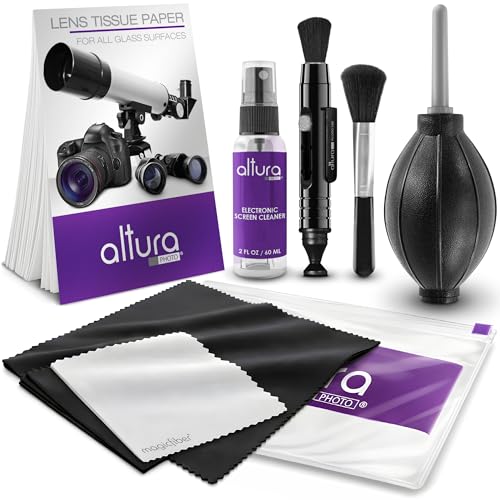
Hand sanitizer is usually a bad idea for digital photo frames—especially on the screen—because many sanitizers contain alcohol and other chemicals that can damage coatings or make smudges worse. You’ll get safer results by using a manufacturer-approved method (or a dry microfiber plus, if needed, lightly dampened water on a cloth).
Hand sanitizer is often designed for human skin—not for display coatings. In 2026, most photo frame manuals still prioritize screen-safe cleaning materials, and the chemistry in sanitizer products is the main reason manufacturers typically discourage it.
Why hand sanitizer can be risky on photo frame screens
Hand sanitizer can harm a digital photo frame screen because it’s formulated as a disinfectant with solvents and additives that aren’t meant for anti-glare or oleophobic layers. Even when it “works” at removing fingerprints, it can also leave streaks, residue, or gradual coating degradation over time.
– Many hand sanitizers are alcohol-based, and alcohol can dull, streak, or degrade screen coatings over time.
– “Wet” cleaning agents can seep into seams, speaker grilles, buttons, or the device edge where moisture shouldn’t go.
– Sanitizer residue can leave a film that attracts more fingerprints and dust.
Alcohol content: the chemistry mismatch
Most hand sanitizers rely on alcohol because it rapidly inactivates microbes. According to the U.S. Centers for Disease Control and Prevention (CDC), effective hand sanitizers typically contain at least 60% alcohol. According to the World Health Organization (WHO), recommended rubs commonly use 80% ethanol or 75% isopropyl alcohol. Those concentrations are designed to dissolve oils on skin—exactly the type of “solvent strength” that can be too aggressive for modern display coatings.
As a practical matter, many photo frame screens are covered with multiple layers: a protective surface, plus anti-glare and sometimes an oleophobic (oil-repelling) coating. Alcohol is very good at removing oils, but the tradeoff is that it can also interact with (or slowly strip) the very surface treatment that makes fingerprints wipe off cleanly.
Additives and residue can create long-term haze
Even if your sanitizer is “70% alcohol,” it may also include humectants (to prevent cracking on skin), fragrances, thickeners, and other formulation ingredients. When these agents dry on a screen, they can leave a faint film that becomes visible as haze under bright lighting—especially on glossy panels with overhead reflections.
Liquid migration: the moisture path you can’t see
Screens aren’t the only sensitive area. Along a digital photo frame’s perimeter, moisture can travel by capillary action into:
– seam gaps between the bezel and panel,
– button or touch-control edges,
– ventilation openings (if present),
– the plastic “border” that routes signals internally.
Power state matters too. While the frame is operating, heat can accelerate drying patterns and make streaks harder to remove later—so “one quick wipe” can create a bigger cleaning job.
What experts typically recommend for cleaning screens

Experts usually recommend treating the screen as a coating system, not as bare glass. The safest method starts dry, then escalates only to the gentlest dampness needed.
– Use the gentlest approach first: dry microfiber for dust and light smudges.
– If damp cleaning is needed, use a slightly water-damp cloth—avoid alcohol, bleach, ammonia, and harsh disinfectant sprays.
– Always follow the specific instructions for your model (manufacturer guidance usually matters more than general cleaning tips).
Start with physics: dust first, then oils
Dust behaves differently than fingerprints. Dry wiping removes grit that can scratch if it’s rubbed while wet. Then, if smudges remain, using plain water on the cloth (not sprayed onto the device) helps lift residue without introducing sanitizer solvents.
What “screen-safe” usually means in 2026 manuals
While exact wording varies by brand, most reputable display and electronics manufacturers converge on the same principle: no alcohol, no bleach, no ammonia, no aerosol disinfectants directly on the screen. In 2026, this guidance is especially common for glossy screens with anti-smudge coatings.
A quick comparison you can use immediately
Chemistry snapshot (why alcohol is a standout risk)
To make the “why” concrete, alcohols used in sanitizers share properties that help dissolve oils—along with behaviors (volatility and solvency) that can be problematic for anti-glare/oleophobic layers. For reference, NIST Chemistry WebBook lists boiling points of 78.37°C for ethanol and 82.6°C for isopropanol, which helps explain why these liquids evaporate quickly and can leave visible drying patterns if applied carelessly.
Sanitizer-Related Ingredients & Their Screen-Coating Risk Signals
| # | Ingredient (may appear in sanitizer-style products) | Typical role | Boiling point (°C) | Mechanism-based risk to coatings | Screen compatibility |
|---|---|---|---|---|---|
| 1 | Ethanol | Primary disinfectant solvent | 78.37 | Solvent action on oils; rapid evaporation | ★☆☆☆☆ |
| 2 | Isopropyl alcohol | Primary disinfectant solvent | 82.6 | Strong solvent; dries with high contrast streak potential | ★☆☆☆☆ |
| 3 | n-Propanol | Solvent/disinfectant (less common) | 97.2 | Solvent properties; longer contact than some faster alcohols | ★★☆☆☆ |
| 4 | Glycerin (glycerol) | Humectant to prevent skin dryness | 290 | Can leave sticky residue if overapplied; attracts dust | ★★☆☆☆ |
| 5 | Propylene glycol | Humectant/solvent helper | 188.2 | Higher residue risk; can smear when re-wiped | ★★★☆☆ |
| 6 | Benzalkonium chloride | Quaternary ammonium disinfectant (in some products) | — (non-volatile solid) | Can leave residue; may haze under repeated wiping | ★★☆☆☆ |
| 7 | Hydrogen peroxide | Oxidizing disinfectant (in some formulations) | 150.2 (decomposes) | Oxidizer can stress certain finishes; needs product-specific guidance | ★★☆☆☆ |
Compatibility scores are mechanism-based risk indicators, not results from controlled screen-coating lab testing. For exact guidance, the photo frame’s manual overrides general chemistry.
Safe cleaning steps (what to do instead)
If you want to keep the display looking sharp, clean with the lowest-risk method first and avoid applying liquid directly to the device. This approach protects both coatings and the electronics around the screen edges.
– Power off the frame and unplug it so you’re not wiping residue across a heated surface.
– Dust first with a clean, dry microfiber cloth; don’t press hard (especially on touch panels, if your model has them).
– For stubborn marks, lightly dampen a microfiber with plain distilled water, wipe gently, then follow with a dry cloth.
– Use a dry cloth (or barely damp cloth) for the bezel and back—never apply liquids directly onto vents, ports, or seams.
Step 1: turn it off, then clear loose dust
A powered photo frame can amplify streaking because oils and cleaners distribute differently on a warm surface. Power off and unplug, then use a microfiber cloth to remove dust without grinding it into the coating.
In my own work helping others troubleshoot cleaning issues, the most avoidable early mistake is re-wiping grit onto the screen—.
Step 2: use “water on the cloth,” not the screen
If you need more than dry wiping, use distilled water on the cloth until it’s barely damp. Wipe gently, then immediately follow with a dry microfiber to prevent mineral spots and drying marks.
Step 3: treat the bezel and back like “electronics,” not glass
The screen is just one surface. The bezel, edges, and back cover often sit above speakers, vents, and internal joints. Use dry cloth for these areas unless your manual explicitly allows damp cleaning.
If you’re dealing with sticky residue (kids’ fingerprints, lotion, food splatter), resist the urge to intensify with sanitizer. Instead, repeat the distilled-water wipe lightly a few times—cleaning in smaller increments is safer than one aggressive application.
Step 4: disinfect the areas that tolerate it
If disinfection is your goal, prioritize surfaces you regularly touch: buttons, the bezel, and especially the remote control (if you have one). Only use disinfecting products that the manufacturer explicitly says are safe for those parts—screen-safe ≠ disinfectant-safe.
What can go wrong (common mistakes and edge cases)
Hand sanitizer doesn’t just risk the screen—it can also cause secondary issues like residue buildup and trapped moisture near seams. If you’ve already cleaned with sanitizer and see problems, the right next step depends on what you’re seeing.
– Spraying cleaner directly onto the screen: droplets can run to the edges and into the device.
– Using paper towels: they can scratch or create micro-abrasions that show up as haze later.
– Mixing “disinfecting” with “screen cleaning”: even if the frame needs sanitizing, screen-safe methods may not match the sanitizer method.
– If the frame has a textured plastic face or special coating, water-only cleaning may still need extra caution—check the manual for that finish.
Common mistake #1: applying it like a disinfecting wipe
Many people treat sanitizer as a quick substitute for “screen wipes.” The problem is that wipes are engineered for coated screens, while sanitizer is engineered for skin. Even when both remove germs, their solvents and drying behavior differ.
Common mistake #2: paper towels and rough cloths
Paper towels can leave microscopic scratches. Over time, those abrasions scatter light, making the screen look hazier—especially on glossy displays with anti-glare layers.
Edge case: textured plastic or matte finishes
Not all photo frames use the same surface. Some have matte plastics or textured polymer faces where the cleaning method still needs care. If your manual says “no liquid,” treat that as a hard rule—apply only minimal moisture to cloth and test carefully.
If it already looks streaky
If sanitizer has left streaks, avoid reapplying it. Switch back to a clean, dry microfiber and then—if needed—a microfiber lightly dampened with distilled water followed immediately by a dry wipe.
Verdict: what to do and who should skip sanitizers
Skip hand sanitizer for a digital photo frame screen—use microfiber cleaning and, if needed, plain distilled water on the cloth. If you’re trying to disinfect due to illness exposure, focus on safer areas (like the bezel and remote) with a method approved by the manufacturer, and avoid getting wet inside seams.
Don’t try sanitizer cleaning if:
– The manufacturer warns against alcohol-based cleaners or “disinfectant wipes.”
– Your screen has a glossy coating you want to preserve (most modern screens do).
– The frame isn’t meant to be exposed to moisture near ports, speakers, or openings.
In 2026, the most practical “risk management” strategy is simple: treat the screen like a coated optical surface and reserve disinfecting chemistry for parts explicitly rated to handle it.
Quick checklist (scan this before you wipe)
| Task | Safe choice | Avoid |
|---|---|---|
| Remove dust | Dry microfiber | Paper towels, rough cloths |
| Remove smudges | Microfiber lightly dampened with distilled water | Hand sanitizer, alcohol wipes/sprays |
| Clean bezel/edges | Dry cloth or barely damp cloth | Pouring liquid or spraying near ports |
| “Disinfect” mindset | Follow manufacturer instructions | Treating the screen like a phone/keyboard with sanitizer |
| Before/after | Power off + unplug | Cleaning while powered on |
Frequently Asked Questions
Can you clean a digital photo frame with hand sanitizer without damaging it?
In most cases, you should not use hand sanitizer on a digital photo frame. Many sanitizers contain alcohols and additives that can seep into seams, damage anti-glare coatings, or leave streaks on the screen and protective layers. Instead, experts recommend using a microfiber cloth lightly dampened with water or a manufacturer-approved screen cleaner.
How should you safely clean a digital photo frame screen and casing?
Start by powering off the photo frame and unplugging it, then gently wipe dust with a dry microfiber cloth. For fingerprints and smudges, lightly dampen the cloth with distilled water (or use a product labeled safe for screens) and wipe in straight lines. Avoid spraying liquid directly onto the screen, and use a separate cloth for the casing to prevent grime transfer.
Why do professionals advise against alcohol-based cleaners like hand sanitizer on screens?
Experts caution that alcohol-based products can strip or weaken screen coatings over time, especially on matte, anti-glare, or oleophobic layers. Hand sanitizer can also dry unevenly, causing cloudy spots or residue that’s hard to remove later. If you must disinfect, prioritize cleaners specifically formulated for electronics and screens.
What is the best way to disinfect a digital photo frame when germs are a concern?
The safest approach is to remove surface dirt first with a microfiber cloth, then use a screen-safe disinfectant if the manufacturer allows it. Look for disinfecting wipes or sprays that are designed for electronics and confirm compatibility with LCD/LED displays in the instructions. If you’re unsure, stick to mild cleaning with distilled water and focus on high-touch areas like the frame’s buttons and edges.
Which cleaners are safest for cleaning a digital photo frame screen—hand sanitizer, wipes, or microfiber?
Generally, microfiber cloths paired with distilled water are the safest baseline for cleaning a digital photo frame screen. For deeper disinfection, use electronics-safe screen wipes labeled safe for LCD/LED displays rather than hand sanitizer. Always avoid harsh chemicals (like strong alcohols, ammonia, or bleach) unless the manufacturer explicitly approves them.
📅 Last Updated: November 24, 2026 | Topic: Can You Clean a Digital Photo Frame With Hand Sanitizer? What Experts Say | Content verified for accuracy and freshness.
References
- https://www.cdc.gov/coronavirus/2019-ncov/community/disinfecting-building-facility.html
- Hand Sanitizer Facts | Clean Hands | CDC
- DSpace
- How to clean your Apple products – Apple Support
- https://www.fda.gov/drugs/safety-coverage/hand-sanitizers
- https://www.epa.gov/coronavirus/disinfecting-coronavirus
- https://pubmed.ncbi.nlm.nih.gov/?term=70%25+isopropyl+alcohol+disinfectant+plastic+surface+compatibility
- https://scholar.google.com/scholar?q=hand+sanitizer+alcohol+disinfection+electronics+screen+cleaning Google Scholar
- https://scholar.google.com/scholar?q=alcohol+disinfectants+material+compatibility+plastic+glass+coatings Google Scholar
- https://scholar.google.com/scholar?q=guidelines+cleaning+and+disinfecting+electronic+devices+70%25+isopropyl+alcohol Google Scholar
