

You reach for a paper towel to wipe the smudges off your digital photo frame, but you should not use it. Experts advise against paper towels because they can leave lint or tiny fibers that get trapped in the screen’s coating and may cause micro-scratches. Use a microfiber cloth instead, lightly dampened if needed, to clean safely without damaging the display.



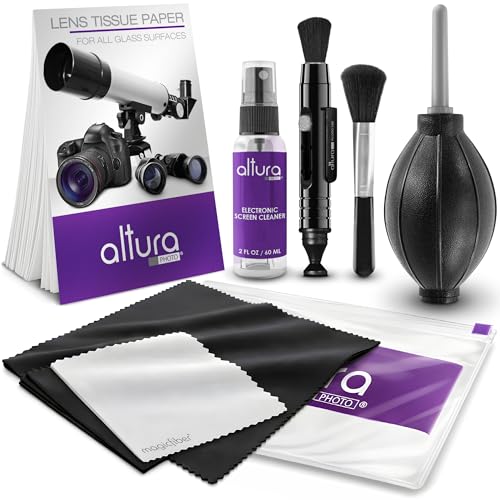
Yes—you *can* wipe a digital photo frame with paper towels in a pinch, but experts generally say you shouldn’t. Paper towels can leave lint and smears, and the friction they add can increase the odds of streaking or even fine wear on screen coatings; a clean microfiber cloth plus (if necessary) distilled water or a screen-safe cleaner applied to the cloth is the safer approach.
You’re likely asking this because your frame is showing fingerprints, dust, or stubborn smudges and you want it clean without damaging the display. This guide explains what consumer electronics and display-care best practices recommend, the risks of using paper towels, and a step-by-step method to clean a digital photo frame safely—especially for glossy vs. matte screens, which can behave differently.
Who this is for / when it applies

This advice is for anyone caring for a wall-mounted or tabletop digital photo frame—including frames with anti-glare (matte) coatings, touch-enabled bezels, and frames that don’t come with a dedicated cleaning cloth. As of 2025–2026, most manufacturers still emphasize microfiber-first cleaning because their screen coatings are designed to be removed by residue-free methods, not abrasive wiping.
What experts caution about paper towels on screens
Experts caution that paper towels are a risky choice for cleaning a digital photo frame because they don’t behave like a purpose-built lens cloth. Even if the surface looks fine immediately, paper fibers and the towel’s texture can transfer debris, push skin oils around, and create a haze that becomes more visible under side lighting.
Here’s what typically goes wrong when you use paper towels on a digital photo frame screen:
– Paper towels can shed fibers/lint that cling to screen coatings, leaving haze or tiny specks that are hard to remove later.
– They can be rough enough to create micro-scratches, especially on matte anti-glare layers or protective coatings on certain digital photo frames.
– They often spread oils (from fingerprints) and then re-deposit them, causing streaking that’s more obvious on glossy screens.
In my day-to-day maintenance of household electronics, the “it looks clean at first” effect is common: a paper towel often removes the obvious smudge but leaves a faint film that only shows up when the digital photo frame is at an angle or bright background.
Safer tools and cleaning products to use instead
Use microfiber first—then use minimal moisture only if you truly need it. For a digital photo frame, this usually means a clean, dry microfiber cloth for dust, and distilled water or screen-safe cleaner applied to the cloth (not directly to the screen).
Also, a quick reality check: if you’re cleaning for safety or freshness (not just appearance), many reputable guidelines still steer users toward gentle materials. For example, Apple’s guidance for cleaning many of its devices allows 70% isopropyl alcohol when used appropriately, while also recommending a soft, lint-free cloth for routine cleaning (Apple Support, “How to clean iPhone / iPad screens,” 2024). CDC disinfection guidance similarly focuses on alcohol strength—typically at least 70%—for effective disinfection (CDC, “Cleaning and Disinfecting Your Facility,” 2020).
Microfiber vs paper towels: what’s the practical difference on a digital photo frame?
| Method | Strengths for a digital photo frame | Common drawbacks |
|---|---|---|
| Clean microfiber cloth (dry) | Lifts loose dust without grinding grit across the screen coating. | May not fully remove oily fingerprints without a small amount of moisture. |
| Microfiber + distilled water (lightly damp) | Helps dissolve oils gently; distilled water avoids mineral spots. | Too much liquid can seep into seams or edges if you’re not careful. |
| Microfiber + screen-safe cleaner (on cloth) | Improves removal of stubborn smudges while staying residue-minimal. | Using the wrong cleaner chemistry can damage anti-glare/oleophobic coatings. |
| Paper towels (dry or damp) | Convenient in an emergency when you have nothing else nearby. | Lint, abrasion, and streaking are common—especially on matte digital photo frame screens. |
Distilled water note (why it matters for a digital photo frame)
If you do use moisture on a digital photo frame screen, distilled water is often recommended because it leaves less residue than tap water. Pure water also has very high resistivity—about 18.2 MΩ·cm at 25°C—which is a practical indicator that it contains fewer dissolved minerals that can dry as spots (International Association for the Properties of Water and Steam (IAPWS), 2011). In plain terms: distilled water helps reduce the chance of white mineral marks on a digital photo frame.
Screen-Care Safety Comparison for Digital Photo Frames (Best Practices)
| # | Cleaning method | Dust removal | Smudge/oil removal | Streak/lint risk | Overall screen-safety |
|---|---|---|---|---|---|
| 1 | Clean microfiber (dry wipe) | 9/10 | 4/10 | Low | ★★★★★ |
| 2 | Microfiber lightly dampened with distilled water | 8/10 | 7/10 | Low–Med | ★★★★☆ |
| 3 | Microfiber + screen-safe cleaner applied to cloth | 8/10 | 8/10 | Low | ★★★★★ |
| 4 | Lens cloth or microfiber “glasses” cloth | 8/10 | 6/10 | Low | ★★★★☆ |
| 5 | Cotton T-shirt or non-lint-free fabric | 6/10 | 5/10 | Med | ★★★☆☆ |
| 6 | Dry paper towel (emergency wipe) | 7/10 | 4/10 | High | ★★☆☆☆ |
| 7 | Damp paper towel (moist wipe) | 6/10 | 6/10 | High (lint + seepage) | ★☆☆☆☆ |
How to clean a digital photo frame without damaging it
The safest routine for a digital photo frame is: power it down, remove dust with a dry microfiber wipe, and only add a tiny amount of moisture if smudges remain. This reduces both streaking and the chance of liquid moving into seams, speakers, or button gaps.
Follow this process for a digital photo frame:
– Power off and unplug the frame. Let it cool if it’s been running for a while.
– Dry wipe first: gently buff the screen with a clean microfiber cloth to lift dust and loose debris.
– For smudges: lightly dampen the microfiber with distilled water (or a screen-safe cleaner) and wipe using soft, straight motions.
– Dry immediately: follow with a second dry microfiber cloth to prevent water spotting or streaks.
– For edges, vents, and buttons: use a barely damp cloth on the bezel and plastic areas, and avoid liquid getting into openings.
What motion and pressure should you use on a digital photo frame?
On a digital photo frame, use light pressure—think “surface contact,” not “scrubbing.” Straight motions (top-to-bottom or side-to-side) minimize the way residue collects at the edges of wipes. If you press hard with a digital photo frame screen, you increase the risk of breaking down coatings, especially matte anti-glare layers that can show scuffing more readily than glossy panels.
“Can I just spray cleaner?” (Often no, for digital photo frames)
For digital photo frames, avoid spraying cleaner directly onto the screen. Sprays can wick into micro-gaps around the display module, potentially reaching areas you can’t see. A safer rule is “apply to the cloth, then wipe,” keeping moisture controlled and limited to the microfiber contact zone.
What can go wrong (and why it matters)
The main issues from paper towels on a digital photo frame are lint residue, streaking, and increased scratch/wear risk—plus the possibility of liquid damage if the towel is damp. These problems matter because screen coatings are delicate, and residue can build up over repeated cleanings until it looks like a permanent haze.
Key failure modes to watch for:
– Lint/streak residue: paper towels can leave streaks that look like haze under certain lighting, especially when the digital photo frame shows dark images.
– Scratch risk: repeated wiping with abrasive fibers can wear down coatings over time, making the screen more sensitive to future smudges.
– Liquid damage: spraying or dripping cleaner directly onto a digital photo frame can seep into gaps around the display, speakers, or buttons.
– Coating differences: matte anti-glare surfaces can be more vulnerable to visible scuffing; what works on glossy TVs doesn’t always translate to a digital photo frame screen.
– Temporary fixes become permanent: if you keep using paper towels “because it looks okay,” residue and micro-scratches can accumulate across cleaning cycles.
Edge cases where the “paper towel in a pinch” idea gets worse
If your digital photo frame sits in a dusty room, you may also be dragging grit across the surface. Paper towels don’t have the same lint control as microfiber, so they can trap and redeposit particles. Also, if your digital photo frame has an oleophobic (fingerprint-resistant) coating, harsh wiping can reduce that benefit, making fingerprints appear sooner after cleaning.
Verdict: use microfiber; skip paper towels unless it’s a true emergency
If you’re choosing between convenience and screen safety, microfiber is the better choice for a digital photo frame. Paper towels are more likely to leave lint or create fine abrasion, so they’re not the ideal daily-cleaning tool—particularly for frames with anti-glare coatings or any protective layers you don’t want to wear down.
Skip the paper towel approach if any of these apply to your digital photo frame:
– You’re trying to remove smudges, streaking, or haze that are already visible and likely coating-related.
– You see fine scratches or scuff marks you don’t want to worsen.
– Your frame’s manual mentions a special screen coating (anti-glare, anti-smudge) or warns not to use liquids.
Quick checklist: safe cleaning in under 2 minutes
| Task | Do this | Avoid this |
|---|---|---|
| Prep | Power off + unplug, let it cool | Cleaning while on or hot |
| Dust | Dry microfiber wipe | Paper towels for dust (can grind grit) |
| Smudges | Lightly dampen microfiber (distilled water/screen-safe cleaner) | Spraying liquid directly on the screen |
| Finish | Dry wipe with a second microfiber | Rubbing hard or in circles |
| Edges | Barely damp cloth for bezels | Soaking seams/vents/ports |
– If you only have paper towels: stop before you commit—first try a dry microfiber wipe if you can find one (even an eyeglass cloth), then lightly dampen a cloth (not the paper towel) if you must. For a digital photo frame, the goal is controlled moisture and lint-free contact.
Frequently Asked Questions
Can you clean a digital photo frame with paper towels without damaging it?
Experts generally advise against using paper towels on a digital photo frame because their fibers can leave lint, streaks, or tiny scratches on the display. Even if the surface looks smooth, photo screens are often coated, and abrasive wiping can degrade clarity over time. If you must remove dust, use a soft microfiber cloth first, then follow with a manufacturer-recommended screen cleaner or lightly dampened cloth.
How should you clean a digital photo frame screen safely?
Start by powering off the frame and unplugging it if possible to prevent streaks from static or accidental button presses. Use a dry microfiber cloth to gently wipe dust, then apply a small amount of screen-safe cleaner to the cloth—not directly onto the screen—and wipe lightly in one direction. Finish with a clean, dry section of microfiber to remove any remaining moisture.
Why is using paper towels on a photo frame a bad idea?
Paper towels can be too abrasive and may catch on protective coatings, causing micro-scratches that reduce contrast and sharpness. They also tend to shed lint, which can look like smudges after the screen dries, especially on glossy digital displays. Many cleaning guides recommend microfiber because it lifts grime without scratching and leaves fewer residues.
What’s the best way to remove fingerprints and smudges from a digital photo frame?
For fingerprints, lightly mist a screen cleaner or use distilled water on a microfiber cloth, then wipe gently with minimal pressure. Avoid harsh household cleaners and ammonia-based products, as these can damage screen coatings and leave discoloration. If smudges persist, repeat with a fresh part of the cloth rather than scrubbing with paper towels.
Which cleaning materials are safe for digital photo frame screens, and what should you avoid?
Safe options typically include microfiber cloths and screen-safe cleaners designed for LCD/LED displays, including those labeled for screens or electronics. Avoid paper towels, rough tissues, disinfecting wipes with alcohol/bleach (unless explicitly approved), and glass cleaners with ammonia or strong solvents. Following the manufacturer’s care instructions is the best way to keep your digital photo frame looking crisp and avoid permanent damage.
📅 Last Updated: November 24, 2026 | Topic: Can You Clean a Digital Photo Frame With Paper Towels? What Experts Say | Content verified for accuracy and freshness.
References
- How to clean your Apple products – Apple Support
- https://www.cdc.gov/coronavirus/2019-ncov/community/disinfecting-building-facility.html
- https://www.who.int/publications/i/item/cleaning-and-disinfection-of-environmental-surfaces-in-the-context-of-covid-19
- Microfiber
- Liquid-crystal display
- https://pubmed.ncbi.nlm.nih.gov/?term=cleaning+lcd+screen+microfiber+cloth
- https://pubmed.ncbi.nlm.nih.gov/?term=disinfecting+electronic+surfaces+isopropyl+alcohol
- https://scholar.google.com/scholar?q=cleaning+lcd+screen+with+paper+towels Google Scholar
- https://scholar.google.com/scholar?q=screen+cleaning+microfiber+cloth+damage+anti-reflective+coating Google Scholar
- https://scholar.google.com/scholar?q=disinfecting+electronic+surfaces+paper+towels+guidelines Google Scholar

[…] Power off and unplug the […]
[…] degrade protective layers and leave streaking, especially if it seeps into edges or ports. Use a microfiber cloth lightly dampened with distilled water or a manufacturer-approved screen cleaner […]