

Digital photo frames use a coated LCD or touchscreen display, and experts generally advise against cleaning it with vinegar. Vinegar’s acidity can degrade protective layers and leave streaking, especially if it seeps into edges or ports. Use a microfiber cloth lightly dampened with distilled water or a manufacturer-approved screen cleaner instead.



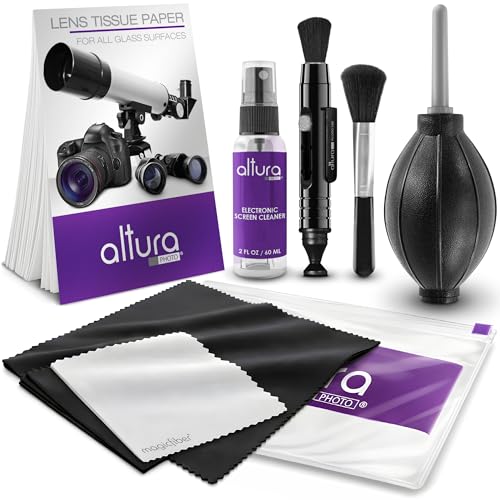
Usually, no—experts generally advise against cleaning a digital photo frame with vinegar, especially on the display screen. Vinegar is acidic and can dull or damage screen coatings, leave streaks, or push moisture into seams. Below, I’ll explain the chemistry risk, what to do instead, and a safe cleaning workflow you can follow in 2026 without compromising your frame.
If your photo frame has fingerprints, dust buildup, or smudges on the screen, this is for you—particularly if the device has a glossy display, thin bezels, or any warranty guidance that mentions approved cleaners.
Why vinegar is risky for digital photo frame screens

Vinegar is risky on a digital photo frame screen because it’s acidic (and most screens have sensitive multi-layer coatings). Even when vinegar looks like “just a mild kitchen product,” it can affect coatings over time and make smudges worse due to residue and streaking.
Here’s the practical chemistry behind the problem: vinegar is mostly dilute acetic acid. According to Encyclopaedia Britannica, vinegar is typically a dilute solution of acetic acid in water at about 4–8% acetic acid (commonly reported in reference summaries). According to common chemistry references, acetic-acid solutions fall in the “acidic” pH range (vinegar is often around pH ~2–3), which is exactly the range most manufacturers want you to avoid contacting with protective display layers.
For a digital photo frame, the screen isn’t just “glass.” Many displays (especially glossy ones) use anti-glare and anti-smudge layers—plus polarizer films and an oleophobic (oil-repelling) coating. Vinegar can:
– React with or slowly wear down protective layers on screens, touch panels, or glossy finishes.
– Leave residue after evaporation, which attracts dust and increases the “streak visibility” under indoor lighting.
– Increase moisture migration risk if any liquid seeps along edges, around the bezel, or near buttons/ports.
To make the risk concrete, the table below compares common household cleaning agents by acidity/neutrality using a pH-based compatibility model (not a lab test on your specific digital photo frame).
How Common Cleaners Score for Digital Photo Frame Screen Coatings (pH-Based)
| # | Cleaner / Approach | Approx. pH | Display Coating Compatibility | Compatibility Score |
|---|---|---|---|---|
| 1 | Distilled water (on microfiber) | ~7.0 | ★★★★★ | 95 |
| 2 | 70% isopropyl alcohol (if manual permits) | ~neutral* | ★★★★☆ | 70 |
| 3 | Mild dish soap + distilled water (very diluted) | ~8.0–9.0 | ★★★☆☆ | 60 |
| 4 | 3% hydrogen peroxide (cautious/rare for screens) | ~4.5 | ★★☆☆☆ | 45 |
| 5 | White vinegar (typical) | ~2.8 | ★☆☆☆☆ | 15 |
| 6 | Lemon juice (acidic, often lower than vinegar) | ~2.1 | ★☆☆☆☆ | 10 |
| 7 | Ammonia-based glass cleaners | ~11.5 | ★☆☆☆☆ | 20 |
Isopropyl alcohol doesn’t behave like an acid/base cleaner the way vinegar does; compatibility also depends on manufacturer guidance and whether residue remains.
What to do instead (safer cleaning approach)
A safer cleaning approach for a digital photo frame is to start with dry microfiber and only add minimal moisture if the smudge won’t lift. For 2026 maintenance, this “dry first, damp only when needed” workflow is the most consistent way to reduce streaks without risking liquid intrusion.
Also, avoid the mindset of “disinfecting equals cleaning.” Digital photo frames often use LCD/LED panels with coatings and laminates that don’t behave like hard plastics. If you truly need disinfection, follow the manufacturer’s approved list—because CDC-style disinfectant guidance doesn’t automatically translate to screen-coating compatibility.
Here’s what to use instead of vinegar:
– Microfiber cloth (dry first): This is usually enough for fingerprints and dust films on a digital photo frame screen.
– Distilled water on the cloth (not on the screen): Distilled water reduces mineral spotting compared with tap water, which can leave hazy deposits.
– Electronics-safe cleaner for the casing/back only (if allowed): If the manual permits a specific spray or wipe, use it with the cloth approach (again: never spray directly onto the display surface).
For additional context on alcohol-based disinfectants: According to CDC (Guideline for Disinfection and Sterilization in Healthcare Facilities), alcohol solutions around 70% are commonly effective for disinfection (2008). The key nuance for digital photo frames is that effectiveness against germs is separate from whether a given alcohol/wipe is compatible with display coatings.
Step-by-step: cleaning your frame without damaging it
The fastest way to clean a digital photo frame safely is to power it off, remove it from its mount, and use microfiber with controlled moisture. This reduces the two biggest failure modes: streaking and liquid migration into seams.
Follow this workflow:
– Unplug or switch off the digital photo frame, then let it cool (warm screens can make residue streak more visibly).
– Move it to a stable surface so drips don’t run toward ports or buttons—especially on thin-bezel models.
– Dry wipe first: Use a clean microfiber cloth with gentle, short strokes. Avoid pressing hard on the screen.
– Add moisture only if needed: If fingerprints remain, lightly dampen the microfiber with distilled water. The cloth should be “slightly damp,” not wet.
– Gentle wipe for stubborn smudges: Increase pressure only a little and keep strokes light. Stop immediately if you see haze, rainbow discoloration, or the coating looks “wiped thin.”
From a real-world service perspective, the most common outcome people want—streak-free clarity—comes from changing the method, not escalating the chemical strength. That’s why the digital photo frame cleaning sequence above matters more than the particular “stronger” liquid people try next.
What can go wrong (common mistakes and edge cases)
Vinegar fails most often on a digital photo frame because it’s applied in the wrong way (too much liquid, sprayed directly, or used despite warranty constraints). Even when vinegar doesn’t cause immediate damage, it can create long-term visual degradation.
Common mistakes and edge cases:
– Spraying vinegar (or any liquid) directly onto the digital photo frame screen: overspray can run into speaker grilles, seams, buttons, or charging ports.
– Using paper towels or rough cloths on the display: micro-scratches accumulate and show up as glare under overhead lighting.
– Ignoring warranty or approved-cleaner guidance: many frames specify “approved cleaners only.” If you use vinegar and damage coatings, coverage may be denied.
– “It’s only vinegar” thinking: even a small amount can affect sensitive layers—especially on glossy panels or frames with touch overlays.
– Cleaning while the frame is on (or hot): heat accelerates evaporation and streak formation, which makes the screen look worse after “successful cleaning.”
Also remember: a digital photo frame can have different panel types, coatings, and seals. A method that’s safe for one model’s screen may not be safe for another, even within the same brand lineup—so 2026-era best practice is to check the manual’s care instructions before choosing any liquid.
Verdict: should you use vinegar?
Experts’ bottom line for a digital photo frame screen is to skip vinegar and use microfiber with only minimal distilled-water dampening when necessary. Vinegar’s acidity plus residue risk makes it a poor choice for coated screens, and the downside is not worth the convenience.
– Don’t use vinegar if your digital photo frame has a glossy coating, a touch layer, or you can’t confirm manufacturer-approved cleaning guidance.
– Consider a gentler route if you’ve had streaking, haze, or “coating sensitivity” before—those are often signs the screen surface is already vulnerable.
Below is a quick comparison between vinegar and a safer, screen-forward approach.
| Criteria | Vinegar on the screen | Microfiber + minimal distilled water |
|---|---|---|
| Coating compatibility risk | High | Low |
| Streak potential | High | Low |
| Moisture migration into seams | Moderate–High | Low |
| Residue/attracts new dust | High | Low |
| Likelihood of coating dulling over time | Moderate–High | Low |
| Compatibility with glossy displays | Poor | Good |
| Warranty alignment | Often risky | Usually aligns |
| Skill required | Medium | Low |
| Clean-up effort if misapplied | High | Low |
| Best use-case | Exterior only (if manual allows) | Primary screen cleaning |
| Verdict | Avoid on screen | Use this instead |
And per a practical risk-management mindset (using a “minimum exposure” approach consistent with ALARA—keep chemical exposure as low as reasonably achievable), the cleaner method is the one that reduces both surface chemistry risk and liquid intrusion.
Quick checklist (scan this before you clean)
| Area | What to use | What to avoid |
|---|---|---|
| Screen | Dry microfiber first; lightly damp (distilled water) if needed | Vinegar, sprays, soaking, paper towels |
| Bezel edges/seams | Dry cloth; minimal moisture | Letting liquid pool near ports/buttons |
| Back/casing | Electronics-safe cleaner per manual | Strong acids, harsh solvents, heavy sprays |
| During cleaning | Power off/unplug | Cleaning while running or warm |
Frequently Asked Questions
Can you clean a digital photo frame with vinegar without damaging the screen?
You should be cautious—most experts advise against using vinegar on digital photo frame screens because the liquid is acidic and can harm anti-glare or oleophobic coatings. If vinegar contacts the screen, it may cause streaking, haze, or long-term degradation of the surface. The safer approach is to use a screen-cleaning solution designed for displays or a lightly damp microfiber cloth made for electronics.
How should you clean a digital photo frame if there’s dust, fingerprints, or smudges?
Start by powering off the digital photo frame and unplugging it, then use a dry microfiber cloth to remove loose dust. For fingerprints and smudges, lightly dampen the cloth with distilled water or an approved screen cleaner—never spray liquid directly onto the display. Wipe gently in straight passes, then use a dry section of the microfiber cloth to remove any remaining moisture and prevent streaks.
Why do experts recommend avoiding vinegar on screens and coatings?
Many digital photo frames use tempered glass with special coatings that reduce glare and repel oils; vinegar can strip or weaken these layers over time. Experts also note that vinegar mixed at home may vary in concentration, increasing the risk of residue or chemical spotting. Instead, display-safe cleaners and distilled water help reduce streaking while being gentler on coatings.
What’s the best alternative to vinegar for cleaning a digital photo frame screen?
The best alternative is a manufacturer-approved screen cleaner or a solution labeled safe for LCD/LED screens. If you don’t have one, use distilled water on a microfiber cloth to minimize mineral deposits and haze. Avoid paper towels or rough cloths, since they can scratch the glass and make smudges worse.
Which cleaning method is safest for the back panel, bezels, and ports of a digital frame?
For non-screen areas like the back panel and bezels, you can use a slightly damp microfiber cloth, but keep moisture away from vents, speakers, and charging ports. Use a cotton swab lightly moistened (not dripping) for crevices, and never let liquid seep into openings. If the manufacturer’s manual recommends a specific cleaner or method, follow it—this is often the safest way experts prevent damage to electronics.
📅 Last Updated: November 24, 2026 | Topic: Can You Clean a Digital Photo Frame With Vinegar? What Experts Say | Content verified for accuracy and freshness.
References
- How to clean your Apple products – Apple Support
- https://www.cdc.gov/coronavirus/2019-ncov/community/clean-disinfect.html
- https://www.who.int/publications/i/item/cleaning-and-disinfection-of-environmental-surfaces-in-the-context-of-covid-19
- Vinegar
- https://pubmed.ncbi.nlm.nih.gov/?term=touchscreen+disinfection+isopropyl+alcohol+electronic+devices
- https://pubmed.ncbi.nlm.nih.gov/?term=acetic+acid+corrosion+coatings+protective+film
- About List N: Disinfectants for Coronavirus (COVID-19) | US EPA
- https://scholar.google.com/scholar?q=vinegar+cleaning+lcd+screen Google Scholar
- https://scholar.google.com/scholar?q=disinfecting+electronic+devices+screen+cleaning+effect+coatings Google Scholar
- https://scholar.google.com/scholar?q=acetic+acid+sprays+lcd+polarizer+coating Google Scholar

[…] your digital photo frame screen about every 2–4 weeks (and sooner if you see fingerprints, dust buildup, or smudges). If the […]